Developer technologies | .NET | Other
Microsoft Technologies based on the .NET software framework. Miscellaneous topics that do not fit into specific categories.
This browser is no longer supported.
Upgrade to Microsoft Edge to take advantage of the latest features, security updates, and technical support.
' cx='32' cy='32' r='32' /%3E%3Ctext x='50%25' y='55%25' dominant-baseline='middle' text-anchor='middle' fill='%23FFF' %3ESN%3C/text%3E%3C/svg%3E)
@Cathy Sullivan @Cathy Sullivan @Cathy Sullivan @Balasubramanian S
Hello all,
I was not sure who was the user in below .net conf event for upgrade assistant. So mentioned with wild guess. Please don't mind if any of you mentioned above are not part of that event host and presenter.
Event link:
https://learn.microsoft.com/en-us/events/dotnetconf-2021/upgrading-from-net-framework-to-net-6
So if anyone can answer my question below ,
In the event presenter video at time 15:28 it is mentioned about command execution but have not specified which keyword has been entered or just pressed enter button?
Because for me through the package manager console i am trying to run that upgrade command console is still seems in execution mode and i am not able to do neither input key or press enter button for more than 3-4 hours.
Any help is greatly appreciated 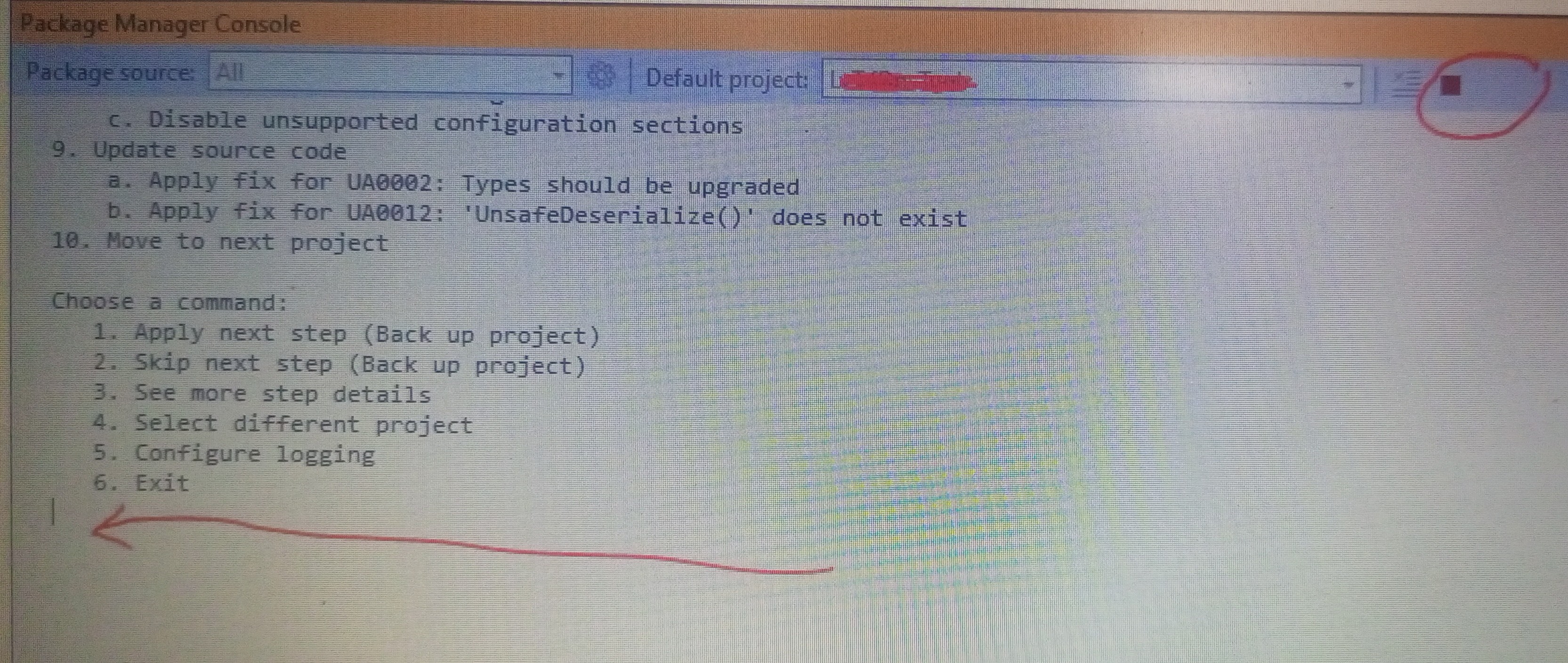 .
.
' cx='32' cy='32' r='32' /%3E%3Ctext x='50%25' y='55%25' dominant-baseline='middle' text-anchor='middle' fill='%23FFF' %3EDD%3C/text%3E%3C/svg%3E)
For anyone else having this error, no it hasn't been resolved as and it has nothing to do with VSCode as suggested by Sanjay Narod. The issue is with Visual Studio Package Manager Console. Issue is present in Visual Studio 2022.
Have to use Developer Powershell or Developer Command Prompt.
See below:
' cx='32' cy='32' r='32' /%3E%3Ctext x='50%25' y='55%25' dominant-baseline='middle' text-anchor='middle' fill='%23FFF' %3EAX%3C/text%3E%3C/svg%3E)
Hi @Sanjay Narod ,
Welcome to Microsoft Q&A!
You can install the .NET Upgrade Assistant tool from Package Manager Console.
If you want to run the tool, please open a Command Prompt terminal and run the following command:
upgrade-assistant upgrade <Path to csproj or sln to upgrade>
Then, just press “Enter” to do the steps.
Sincerely,
Anna
*
If the answer is the right solution, please click "Accept Answer" and kindly upvote it. If you have extra questions about this answer, please click "Comment".
Note: Please follow the steps in our documentation to enable e-mail notifications if you want to receive the related email notification for this thread.
Hello @Anna Xiu-MSFT
Thank you for your reply.
I have already installed upgrade assistant and also successfully generated analyze report too.
Issue is , when I tried to run upgrade command through package manager console, command generated some steps to follow but I am not able to perform those steps as console seems stuck in execution mode .
The error is shown in image in original questions attached. So can't we perform those steps in package manager console through visual studio 2022?
Through command prompt and windows powershell getting error like,
"This program is blocked by group policy.for more information contact your system administrator."
Thanks.
Yeah, I also tried to use the Package Manager Console to run the "upgrade-assistant upgrade" command. And the same problem as you. It is stuck in execution mode.
But I tested on Command Prompt terminal, the command works normally. Just as you share the document, it also uses Command Prompt.
So I suppose the "upgrade-assistant upgrade" command may not execute in the Package Manager Console.
Do you have any anti-virus software or group policy? If so, please temporarily disable them and try again.
Yeah. It might be there. Already requested for whitelisting the same.will update here once all good.
Do you have any update?
This has been resolved by using VS Code version 1.73.1 terminal.
For anyone else having this error, no it hasn't been resolved and it has nothing to do with VSCode. The issue is with Visual Studio Package Manager Console. Issue is present in Visual Studio 2022.
See below:
https://github.com/dotnet/upgrade-assistant/issues/1416
This issue has been resolved by running the upgrade command on VS Code version 1.73.1 terminal.
Thanks for your sharing!
For anyone else having this error, no it hasn't been resolved and it has nothing to do with VSCode. The issue is with Visual Studio Package Manager Console. Issue is present in Visual Studio 2022.
See below:
https://github.com/dotnet/upgrade-assistant/issues/1416