Azure Virtual Machines
An Azure service that is used to provision Windows and Linux virtual machines.
This browser is no longer supported.
Upgrade to Microsoft Edge to take advantage of the latest features, security updates, and technical support.
' cx='32' cy='32' r='32' /%3E%3Ctext x='50%25' y='55%25' dominant-baseline='middle' text-anchor='middle' fill='%23FFF' %3EVR%3C/text%3E%3C/svg%3E)
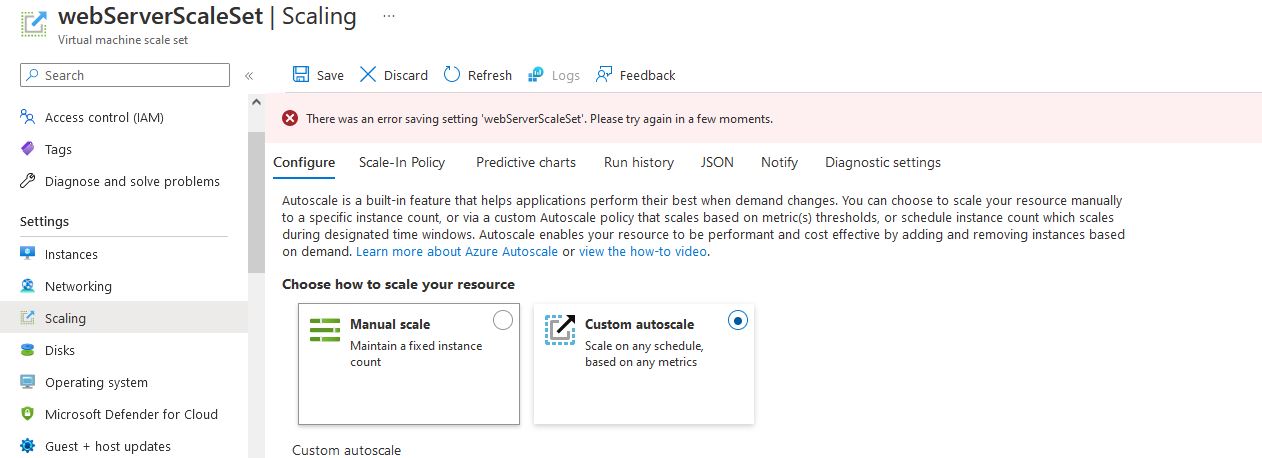
I keep getting this error "There was an error saving setting. Please try again in a few moments" when i save the settings for my VM scale set autoscaling. I have tried many times, still no luck. Tried googling this error, but did not get any solutions. Can you guys take a look and share your thoughts?
I am on the default subscription (free tier). Is it because there are restrictions to my subscription that I am not allowed to use autoscale for my VMSS?

Hello @Vaishali Ramchandran ,
Thank you for reaching out to the Microsoft Q&A platform. Happy to answer your question.
As far as I know, and the documentation is considered auto-scale feature is supported on Free/Trial subscriptions as well. In order to test this scenario, I have set up a free trial and reproduced the error successfully
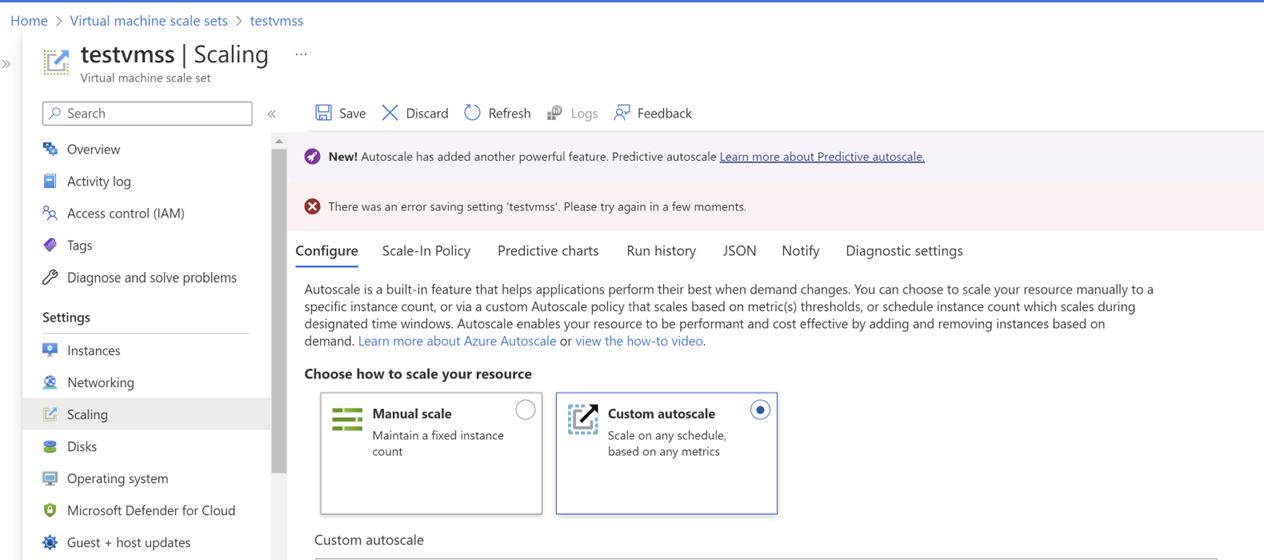
Cause:
As this error doesn't give any clues or reasons for failure. I have enabled network traces on the browser(Developer tools option in browser) and looked at the network trace logs, and found that the reason of failure is that it needs "Microsoft.Insights" resource provider to be registered on the subscription.
Sinppet from network traces:
extension: Microsoft_Azure_Monitoring
{"error":{"code":"MissingSubscriptionRegistration","message":"The subscription is not registered to use namespace 'microsoft.insights'. See https://aka.ms/rps-not-found for how to register
Solution:
I have checked and registered the 'microsoft.insights' provider from ->Subscriptions->Resource Providers blade->microsoft.insights as it was not registered.
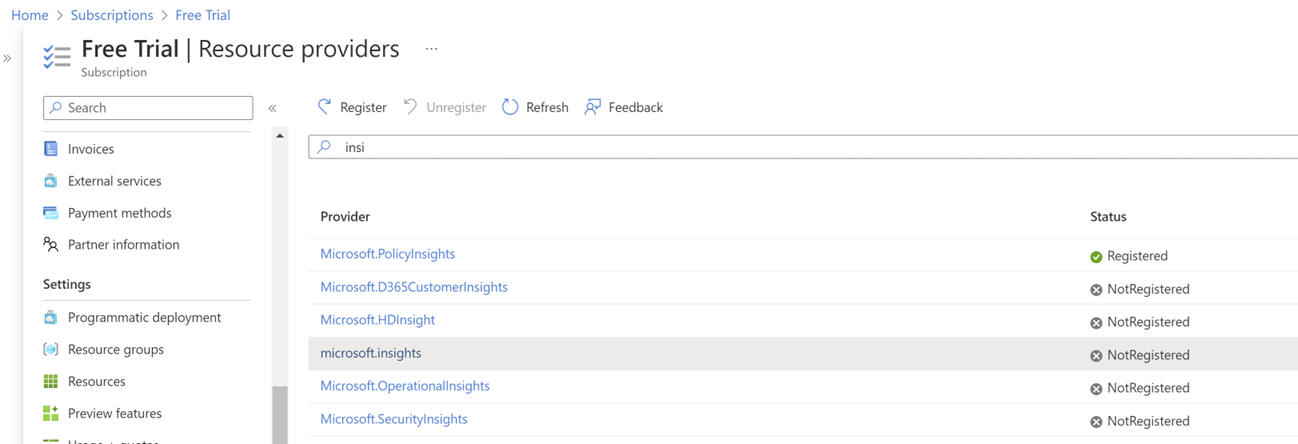
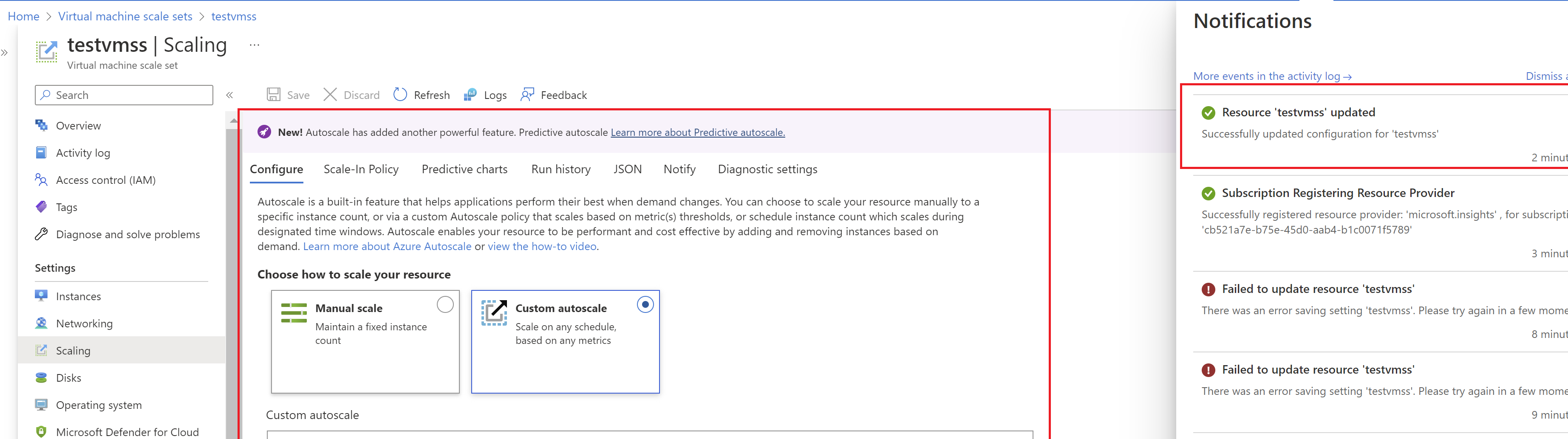
Once it got registered, I was able to set the auto-scale with custom configuration as you can see in the below screenshot
Hope this helps!
Please "Accept as Answer" and Upvote if the answer provided is useful, so that you can help others in the community looking for remediation for similar issues.
Thank you so much for the detailed solution, @Prrudram-MSFT ! It worked like a charm!
Appreciate your efforts.
Any idea why registering to microsoft.insights is necessary?
Microsoft.Insights is the resource provider namespace for Azure Monitor which provides features such as metrics, diagnostic logs, activity logs, autoscale, and metric alerts. For the VMSS autoscale it makes uses of azure monitor and in turn its resource provider microsoft.insights
Thank you, once again!
' cx='32' cy='32' r='32' /%3E%3Ctext x='50%25' y='55%25' dominant-baseline='middle' text-anchor='middle' fill='%23FFF' %3EJS%3C/text%3E%3C/svg%3E)
Hey @Prrudram-MSFT thank you for take the time and all the Screenshots. Your were right... Problem was fixed successfully. Your solution was the answer.