' cx='32' cy='32' r='32' /%3E%3Ctext x='50%25' y='55%25' dominant-baseline='middle' text-anchor='middle' fill='%23FFF' %3EQ%3C/text%3E%3C/svg%3E)
' cx='32' cy='32' r='32' /%3E%3Ctext x='50%25' y='55%25' dominant-baseline='middle' text-anchor='middle' fill='%23FFF' %3ESX%3C/text%3E%3C/svg%3E)
Hi @qi2313983725 ,
Welcome to Microsoft Q&A!
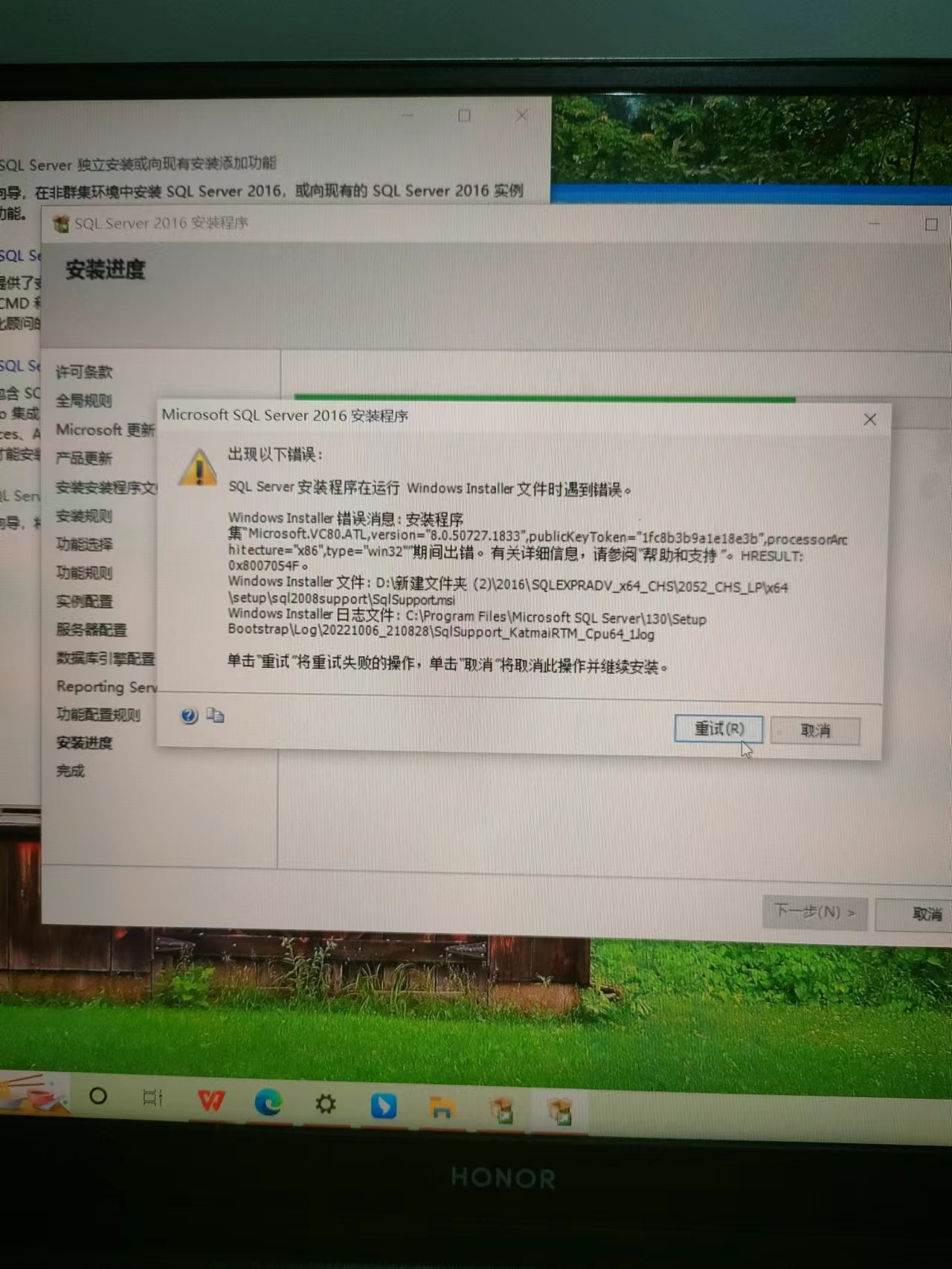
Microsoft.VC80.ATL,version="8.0.50727.1833",publicKeyToken="1fc8b3b9a1e18e3b",processorArchitecture="x86",type="win32
First of all, if your computer has windows update, you need to update windows first. Second, your error message is in a SQL Server component: Microsoft Visual C++ 2005 Service Pack 1 Redistributable Package MFC Security Update. Download and install it. Finally, you can have a success installation of SQL Server.
From here, you can see more details:

Best regards,
Seeya
If the answer is the right solution, please click "Accept Answer" and kindly upvote it. If you have extra questions about this answer, please click "Comment".
Note: Please follow the steps in our documentation to enable e-mail notifications if you want to receive the related email notification for this thread.