Microsoft Teams | Microsoft Teams for business | Other
Additional features, settings, or issues not covered by specific Microsoft Teams categories

This browser is no longer supported.
Upgrade to Microsoft Edge to take advantage of the latest features, security updates, and technical support.
' cx='32' cy='32' r='32' /%3E%3Ctext x='50%25' y='55%25' dominant-baseline='middle' text-anchor='middle' fill='%23FFF' %3EDS%3C/text%3E%3C/svg%3E)
unable to use MS Teams a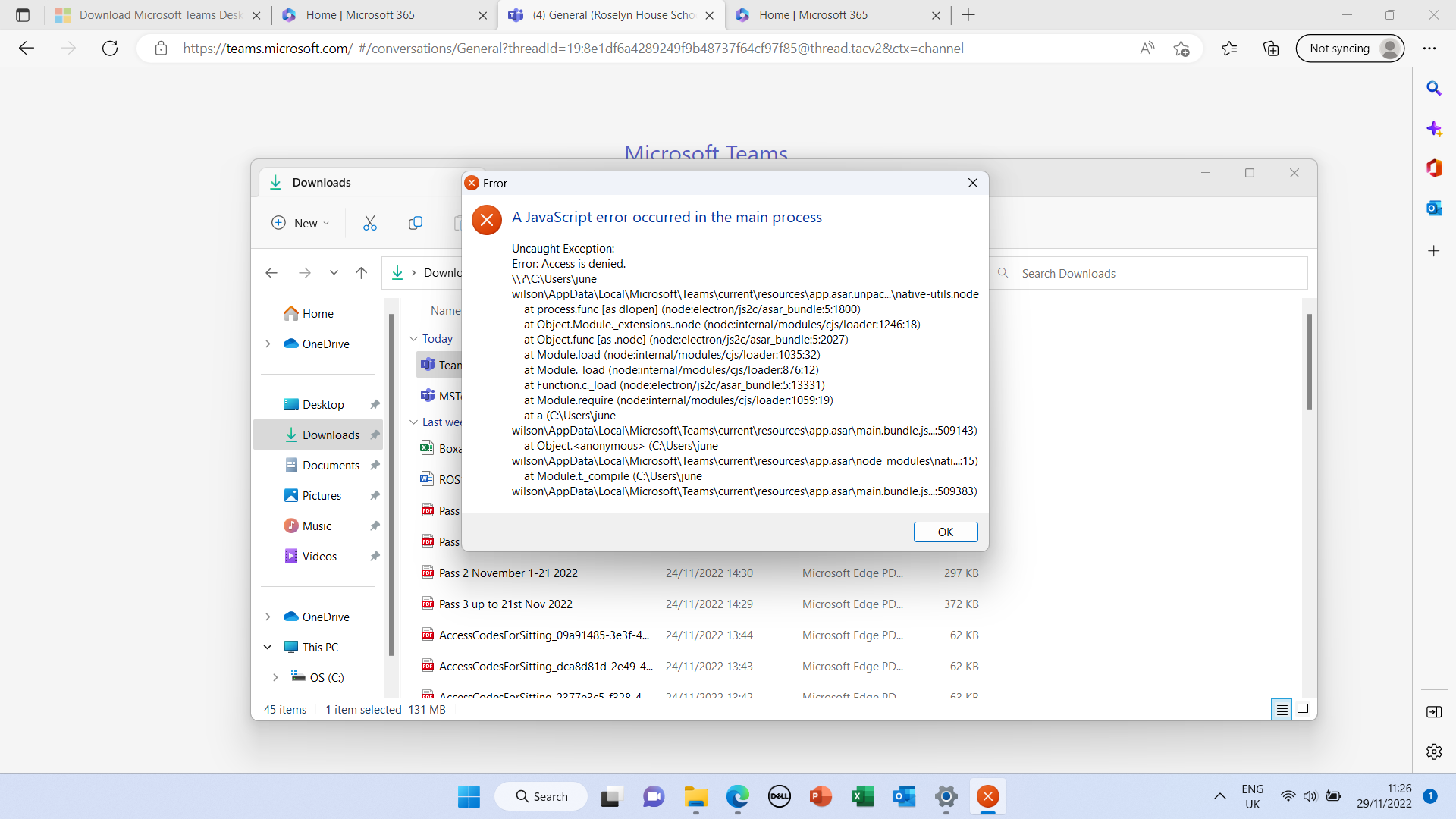 pp
pp
Additional features, settings, or issues not covered by specific Microsoft Teams categories

Hi @Dave S71
Please try going to the following link and hit Download for desktop:
https://www.microsoft.com/en-ca/microsoft-teams/download-app
Then, right click the file > Run As Administrator
------------------------------------------
If this is helpful please accept answer.
' cx='32' cy='32' r='32' /%3E%3Ctext x='50%25' y='55%25' dominant-baseline='middle' text-anchor='middle' fill='%23FFF' %3EJM%3C/text%3E%3C/svg%3E)
Hi @Dave S71
For the error message, it is possible that Administrator Privileges caused this issue. To check it, you can try the following steps:
You can also try to switch to a new Windows User Profile. This method can rule out the possible reason of your current Windows User Account.
If the answer is helpful, please click "Accept Answer" and kindly upvote it. If you have extra questions about this answer, please click "Comment".
Note: Please follow the steps in our documentation to enable e-mail notifications if you want to receive the related email notification for this thread.
It has been a while, how is everything going?
If you have any update about this issue, please feel free to post back.