Microsoft 365 and Office | SharePoint | For business | Windows
A group of Microsoft Products and technologies used for sharing and managing content, knowledge, and applications.

This browser is no longer supported.
Upgrade to Microsoft Edge to take advantage of the latest features, security updates, and technical support.
' cx='32' cy='32' r='32' /%3E%3Ctext x='50%25' y='55%25' dominant-baseline='middle' text-anchor='middle' fill='%23FFF' %3EJM%3C/text%3E%3C/svg%3E)
Hello:
I am trying to learn how to share a private document within SharePoint. I have successfully shared the document to a specific person outside the organization. I am testing this with two dummy accounts, yahoo and Gmail. I shared the document and gave edit permissions to yahoo. Yahoo was able to receive the document, open and edit. There was a code needed to verify the yahoo account at first. But then I forwarded the email to Gmail. I received it, clicked the link and I was able to open and edit the document through Gmail but it was saying the yahoo account was opening the document and all changes were registering as the yahoo account. In SharePoint admin center, under Policies > Sharing> More External sharing settings, I have it set to "Guest must sign in using the same account to which sharing invitations are sent" and "Allow guests to share items they don't own". I tried unchecking "Allow guests..." but still failed to stop the forward from opening. Anyone have a clue on what is allowing this. I have read this is not suppose to happen.
Thanks,
Justin Meier
' cx='32' cy='32' r='32' /%3E%3Ctext x='50%25' y='55%25' dominant-baseline='middle' text-anchor='middle' fill='%23FFF' %3EED%3C/text%3E%3C/svg%3E)
Whether you share with external users through Anyone link or Specific people link?
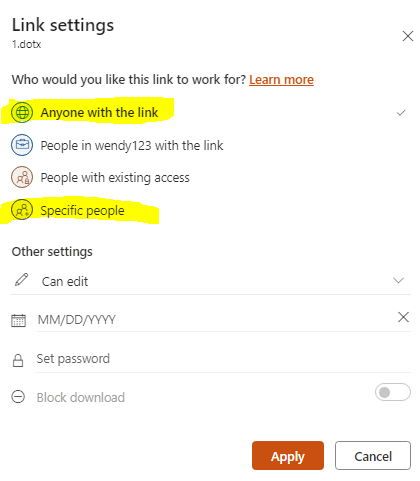
If you share with external users through Anyone link, then everyone can open and edit the file through the sharing link even though be set to "Guest must sign in using the same account to which sharing invitations are sent" and "Allow guests to share items they don't own". If you share with external users through Specific people link, guest must sign in using the same account to which sharing invitations are sent, then they can open and edit the file.
If the answer is helpful, please click "Accept Answer" and kindly upvote it. If you have extra questions about this answer, please click "Comment".
Note: Please follow the steps in our documentation to enable e-mail notifications if you want to receive the related email notification for this thread.
I did share with Specific people link (to yahoo) and I did sign in using the same account in which the sharing invitation was sent (yahoo). I clicked the link and it asked for a code to be sent to yahoo and I entered the code and was able to review and edit. I then was curious and forwarded the now opened link to my dummy Gmail and received it. I was able to open it without a code and when I did, I was able to edit it but every edit showed as if I was logged onto yahoo. In real time I could see myself editing the document under the original, the yahoo and Gmail, but only two accounts were showing editing the document. But I knew three were on it.
I test in my SharePoint site, and I cannot reproduce the issue. Please try to clear browser cache or test in other browsers.


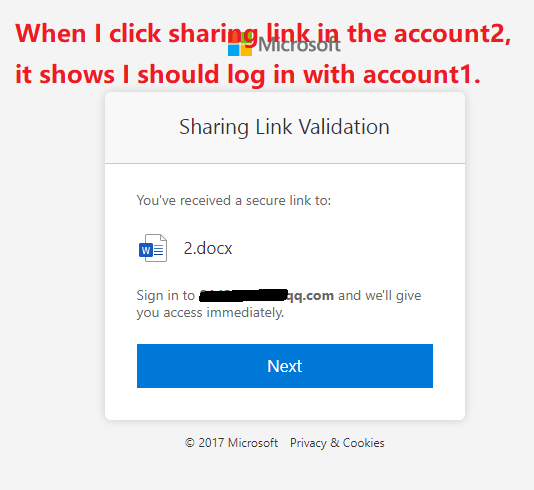
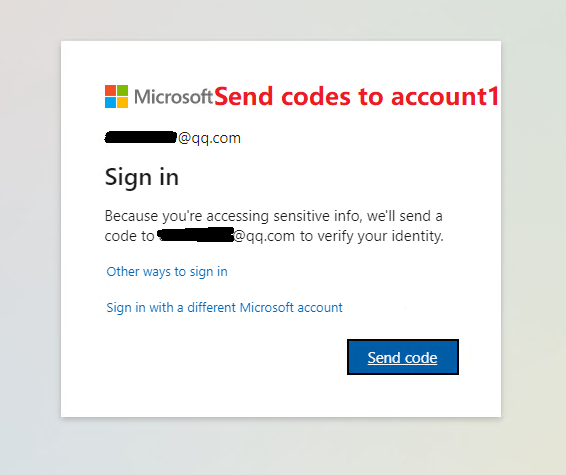
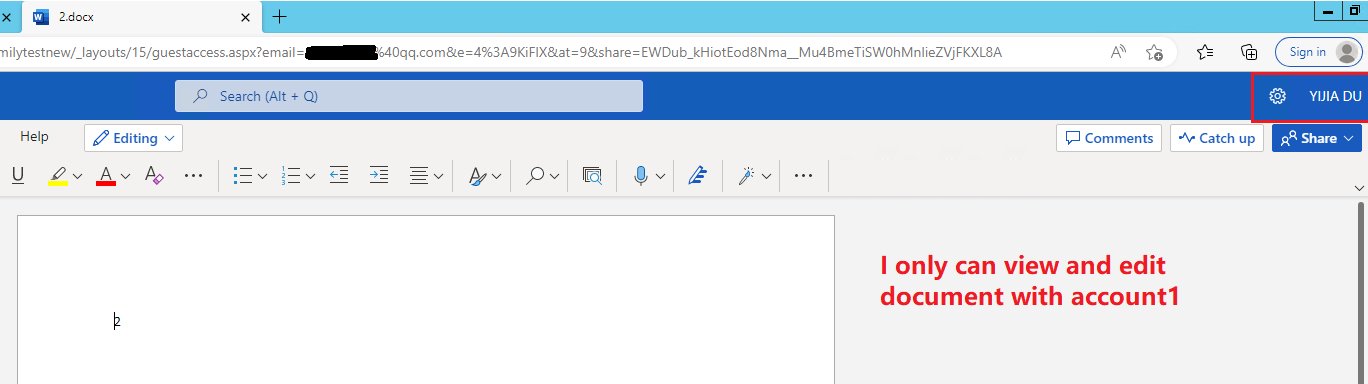
I’m checking how the things are going on about this issue. Whether the answer helps you?
If there is any problem with this issue, feel free to let me know.
Cleared my cache and replicated the sharing scenario. Opened the shared document under yahoo, was prompt for a code, entered it and was able to open the document. Then forwarded the document to Gmail. And was able to open it with no issues and it never asked to send a code. Under Gmail, it still shows as if I was the yahoo account opening the document. So what setting am I missing? I have everything the same as your suggestions.
Please try to log in yahoo and Gmail account in different browsers, then have a test. And try to share another document, compare the result.
Cleared cache again, change to three different browsers, still able to forward and open the document.