Microsoft 365 and Office | SharePoint Server | For business
A family of Microsoft on-premises document management and storage systems.

This browser is no longer supported.
Upgrade to Microsoft Edge to take advantage of the latest features, security updates, and technical support.
' cx='32' cy='32' r='32' /%3E%3Ctext x='50%25' y='55%25' dominant-baseline='middle' text-anchor='middle' fill='%23FFF' %3ES%3C/text%3E%3C/svg%3E)
We have 4 SharePoint servers , in that 2 WFE and 2 Application servers, I have 3 questions on this, could you please clarify, thanks
After installing binaries in all 4 servers, do we need to run product config wizard in all servers or only WFE servers?
After installing binaries, Do we need to run Product config wizard first in CA server only or any server is fine?
And if farm is large, can we run upgrade content databases after running prod config wizard?
' cx='32' cy='32' r='32' /%3E%3Ctext x='50%25' y='55%25' dominant-baseline='middle' text-anchor='middle' fill='%23FFF' %3EXX%3C/text%3E%3C/svg%3E)
Hi @sns ,
Answers to your questions:
If the answer is helpful, please click "Accept Answer" and kindly upvote it. If you have extra questions about this answer, please click "Comment".
Note: Please follow the steps in our documentation to enable e-mail notifications if you want to receive the related email notification for this thread.
Hi HaoyaXue,
Thank you for the response.
For the second answer I am not quite sure, So during application patching, Do we need to run prod config wizard on any app server?
and for the third answer, I remember long back we have removed the content databases before running product config wizard step and we have mounted back after product config wizard runs, then we have upgraded the content databases. now I am confused. Please help me in understanding this. thank you.
Hi @sns ,
Yes, we need to run Product Config wizard on all app servers during application patching.
For the third answer: Upgrade content databases before running prod config wizard. Upgrading the content database does not require deleting the database.
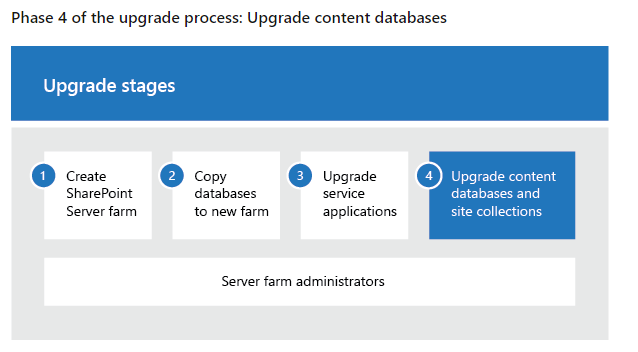
Reference: https://learn.microsoft.com/en-us/sharepoint/upgrade-and-update/upgrade-content-databases-2019
HI HaoyanXue,
Thank you
But I remember I have removed the databases and ran product config wizard and then upgraded the content databases
We have 1 TB data with these content databases, so since it takes time we decided to upgrade after running config wizard
Do you think is that correct idea that upgrading databases later after prod config wizard run if it is 1 tb of data?
Hi @sns ,
I haven't tried the sequence you mentioned, since you have done it before, Hope you will be successful.
If the answer is helpful, please click "Accept Answer" and kindly upvote it. If you have extra questions about this answer, please click "Comment".