Microsoft Security | Microsoft Entra | Microsoft Entra ID
A cloud-based identity and access management service for securing user authentication and resource access

This browser is no longer supported.
Upgrade to Microsoft Edge to take advantage of the latest features, security updates, and technical support.
' cx='32' cy='32' r='32' /%3E%3Ctext x='50%25' y='55%25' dominant-baseline='middle' text-anchor='middle' fill='%23FFF' %3ETM%3C/text%3E%3C/svg%3E)
I want to remove 2FA on my azure account. For that I have followed the following steps:-
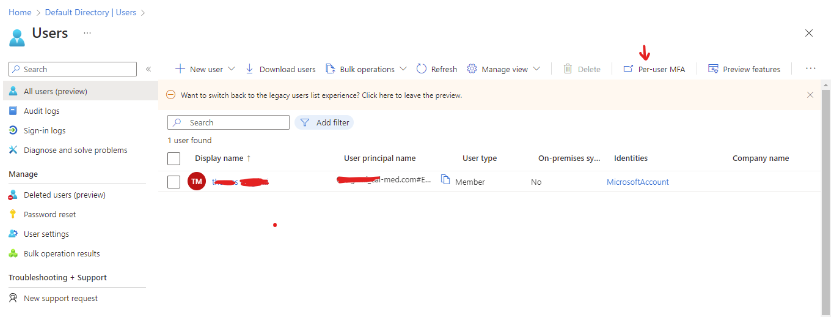
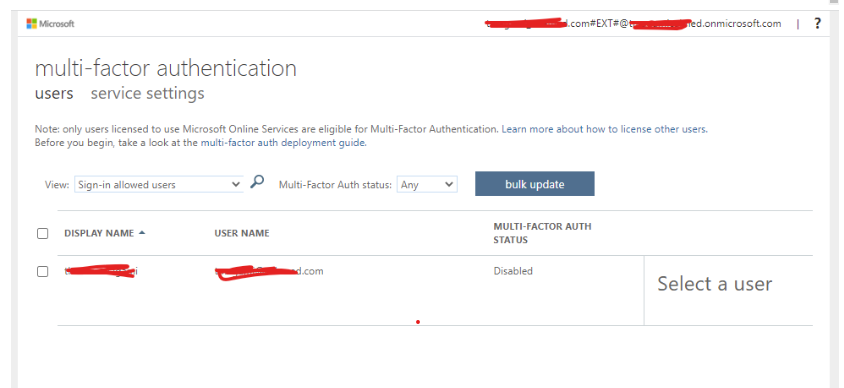
As per the second screenshot, it appears to be disabled. But it asks me to verify the token at the time of signing in.
Any idea here what I'm doing wrong?
I will really appreciate your help on this.

@thomas magami
I just wanted to check in and see if you had any other questions or if you were able to resolve this issue?

Hi
check for Security Defaults. In Azure AD, Click Properties-Click Manage Security Defaults-Select No to Disable Security defaults.
Also, check for SSPR, this was scheduled to rollout and be enabled for all tenants from Oct 1st:
Hope this helps,
Thanks
Michael Durkan
Please see this screenshot.
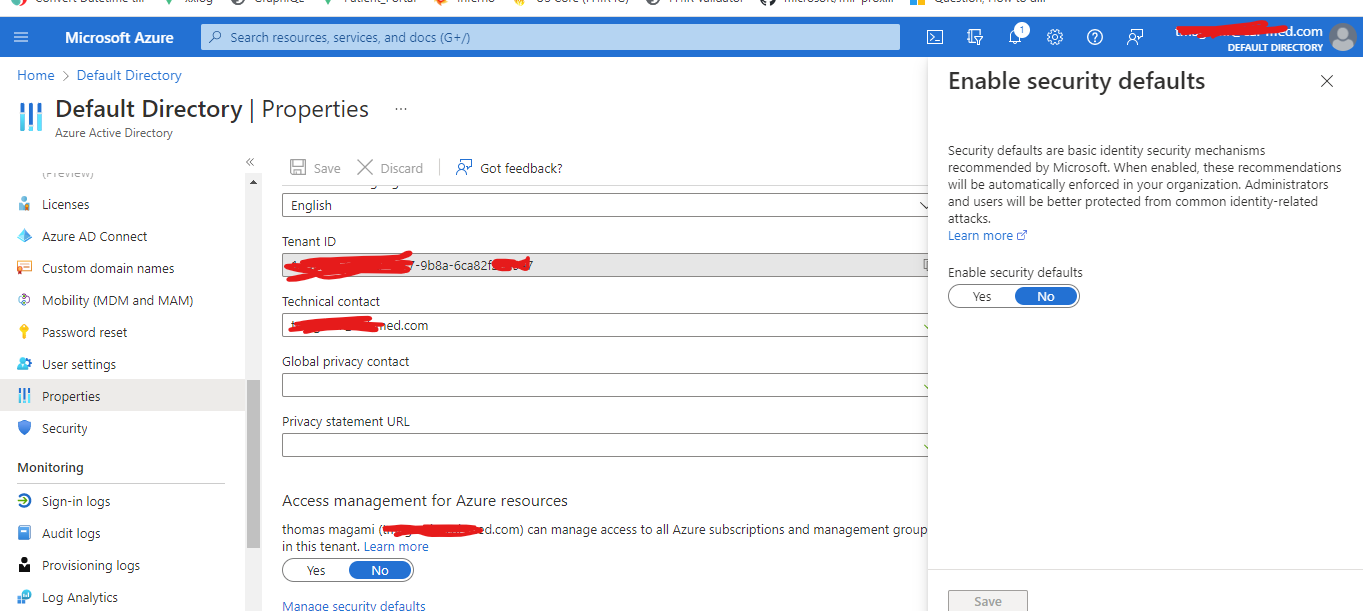
SSPR is not set on my account. But it asks me for the option where to send the verification code when I try to sign in to my account for the verification code.
Hi
ok, so if Security Defaults is off, do you have nay Conditional Access policies in place that may be overwriting this? What level of AZure AD license do you have, are you on free tier or do you have P1/P2 added?
Check the Azure AD user sign in logs to see what the logs are saying, they will point you in the direction of what policy or control is forcing the MFA.
If you set up a new test user and disable MFA, does the same happen to that account?
Thanks
Michael
@thomas magami
I just wanted to check in and see if you had any other questions or if you were able to resolve this issue?
If you have any other questions, please let me know.
Thank you for your time and patience throughout this issue.
----------
Please remember to "Accept Answer" if any answer/reply helped, so that others in the community facing similar issues can easily find the solution.