Azure Synapse Analytics
An Azure analytics service that brings together data integration, enterprise data warehousing, and big data analytics. Previously known as Azure SQL Data Warehouse.
This browser is no longer supported.
Upgrade to Microsoft Edge to take advantage of the latest features, security updates, and technical support.
' cx='32' cy='32' r='32' /%3E%3Ctext x='50%25' y='55%25' dominant-baseline='middle' text-anchor='middle' fill='%23FFF' %3EBS%3C/text%3E%3C/svg%3E)
We are performing copy activity using SFTP to azure ADLS Gen 2 storage. It is schedule trigger (every 1 hr). Is there any way to skip those files, if it is already copied? Currently, it is overriding those files in ADLS Gen2 storage. One way, I see is to use delete activity and delete those files after copy activity is done. But I want to check if there is any other better way of implementing the same.

Hey,
Assuming you have multiples files piled up in SFTP and have to filter out specific file to copy , the best way would be to archive the files from source folder in SFTP to another folder or delete them post Copy activity for better performance in future.
Need to check whether Get meta data activity is supported for SFTP:
Else you can use get meta data activity to get list of all files and filter that list based on file timestamp with a watermark which you would have to preserve after copying the files.
Thanks for the reply. Which activity support archiving/moving the source files while using SFTP in azure synapse ? I was under the impression that watermarking is only supported when my sink is a database. In my use case, the source is SFTP and sink is a ADLS.
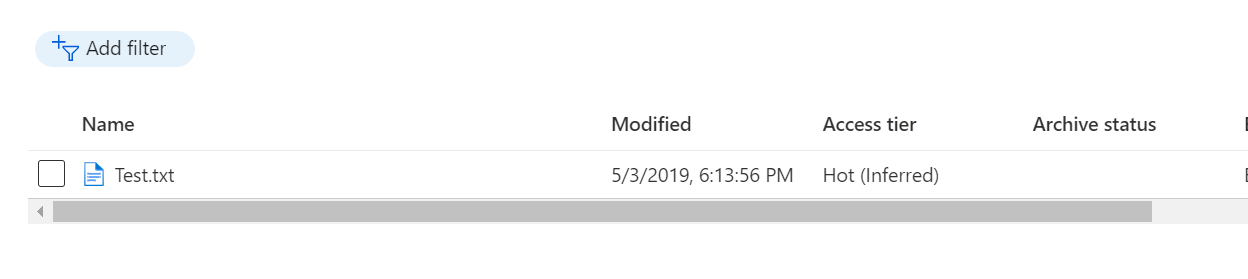
This is Azure blob storage with file modifieddt , I am not sure whether SFTP also has this which can act as the watermark :)
To answer to your other query on Archive, there is no direct activity for it. you would have to 1st use copy activity to copy the files from source SFTP folder to Archive folder in SFTP and then use delete activity to delete all files or delete recurvisily within copy activity itslef after copy in SFTP
Thank you very much. I think I will incline to the delete approach.
For the watermark, irrespective of the source timestamp in the SFTP folder, when it is copied to the ADLS, the modified time is always the current pipeline run time.
e.g. say file1 in SFTP is 12/5/2022 1 PM and the pipeline is run at 12/5/2022 2 PM, the file1 modified time in ADLS is 12/5/2022 2PM
Another way, I am thinking is to use tumbling window trigger and create two parameters
LastModified_From = @Trigger ().outputs.windowStartTime
LastModified_To = @Trigger ().outputs.windowEndTime
Use the above two times in my source (SFTP) COPY ACTIVITY - "Filter by last modified" Start time (UTC) and End time (UTC).
https://learn.microsoft.com/en-us/azure/data-factory/solution-template-copy-new-files-last-modified-date
' cx='32' cy='32' r='32' /%3E%3Ctext x='50%25' y='55%25' dominant-baseline='middle' text-anchor='middle' fill='%23FFF' %3EBM%3C/text%3E%3C/svg%3E)
Thank you, @Nandan Hegde
Hello @Anonymous ,
I am checking to see if the above answer from @Nandan Hegde helped here.
If this answers your question, please consider accepting the answer by hitting the Accept answer button, as it helps the community.