Microsoft 365 and Office | SharePoint | For business | Windows
A group of Microsoft Products and technologies used for sharing and managing content, knowledge, and applications.

This browser is no longer supported.
Upgrade to Microsoft Edge to take advantage of the latest features, security updates, and technical support.

First of all I apologize for keep asking for Infopath forms but POWERAPPS is quite new for me and I need to accomplish some urgent request to develop a simple Quote List in SharePoint Online.
I have one Product List in SharePoint containing Product/Services with Price (Cost)
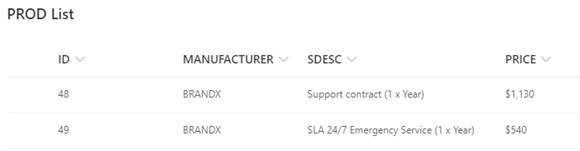
I have another Quote List in SharePoint with a “Products” (Lookup Column allowing Multiple Values) pointing to that Product List
I was able to turn the original Multiple choice list field into a repeating Table
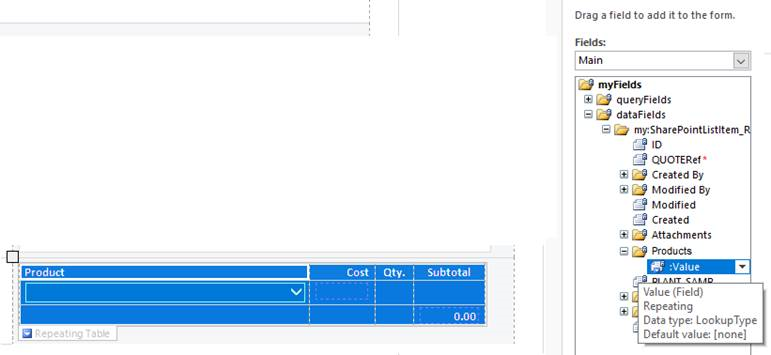
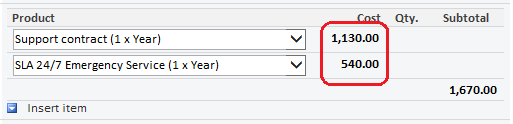
Then I managed to create a “Repeated Calculated field” that automatically populates the Cost (Price of Product) to appear at each row of the repeating Table
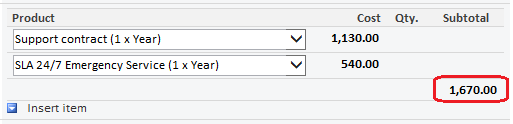
I have been able also to add another “Calculated field” to the Table footer that currently Sums every Product cost on each row (I know this is not 100% correct but served me to identify how to add Grand Total)
At this moment, maybe you´ve already identified what I´m missing, and why I need your help….
I´m looking for the way to add a Quantity Field to each row of the repeating Table that can be edited by end user to set the amount of Products to be quoted
Knowing how to add this Quantity repeating field will also help me to create the proper Subtotal repeated field that will Multiply Cost by Quantity
I know there should be a way to achieve this since I have reviewed many posts like this MS Support Post
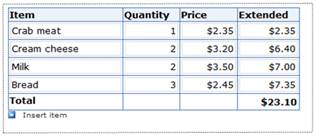
I´m starting to think this is due to the DATA Source I´ve got (SharePoint List) rather than SharePoint Form Library?
Any help would be really appreciated

Thank you for posting in Q&A forum.
We are currently looking into this question and will get back to you as soon as possible. Thank you for your patience.

Would you tell me whether your issue has been resolved or have any update ?
I am looking forward to your reply.
Thanks,
Echo Du
I am sorry to reply you so late.
Please the following steps:
1.Open Infopath Designer >> FILE >> select Blank Form(InfoPath Filler) option under New tab >> click "Custom Table" under INSERT tab >> create 3(rows)*2(columns) table
2.Click "Manage Data Connections..." in the lower right corner >> click "Add" button >> create a new connection to receive data (Product)
3.On the second row, add the Repeating Section, and then create a 4(rows)*2(columns) table in the Repeating Section.
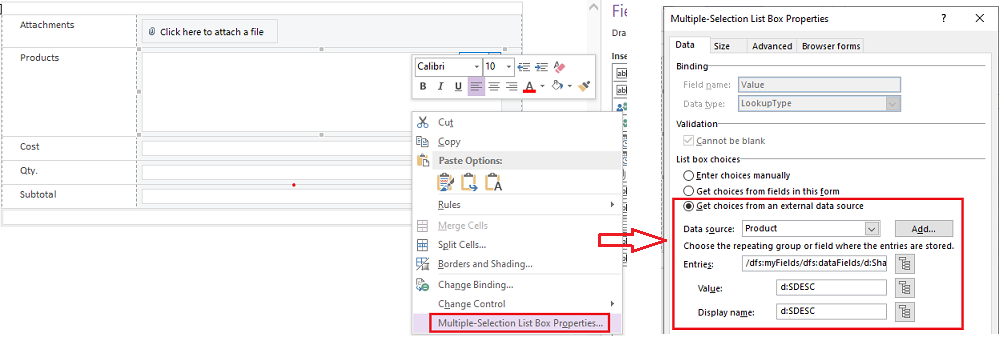
Fields detailed properties settings:
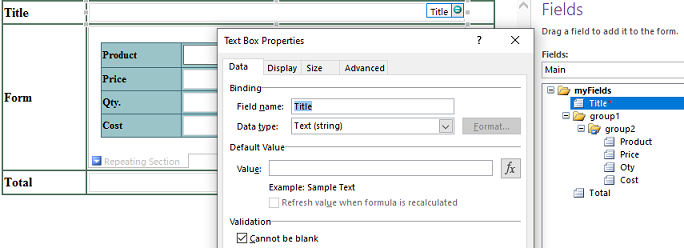
++++++++++++++++++++++++++
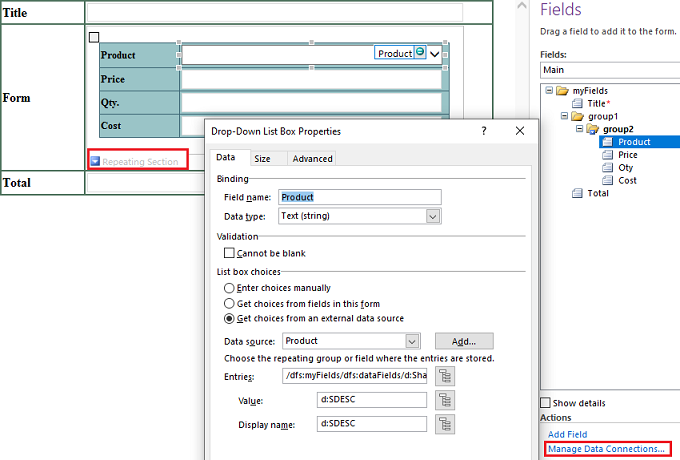
++++++++++++++++++++++++++
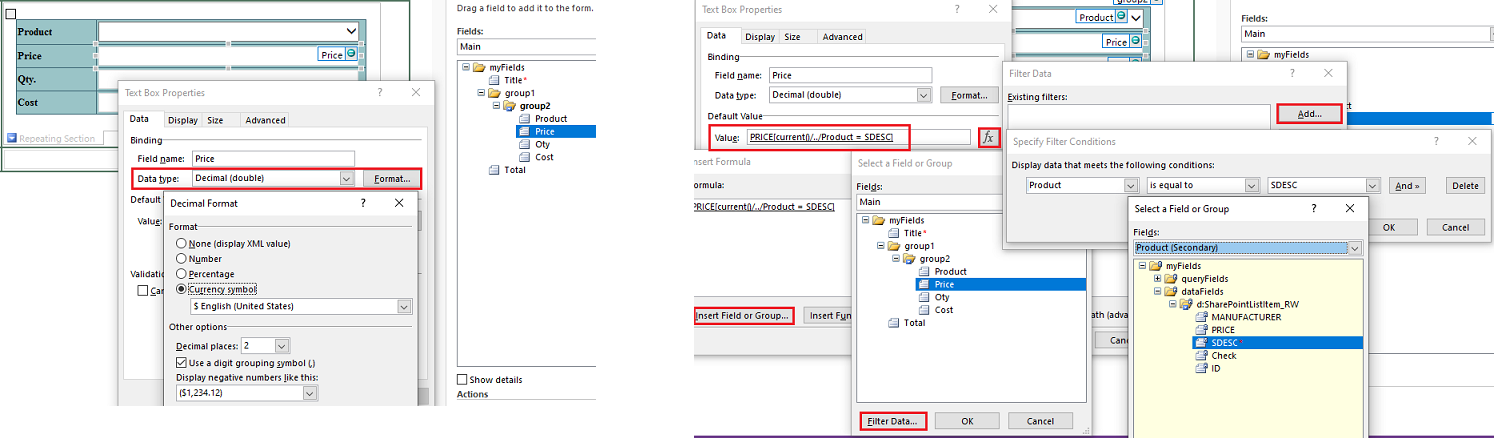
++++++++++++++++++++++++++
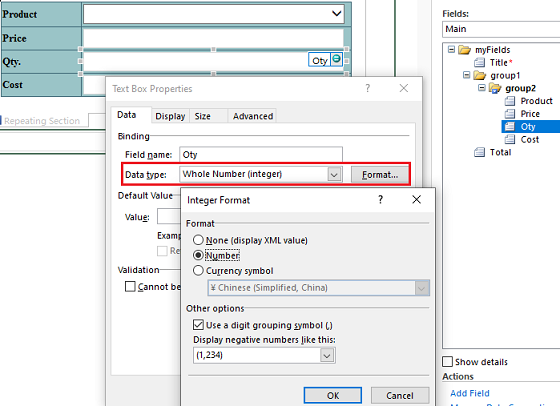
++++++++++++++++++++++++++
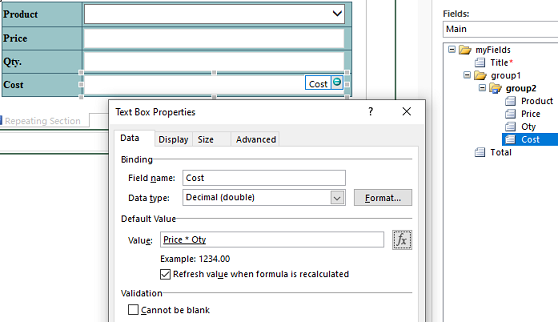
++++++++++++++++++++++++++
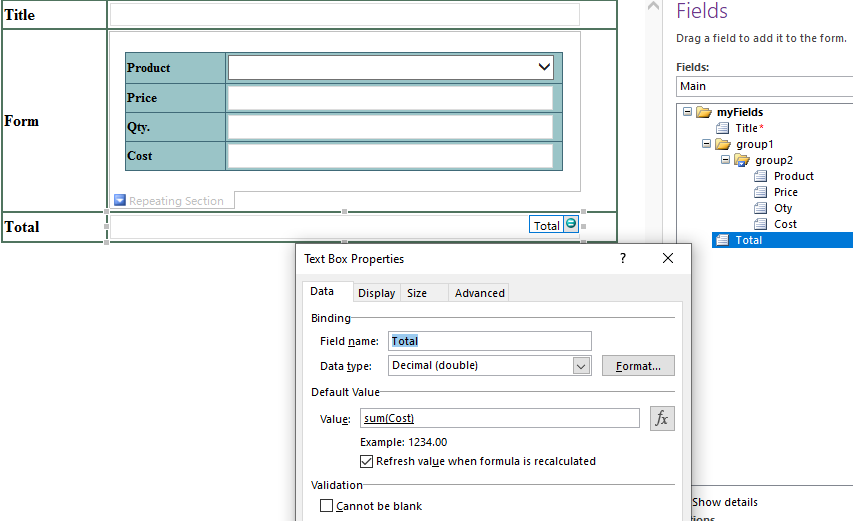
4.Click "Manage Data Connections..." in the lower right corner >> click "Add" button >> create a new connection to submit data (Quote)
5.Click FILE tab >> Publish >> SharePoint Server(Publish form to a SharePoint Library) >> create a new form library named "Queto"
6. Go to Queto Library >> click New to create new form
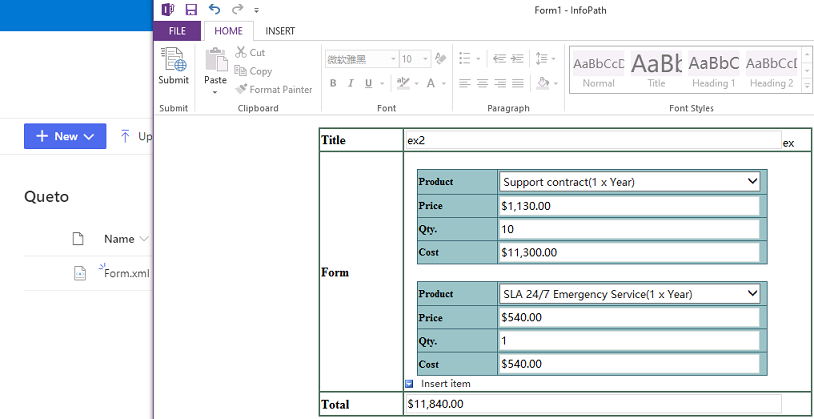
Thanks,
Echo Du
Please follow these steps:
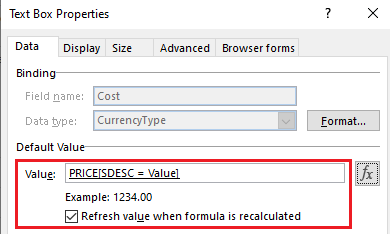
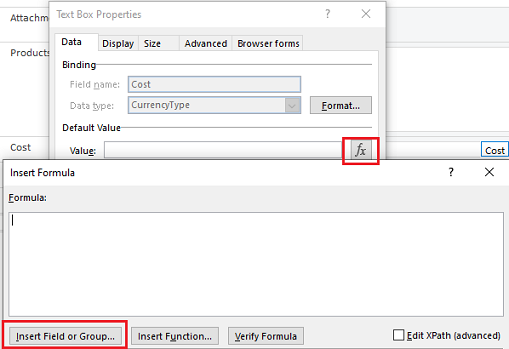
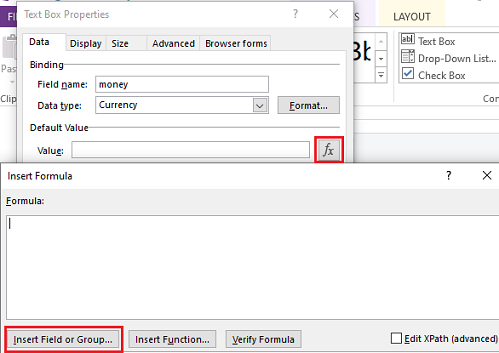
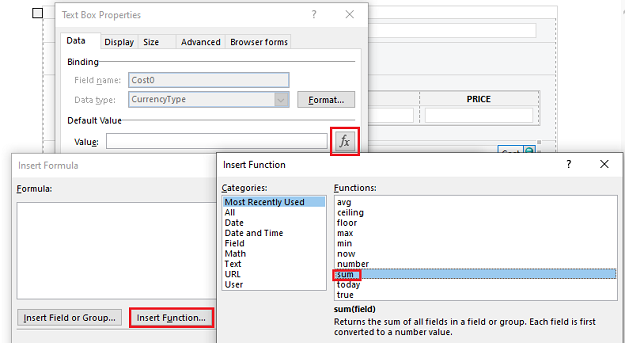
a)Click fx >> click "insert Filed or Group..."
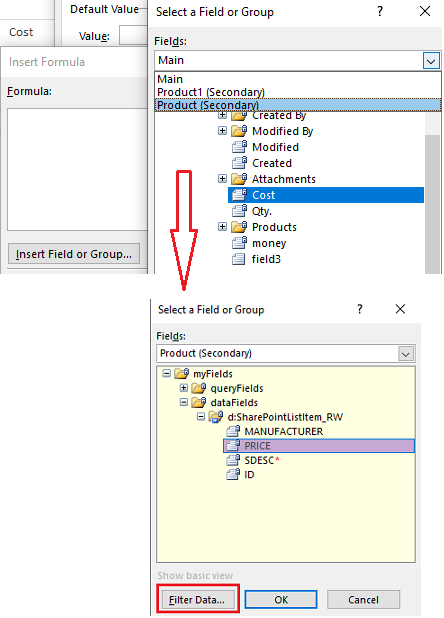
b)On the Select a Field or Group dialog>> click "Show advanced view" link >> select "Product" source >> select "PRICE " filed, and then click "Filter Data..."
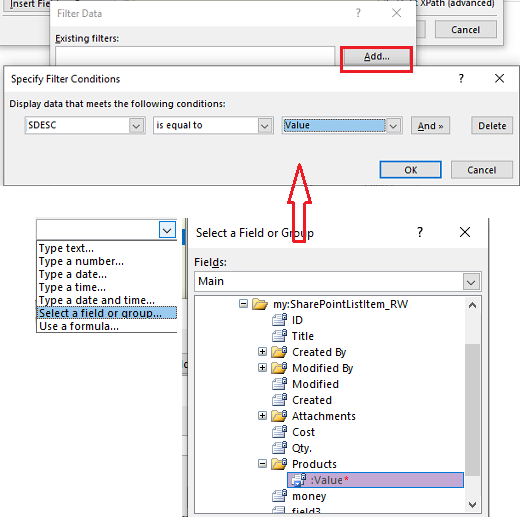
c)On the Filter Data dialog, click "Add.." button >> set conditions
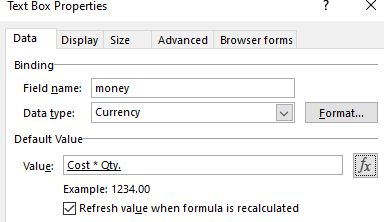
a)Cilck fx >> click "insert Filed or Group..."
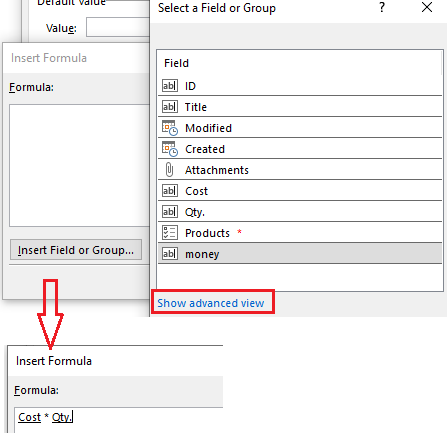
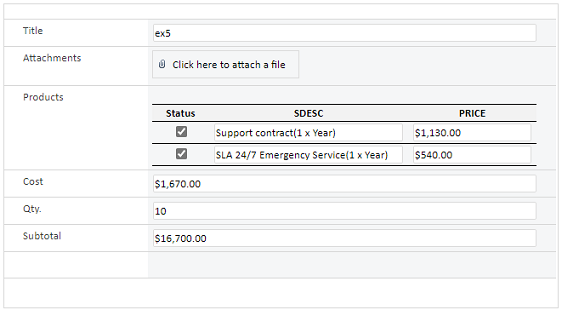
b)On the Select a Field or Group dialog>> click "Show advanced view" >> select "Main" source >> select "Cost" and “Qty.” filed, and then click "Filter Data..."
c)On the Filter Data dialog, click "Add.." button >> set fx
Thanks,
Echo Du
=================
………………………………Updated Answer………………………………
Please the following steps:
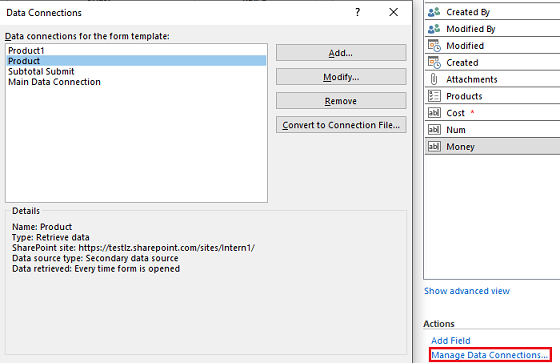
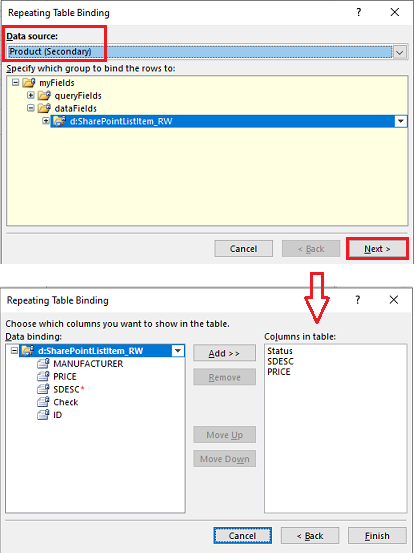
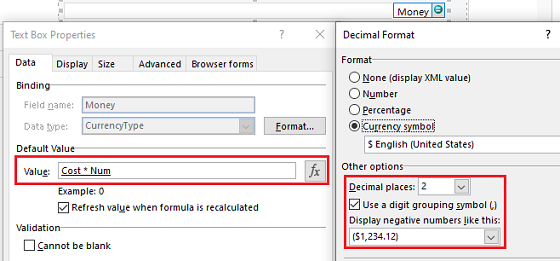
b)On the Select a Field or Group, select PRICE of "d:SharePointListItem_RW" under the Product(Secondary), and then click "Filter Data..."
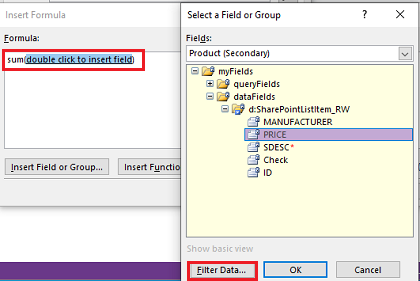
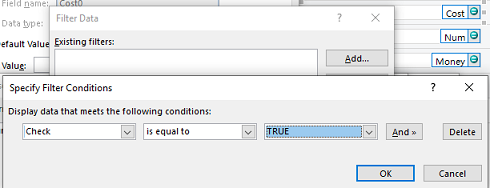
c)On the "Filter Data" , click "Add.." >> set conditions
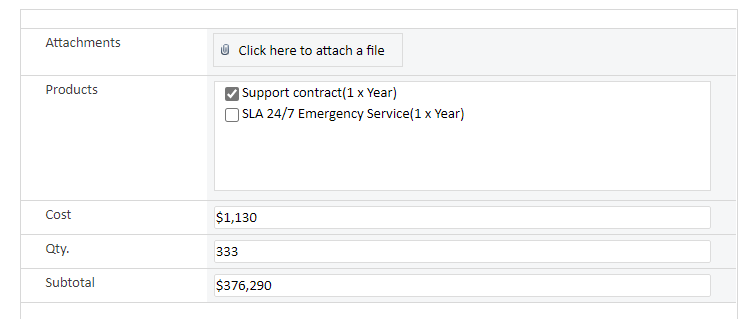
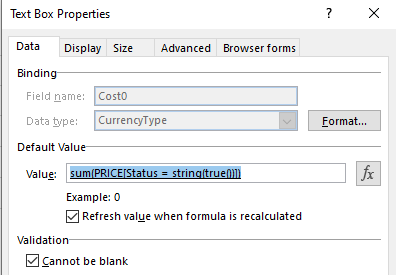
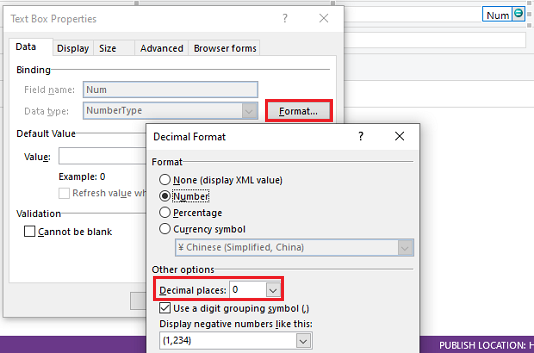
Effect screenshot:
Thanks,
Echo Du
=================
If an Answer is helpful, please click "Accept Answer" and upvote it.
Note: Please follow the steps in our documentation to enable e-mail notifications if you want to receive the related email notification for this thread.
Hi EchoDu:
First of all, thanks for quick and extended reply and apologies for delay since I´m getting a small issue (Misunderstanding)
Question:
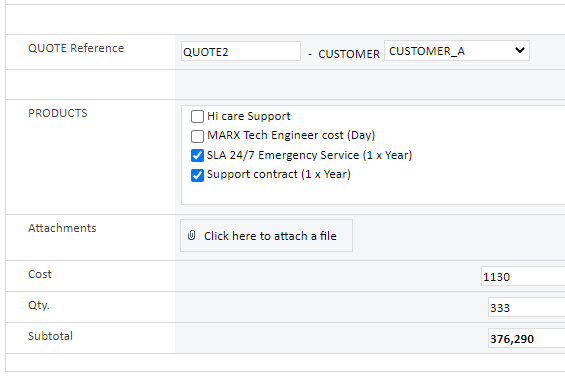
In your Step 5.- the Quote form shows the cost of Support contract multiplied 333 times
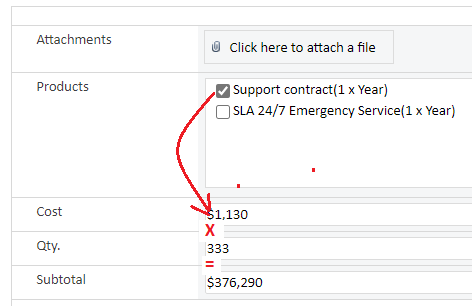
But what will happen if the other product (SLA 24/7 Emergency...) is also checked?
I have built another 2 x Lists to Test your suggestion PRODUCT2 and QUOTE5 and I get the following:
Testing with just one Product selected works OK
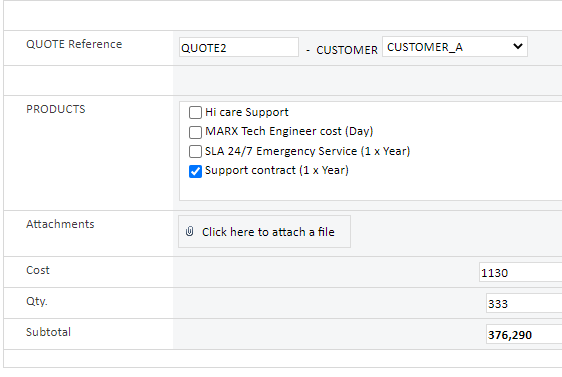
But not working when I select more than one product
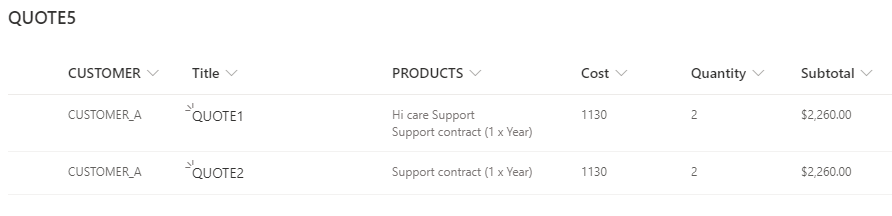
If you see the All items view of the QUOTE5 List you´ll see the first quote has 2 x Products and second quote only one but both Subtotals are the same
If I´m not mistaken, if we can add the Qty and Subtotal fields inside the Product repeating section then it would work OK
Any suggestion?
Again thanks for your help and commitment
Dear
I think I have not explained properly that QTY and Subtotal should be located within "repeating Table" see below a screenshoot of what I´m looking for
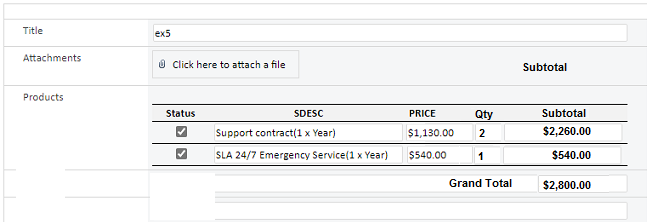
As you can see Only Qty can be filled by user and rest of Fields are automatically calculated
Subtotal belongs to the repeating Table and Grand Total is a Calculated field that belongs to Quote List
I´ve been told this could be done in POWERAPPS by using a Collection but I would like to find all possibilities in Infopath before surrender
Again, really appreciated your help and dedicated time
Javier.-
I have updated my answer.
Hope my answer can help you.
Thanks,
Echo Du
=========================
If an Answer is helpful, please click "Accept Answer" and upvote it.
Note: Please follow the steps in our documentation to enable e-mail notifications if you want to receive the related email notification for this thread.
Hi EchoDu:
Thanks for your help and the workaround to use Infopath form and SP Library.
Seems I´ll have to go with POWERAPPS form using "collections"
Again, I´ve learnt a lot from your replies.
Appreciatted
Hi @JCorrochano ,
Thanks for you reply. I'm happy to have your affirmation.
Have a nice day!
Thanks,
Echo Du