Microsoft 365 and Office | Excel | For business | Windows
A family of Microsoft spreadsheet software with tools for analyzing, charting, and communicating data

This browser is no longer supported.
Upgrade to Microsoft Edge to take advantage of the latest features, security updates, and technical support.
' cx='32' cy='32' r='32' /%3E%3Ctext x='50%25' y='55%25' dominant-baseline='middle' text-anchor='middle' fill='%23FFF' %3EJH%3C/text%3E%3C/svg%3E)
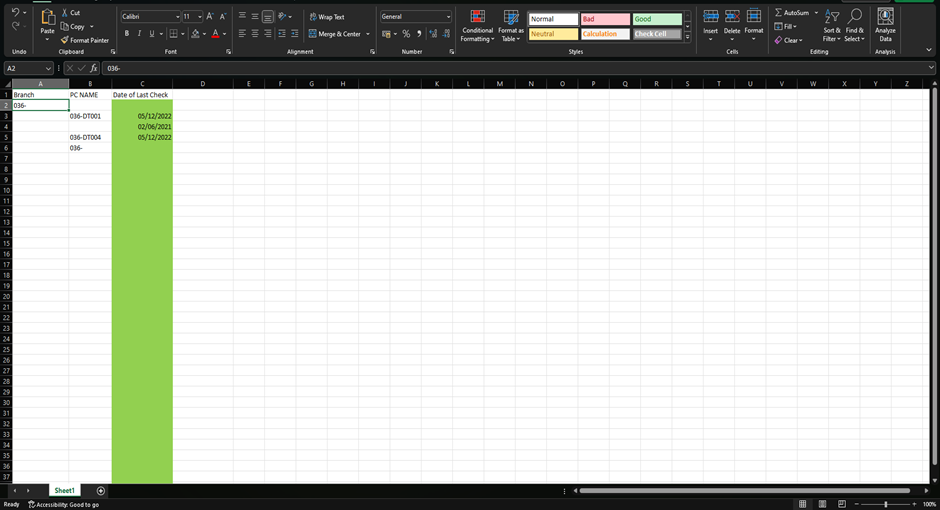
I am trying to generate conditional formatting for 3 colours red yellow green. For PC health checks, I have a separate sheet where the check is done and there is a formula that generates the most up to date, date. This is pasted into my new sheet, where I want the formatting. Ideally I would like the cell to be green if the last health check was done within 3 months. Yellow past 3 months and Red past 6 months. If that makes sense. This was my first attempt, I managed to get the colour to change for dates 3 months in to the future, rather than past dates.

Hi @James H ,
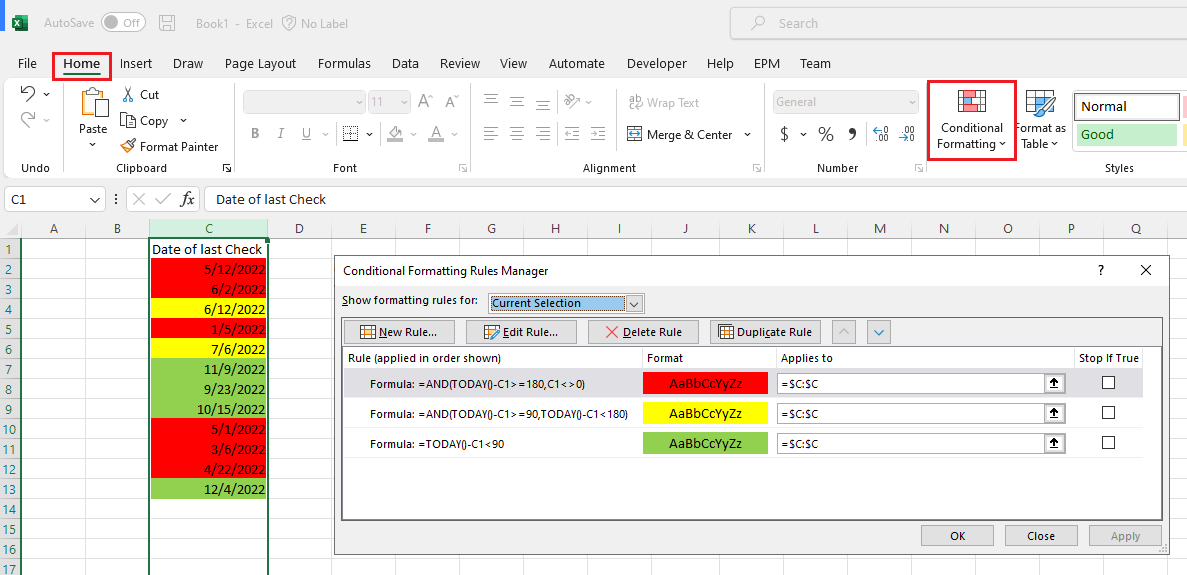
Try this method, select the check column- go to Home- Conditional Formatting- New Rule...- Use a formular to determine which cells to format- enter the formula:
Green: =TODAY()-C1<90
Yellow: =AND(TODAY()-C1>=90,TODAY()-C1<180)
Red: =AND(TODAY()-C1>=180,C1<>0)
Hope it's helpful.
If the response is helpful, please click "Accept Answer" and upvote it.
Note: Please follow the steps in our documentation to enable e-mail notifications if you want to receive the related email notification for this thread.
Thank you so much it works perfectly !!!