Microsoft 365 and Office | SharePoint | Development
The process of building custom applications and tools that interact with Microsoft SharePoint, including SharePoint Online in Microsoft 365.

This browser is no longer supported.
Upgrade to Microsoft Edge to take advantage of the latest features, security updates, and technical support.
' cx='32' cy='32' r='32' /%3E%3Ctext x='50%25' y='55%25' dominant-baseline='middle' text-anchor='middle' fill='%23FFF' %3EJH%3C/text%3E%3C/svg%3E)
Hi,
we are using the power automate and we set up as below.
There is no system message.
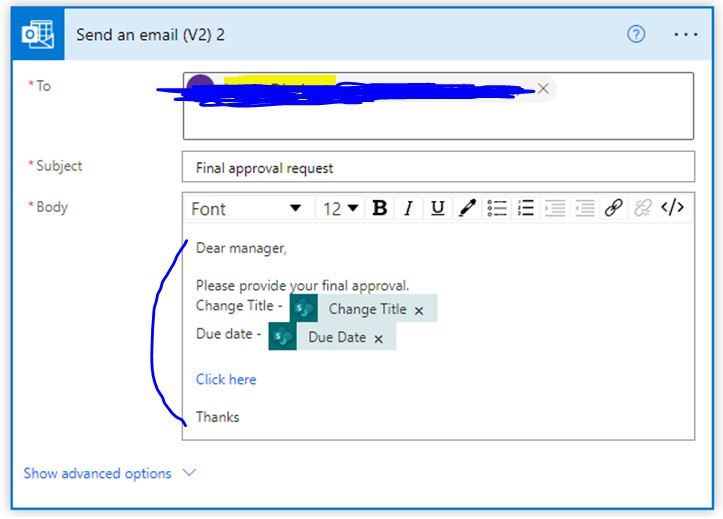
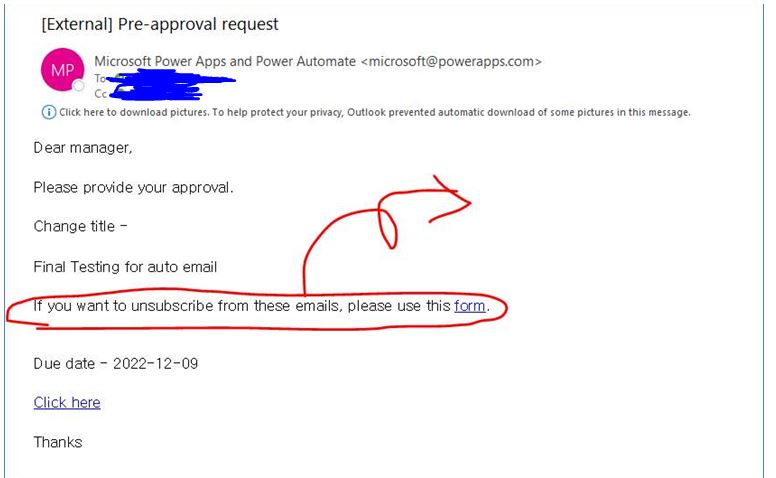
But, when received an email, the systemic message automatically appears as below.
Can we remove the sentence???? "if you want to unsubscribe from these emails, please use this form."
' cx='32' cy='32' r='32' /%3E%3Ctext x='50%25' y='55%25' dominant-baseline='middle' text-anchor='middle' fill='%23FFF' %3EED%3C/text%3E%3C/svg%3E)
Thank you for your question.
We are currently looking into this issue and will give you an update as soon as possible.
Thank you for your understanding and support.
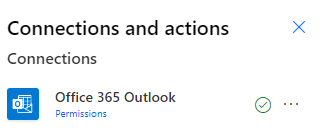
In the Send the email (V2) action, please make sure send the email directly from the Office365Outlook Connector, not use Mail Connector.
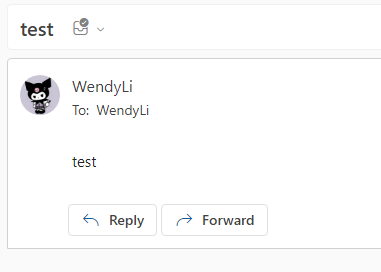
Per my test, if I use Office365Outlook Connector in the Send the email (V2) action, there is no "If you want to unsubscribe from these emails, please use this form." in the received email.
If the answer is helpful, please click "Accept Answer" and kindly upvote it. If you have extra questions about this answer, please click "Comment".
Note: Please follow the steps in our documentation to enable e-mail notifications if you want to receive the related email notification for this thread.
I’m checking how the things are going on about this issue. Whether the answer helps you?
If there is any problem with this issue, feel free to let me know.
' cx='32' cy='32' r='32' /%3E%3Ctext x='50%25' y='55%25' dominant-baseline='middle' text-anchor='middle' fill='%23FFF' %3EYJ%3C/text%3E%3C/svg%3E)
@Jeong, Hyeok
Is there anything else I can help with regarding this issue?
You can comment us at any time and we will continue to follow up.