Azure Machine Learning
An Azure machine learning service for building and deploying models.
This browser is no longer supported.
Upgrade to Microsoft Edge to take advantage of the latest features, security updates, and technical support.
' cx='32' cy='32' r='32' /%3E%3Ctext x='50%25' y='55%25' dominant-baseline='middle' text-anchor='middle' fill='%23FFF' %3EAH%3C/text%3E%3C/svg%3E)
Could you please tell me how to link Notebook and Data (their type was .jpge 'image') inside Azure studio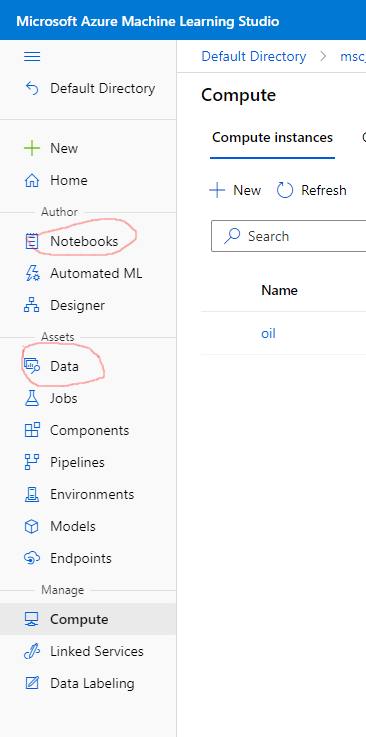 ??
??
' cx='32' cy='32' r='32' /%3E%3Ctext x='50%25' y='55%25' dominant-baseline='middle' text-anchor='middle' fill='%23FFF' %3EYM%3C/text%3E%3C/svg%3E)
Hello @alaa huby
Thanks for reaching out to us. Are you looking for the way to leverage your .jpg file to Azure Notebook? Am I correct?
Regards,
Yutong
Hello @alaa huby
Sorry we have not heard from you. I hope you have solved your issue but in case you still need any help, I want to provide more details here.
There are more details for your reference about how to read the data - https://learn.microsoft.com/en-us/azure/machine-learning/v1/how-to-train-with-datasets#access-dataset-in-training-script
But the quickest and the most straightforward way you can refer to is, you can go the the Data panel, select the data you want to use(simple click it), then click consume - it will show you the suggested way you can follow to read the data as below screenshot -
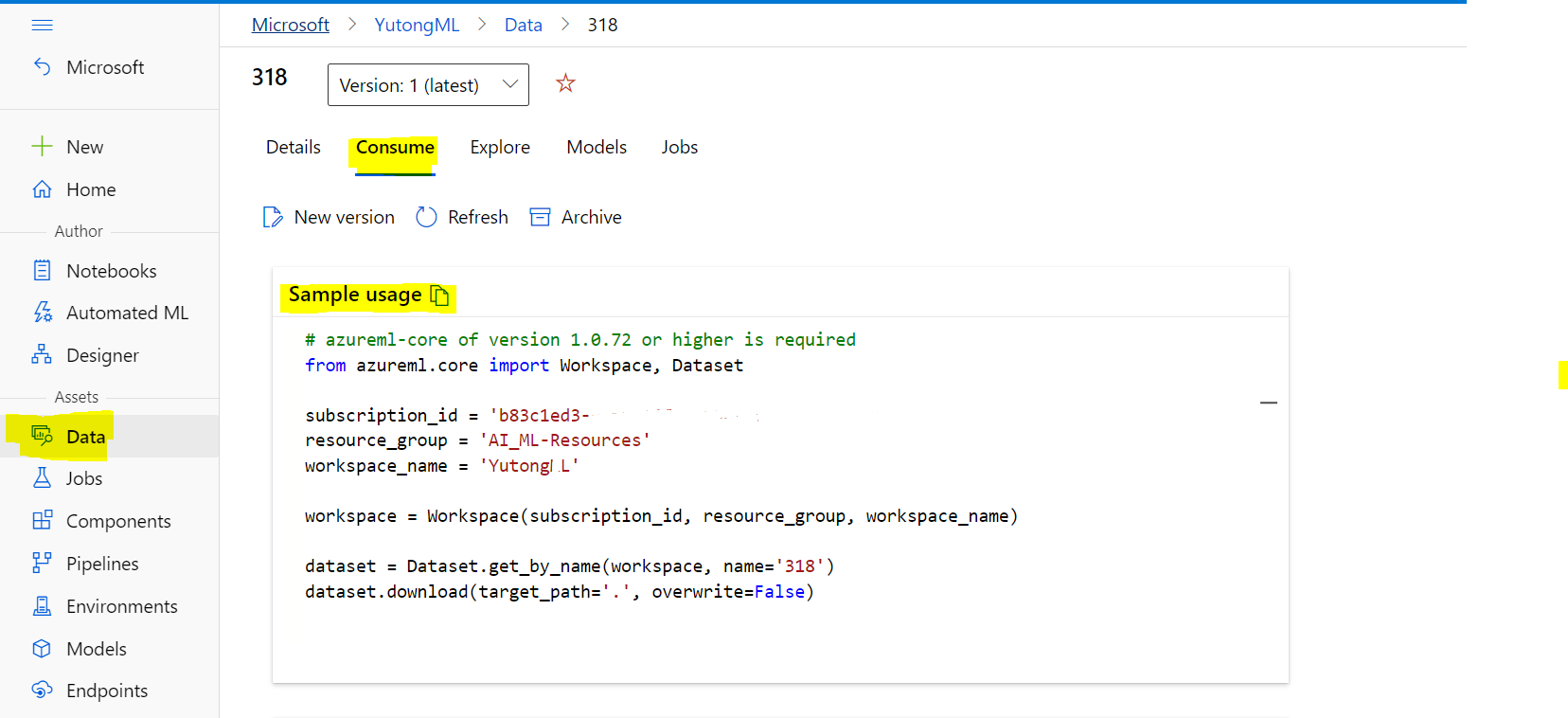
Like above code sample, you can leverage it directly in your Notebook.
Please not hestitate to reach out to us if you have any more questions, I hope this helps!
Regards,
Yutong
-Please kindly accept the answer if you feel helpful to support the community, thanks a lot.