Intune does not apply scripts and profile configurations

forumId 61 Reputation points
2022-12-08T09:39:55.613+00:00

Hi,
I am trying to add some simple profile configurations and scripts to intune to be applied on devices and users . However, It does not work.
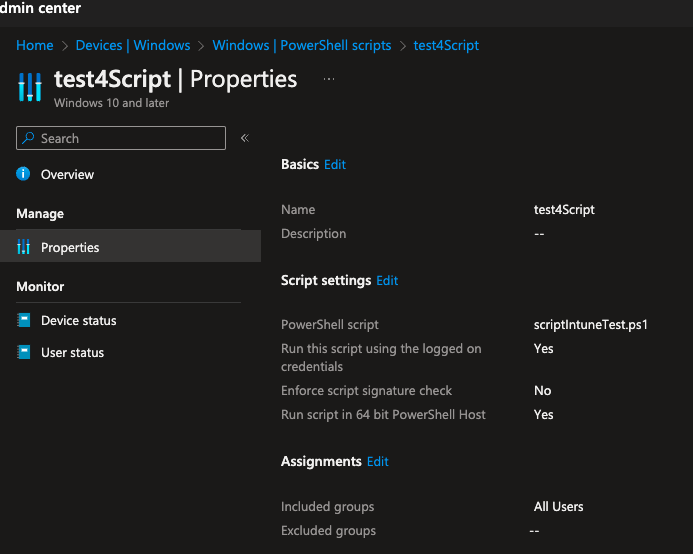
So, as an example I have the following scripts:

$us= Join-Path 'C:\Shared\' $env:UserName
New-Item -Path $us -ItemType Directory

I want to apply this on all users account to have folder for each one.
My users have hybrid identity (sync from AD to Azure AD)
268447-image.png
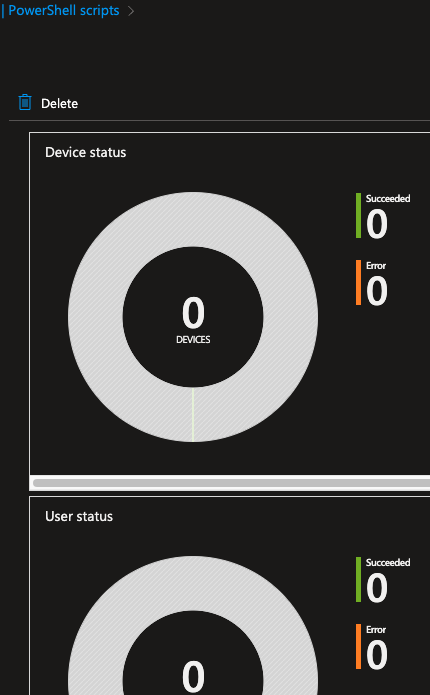
Is there Any thing I missed? I tried to restart the machine , to sync the devices, but no thing changed.
268419-image.png
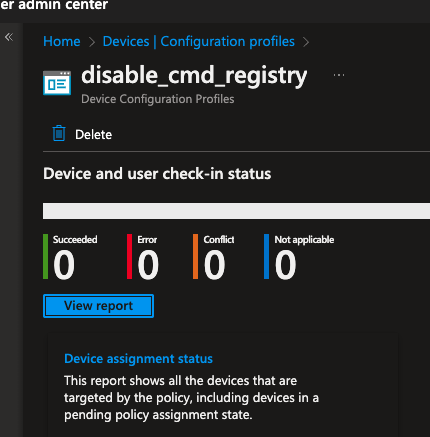
Same issue with the profile configuration
268500-image.png
Bests,

Windows for business | Windows Server | User experience | PowerShell
Windows for business | Windows Client for IT Pros | User experience | Other
Microsoft Security | Intune | Other
0 comments No comments
{count} votes

2 answers

Sort by: Most helpful
  1. forumId 61 Reputation points
    2022-12-08T15:39:36.05+00:00

    The scripts seems to work only on admin user (it works after a while). for the script I posted above, it create a folder as requested but only for the admin user even that I configure to be applied on all users. I don't think that creating a folder require admin privileges. Why is it working like that?
    Is it only applied on users having the intune license ?


  2. Pavel yannara Mirochnitchenko 13,426 Reputation points MVP
    2022-12-09T13:59:07.527+00:00

    You also need to have patience with Powershell deployment in Intune, it can be very slow. You can actually track down powershell asiignment in c:\programdata\microsoft\logs\Intuneextention..log file. It will write entire script there.


Your answer

Answers can be marked as 'Accepted' by the question author and 'Recommended' by moderators, which helps users know the answer solved the author's problem.