Windows server 2019 Framework missing ?

Julien Moser 21 Reputation points
2022-12-08T12:36:03.983+00:00

Hi,

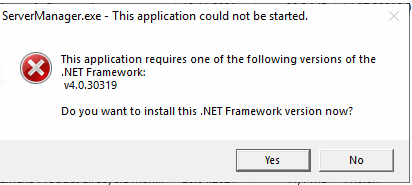
I have an issue with all service that use framework, when try to launch them , i get this message error
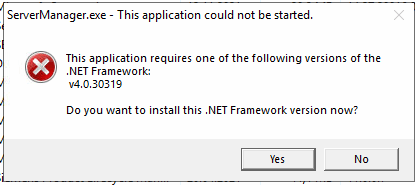
268624-image.png

So if i try to download it and install it, i have this message :
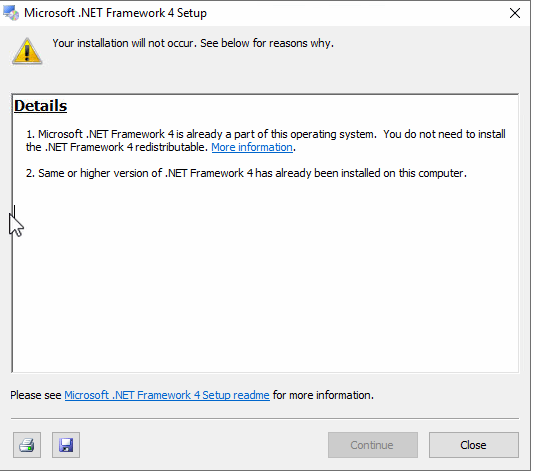
268575-image.png

In my add or remove program i don't see any of framework installation and if i try to go in "Turn Windows features on or off" i get same message as before :
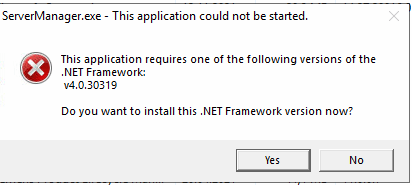
268489-image.png

And if i try to launch the repair tools, i get this one.

268576-image.png

Sooooo i try tor repair with DISM, SFC nothing works.

I can't uninstall it , i can't install i can't repair it.

Did somebody have the solution for this Sh..... ?

Best

Windows for business | Windows Server | User experience | Other
0 comments No comments
{count} votes

Answer accepted by question author
  1. Anonymous
    2022-12-08T15:17:47.823+00:00

    You can try a repair install by running setup.exe from the root of the install media but time may be better spent by standing up a new one, patch fully, migrate roles over and move on.

    --please don't forget to upvote and Accept as answer if the reply is helpful--

    0 comments No comments

3 additional answers

Sort by: Most helpful
  1. Anonymous
    2022-12-08T15:06:46.353+00:00

    Unless somethings broken you can install via Add Roles and Features

    --please don't forget to upvote and Accept as answer if the reply is helpful--

    268620-image.png

    0 comments No comments

  2. Julien Moser 21 Reputation points
    2022-12-08T15:09:54.267+00:00

    I can't open Server Manager, i always get the same error.
    268671-image.png

    :/

    0 comments No comments

  3. Julien Moser 21 Reputation points
    2022-12-08T15:24:22.397+00:00

    I have tried to repair it, but like i said i can't cause it says netframework 4 is already part of this operating system.

    I have found 1-2 case like mine, but the only thing who worked it's to re-install Windows ...


Your answer

Answers can be marked as 'Accepted' by the question author and 'Recommended' by moderators, which helps users know the answer solved the author's problem.