Developer technologies | ASP.NET | ASP.NET Core
A set of technologies in the .NET Framework for building web applications and XML web services.
This browser is no longer supported.
Upgrade to Microsoft Edge to take advantage of the latest features, security updates, and technical support.
' cx='32' cy='32' r='32' /%3E%3Ctext x='50%25' y='55%25' dominant-baseline='middle' text-anchor='middle' fill='%23FFF' %3EMM%3C/text%3E%3C/svg%3E)
I posted question on below link please help me.
' cx='32' cy='32' r='32' /%3E%3Ctext x='50%25' y='55%25' dominant-baseline='middle' text-anchor='middle' fill='%23FFF' %3EA%3C/text%3E%3C/svg%3E)
Hi @mohammad moin ,
My api controller looks like this:
public async Task<IActionResult> SaveData([FromBody] DataModel postedModel)
   {
   }
but I am getting null in the api controller.
Do you mean the postedModel is null? If that is the case, the issue might relate the CreatedDate value, it might not a valid date. Try to use F12 developer tool and set break point to check it, and you can also try to set the value via new Date(). Or you can change the property to a string type and send a string value to the backend.
If you mean the postedModel.ViewModel is null, the issue might relate the form's input elements' name.
According to your code, I create a sample using the following code, the data transfers success:
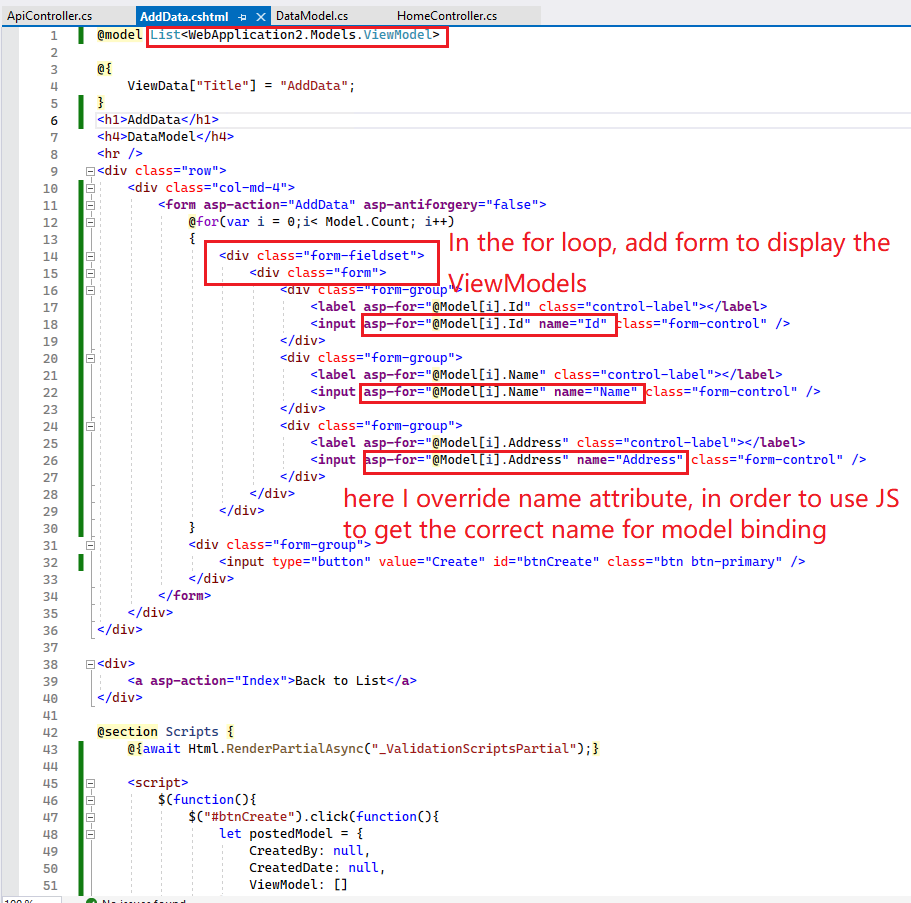 Then, use the following code to get the form data, and transfer to the controller: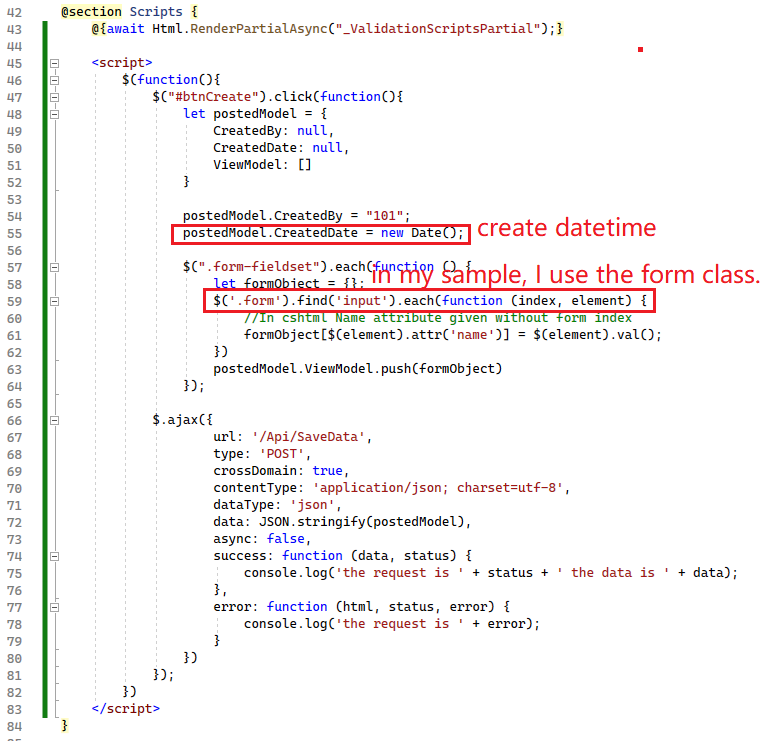
public class ApiController : Controller
{
    [HttpPost]
    public async Task<IActionResult> SaveData([FromBody] DataModel postedModel)
    {
        return Ok(postedModel);
    }
}

If use F12 developer tools to check the request body, the json data as below:
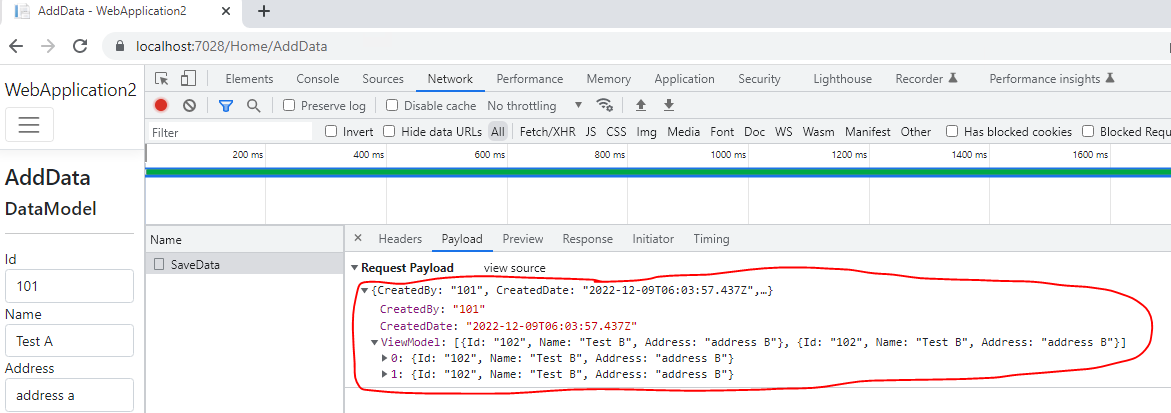
If the answer is the right solution, please click "Accept Answer" and kindly upvote it. If you have extra questions about this answer, please click "Comment".
Note: Please follow the steps in our documentation to enable e-mail notifications if you want to receive the related email notification for this thread.
Best regards,
Dillion