Developer technologies | Windows Forms
A set of .NET Framework managed libraries for developing graphical user interfaces.
This browser is no longer supported.
Upgrade to Microsoft Edge to take advantage of the latest features, security updates, and technical support.
' cx='32' cy='32' r='32' /%3E%3Ctext x='50%25' y='55%25' dominant-baseline='middle' text-anchor='middle' fill='%23FFF' %3EAG%3C/text%3E%3C/svg%3E)
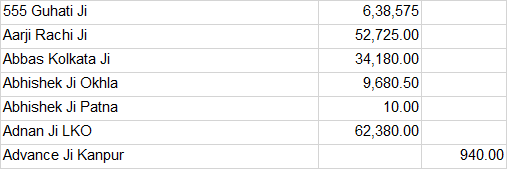
I am trying to add Indian currency format to a excel file and then save it to a generic list, but the list is not storing the numbers in correct format although the excel is showing the formatted data . Please correct me where i am doing wrong . below is the screenshot of the excel which has been formatted
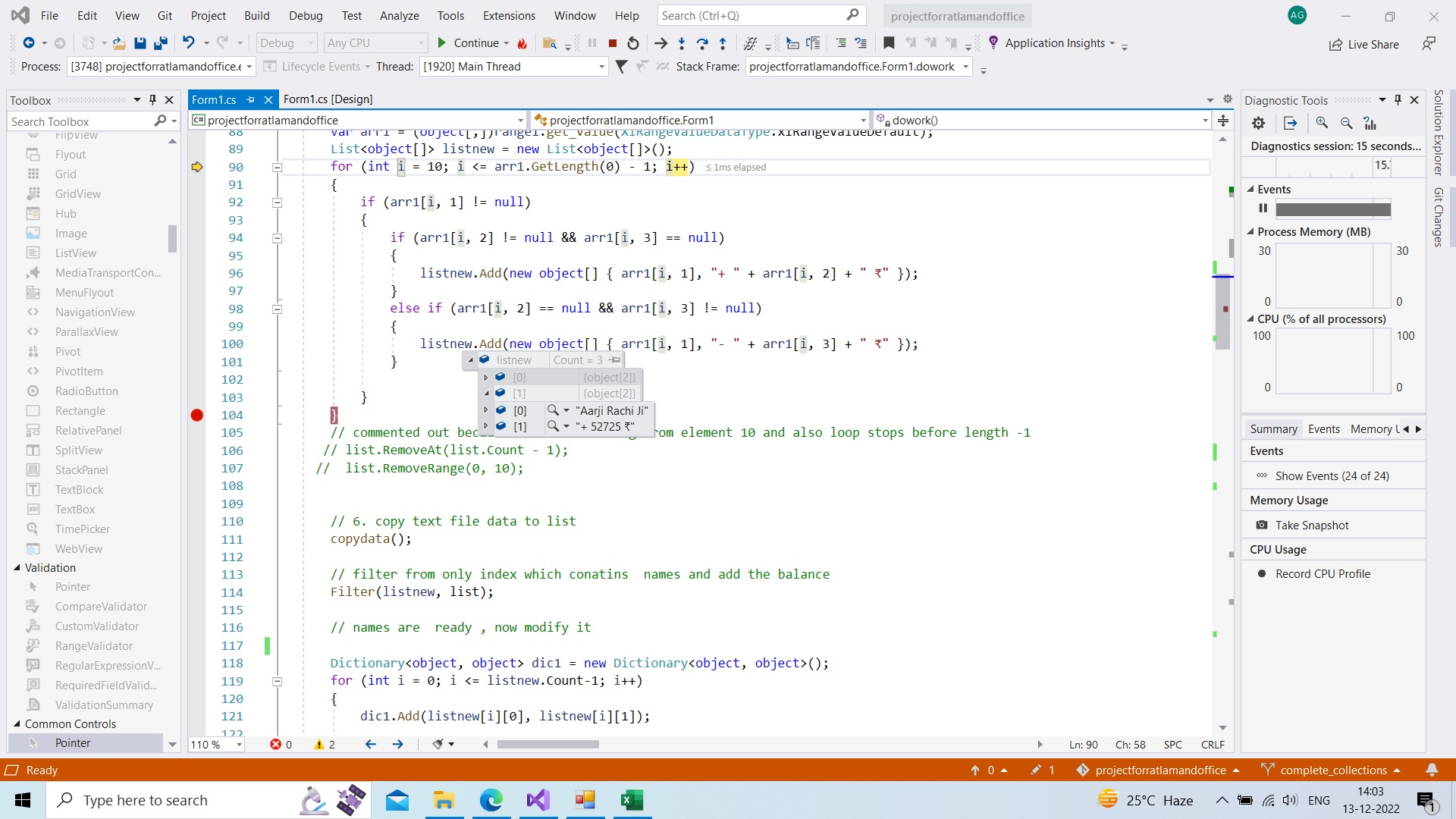
below is the screenshot of data type in debugging mode
@Jack J Jun , can you please suggest how to add format
270016-query-13-dec.txt

@ankit goel , Welcome to Microsoft Q&A, based on my test, I reproduced your problem. Maybe we need to stop to use the object array to get the data from the excel, because it will clear the format of the data.
We could use Cell.Text property to get the text of excel data.
Here is a code example you could refer to.
   Excel.Range range1 = sheet.UsedRange;
            int rowindex = range1.Rows.Count;
            int colindex = range1.Columns.Count;
            Console.WriteLine(range1.Cells[1,1].Text);
            List<object[]> listnew = new List<object[]>();
            for (int i = 1; i <=rowindex; i++)
            {
                if (range1.Cells[i,1].Text!="")
                {
                    if (range1[i, 2].Text!= "" && range1[i, 3].Text == "")
                    {
                        listnew.Add(new object[] { range1[i, 1].Text, "+ " + range1[i, 2].Text + " ₹" });
                    }
                    else if (range1[i, 2].Text == "" && range1[i, 3].Text != "")
                    {
                        listnew.Add(new object[] { range1[i, 1].Text, "- " + range1[i, 3].Text + " ₹" });
                    }
                }

            }
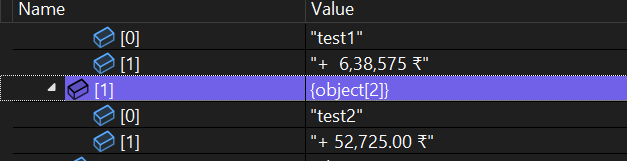
Tested result:
Best Regards,
Jack
If the answer is the right solution, please click "Accept Answer" and upvote it.If you have extra questions about this answer, please click "Comment".
Note: Please follow the steps in our documentation to enable e-mail notifications if you want to receive the related email notification for this thread.