Azure Data Factory
An Azure service for ingesting, preparing, and transforming data at scale.
This browser is no longer supported.
Upgrade to Microsoft Edge to take advantage of the latest features, security updates, and technical support.
' cx='32' cy='32' r='32' /%3E%3Ctext x='50%25' y='55%25' dominant-baseline='middle' text-anchor='middle' fill='%23FFF' %3EPJ%3C/text%3E%3C/svg%3E)
I am copying .Csv file from storage blob through azure data factory. Then I need to filter few records based on specific column value AND also need to remove few columns from. Csv file.
Is above basic row level and column level filtering is possible for .csv/txt files in Adf WITHOUT using DATAFLOW?
Please advise.
(Also I am not using any database)

Hey, what is the amount of rows in the file?
If less, you can try to use look up activity
There could be thousands of rows
Hey
Based on my understanding, with no database involved and no dataflow usage and your file size exceeding the limitations of lookup activity , there is no out of the box feature within ADF to achieve this.
You would have to write your own custom logic in Azure automation/databricks or azure batch etc .
Note: There is something called power query but it too uses a spark cluster hence my thought is you would not be leveraging that as well
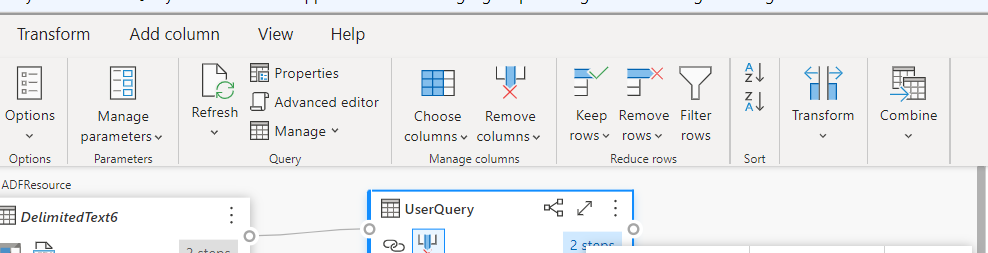
https://learn.microsoft.com/en-us/azure/data-factory/control-flow-power-query-activity
' cx='32' cy='32' r='32' /%3E%3Ctext x='50%25' y='55%25' dominant-baseline='middle' text-anchor='middle' fill='%23FFF' %3EMM%3C/text%3E%3C/svg%3E)
@Anonymous , @Nandan Hegde is correct. You might want to take a look at Table storage in the Azure Storage accounts. I think ADF can query against that.
There is also a blob Storage feature called query acceleration. I haven't used it before, and there is no feature in ADF to use it. However I think it can be used as part of HTTP dataset, when pointed at this operation.
If either of us answered your question, please mark as accepted answer. Thank you!