Azure Logic Apps
An Azure service that automates the access and use of data across clouds without writing code.
This browser is no longer supported.
Upgrade to Microsoft Edge to take advantage of the latest features, security updates, and technical support.
' cx='32' cy='32' r='32' /%3E%3Ctext x='50%25' y='55%25' dominant-baseline='middle' text-anchor='middle' fill='%23FFF' %3ETM%3C/text%3E%3C/svg%3E)
Hi
I want to use a logic app to run a query within Azure Resource Graph and then download the query results to Azure storage account from within the Logic App step.
I am able to connect the Logic App to the Resource Graph and run the query.
I am now stuck on getting the query results to an Azure storage account.
I appreciate all guidance.

@Tsholofelo Mautla Thanks for reaching out. As you already have the array output from your query result action. You can leverage the create CSV table action to convert your output to CSV format. Now you can leverage the Create Blob action and pass your CSV table action out as the blob content. For testing I have defined the variable and pass the array output of resource graph documented here
Workflow :
your previous workflow action --> Create CSV table --> Create Blob
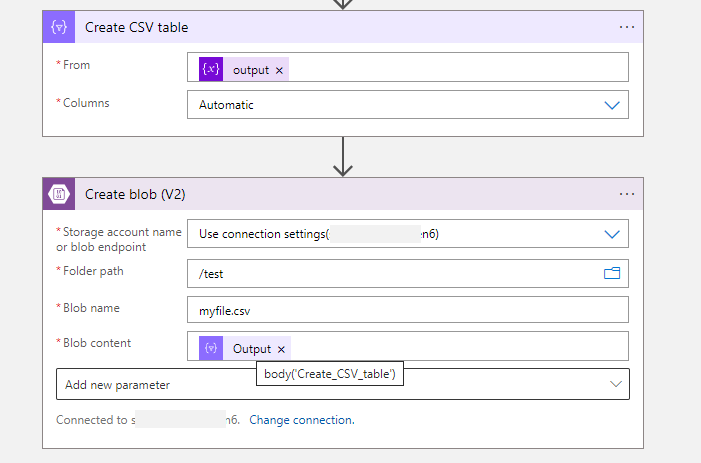
Feel free to get back to me if you need any assistance.
Please 'Accept as answer' and ‘Upvote’ if it helped so that it can help others in the community looking for help on similar topics.
Hi @MayankBargali-MSFT
Thanks for getting back to me.
I am currently getting an error on my script in the logic app.
This is what I am trying to do.

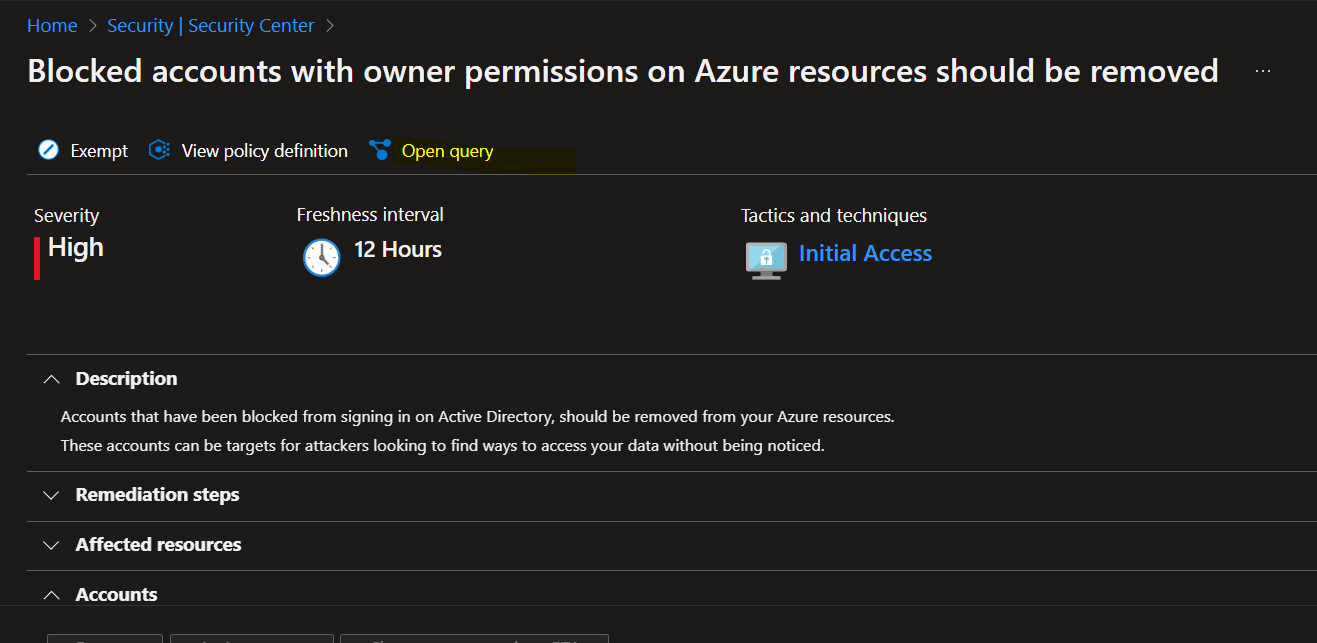
I am not sure if Logic App is the best tool for this or not or if it would be better to run everything in Powershell?