
Boot configuration Data error during PXE boot after add VMware drivers
' cx='32' cy='32' r='32' /%3E%3Ctext x='50%25' y='55%25' dominant-baseline='middle' text-anchor='middle' fill='%23FFF' %3ETA%3C/text%3E%3C/svg%3E)
Timothy A. Dilbert
6
Reputation points
I have WDS and MDT installed on a Windows Server in my network. The WDS server is on the same subnet as the client machine. I am getting the following error on my VMware VMs when trying to boot LiteTouch over PXE:
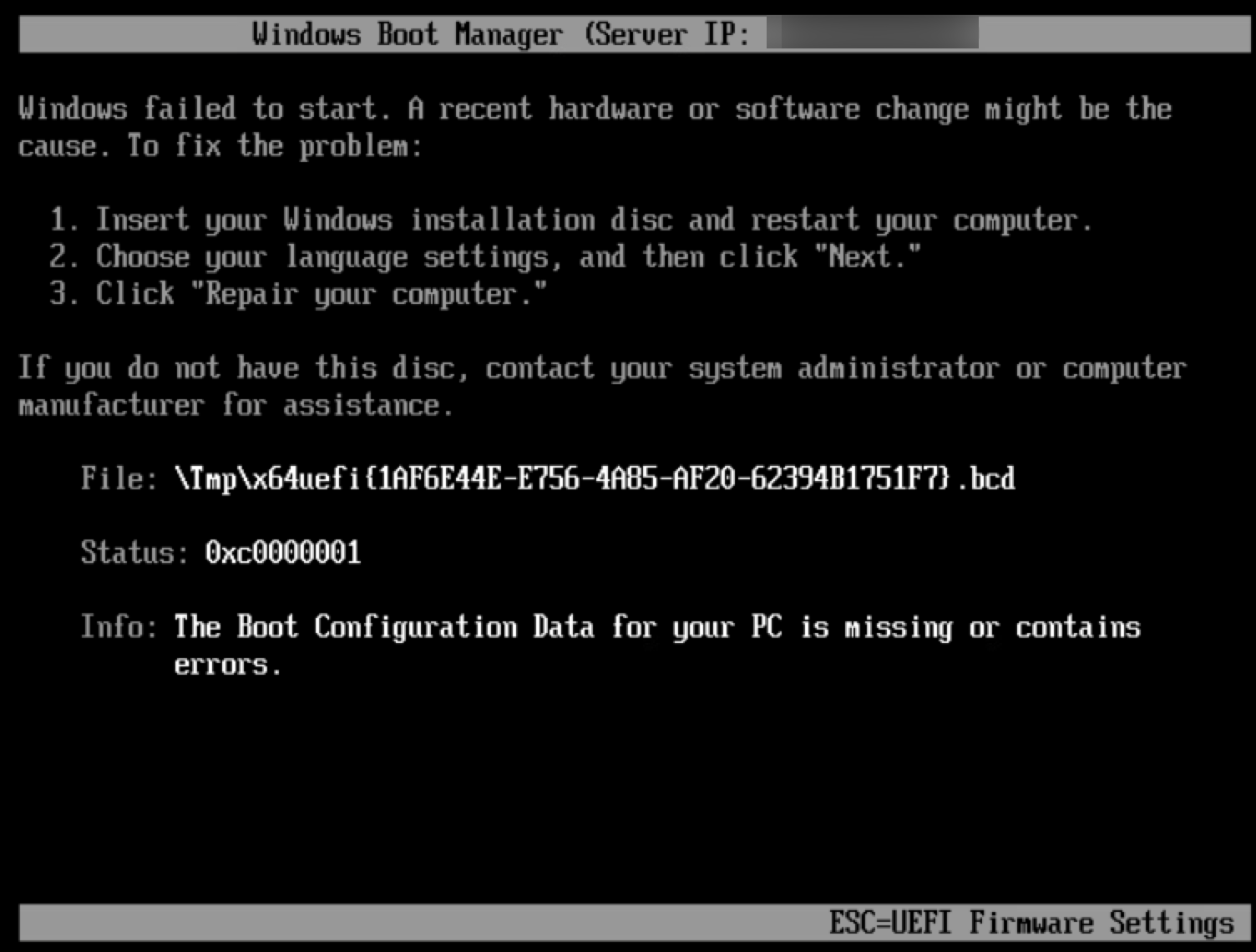
I can't figure out how to get rid of the error. I've tried:
- Recreating the LiteTouch boot image in MDT and re-importing it into WDS.
- Rebooting the WDS/MDT server multiple times.
- Switching the client VM's adapter type between E1000E and VMXNET3.
- Deleting and remounting the hard drive on the VM.
Any other ideas on what I should do to troubleshoot?
Windows for business | Windows Client for IT Pros | Devices and deployment | Set up, install, or upgrade
Windows for business | Windows Server | Devices and deployment | Set up, install, or upgrade
Sign in to answer