Azure Data Factory
An Azure service for ingesting, preparing, and transforming data at scale.
This browser is no longer supported.
Upgrade to Microsoft Edge to take advantage of the latest features, security updates, and technical support.
' cx='32' cy='32' r='32' /%3E%3Ctext x='50%25' y='55%25' dominant-baseline='middle' text-anchor='middle' fill='%23FFF' %3EA%3C/text%3E%3C/svg%3E)
SR ID : 2212140060000901
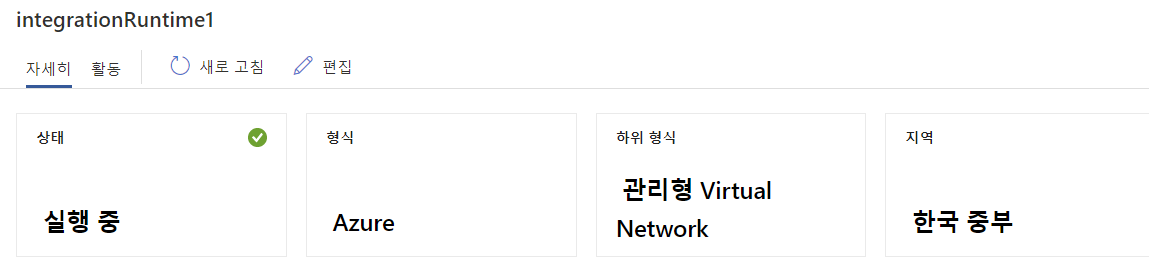
Using an Azure managed virtual network, a data flow that was running fine until 2 days ago is not running since yesterday.
Change Azure IR to Azure public network 'AutoRsoloveIntegrationRuntime' and run normally when run.
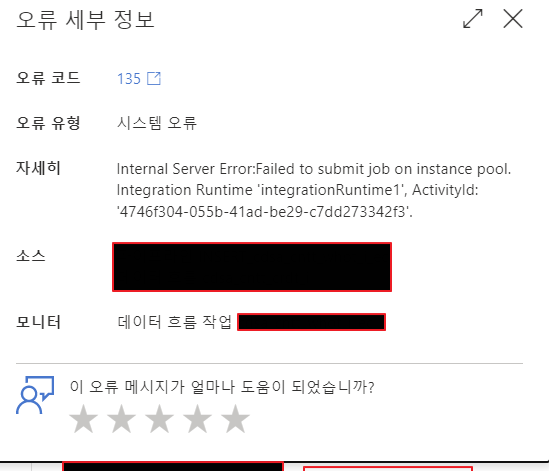
Internal Server Error:Failed to submit job on instance pool. Integration Runtime.
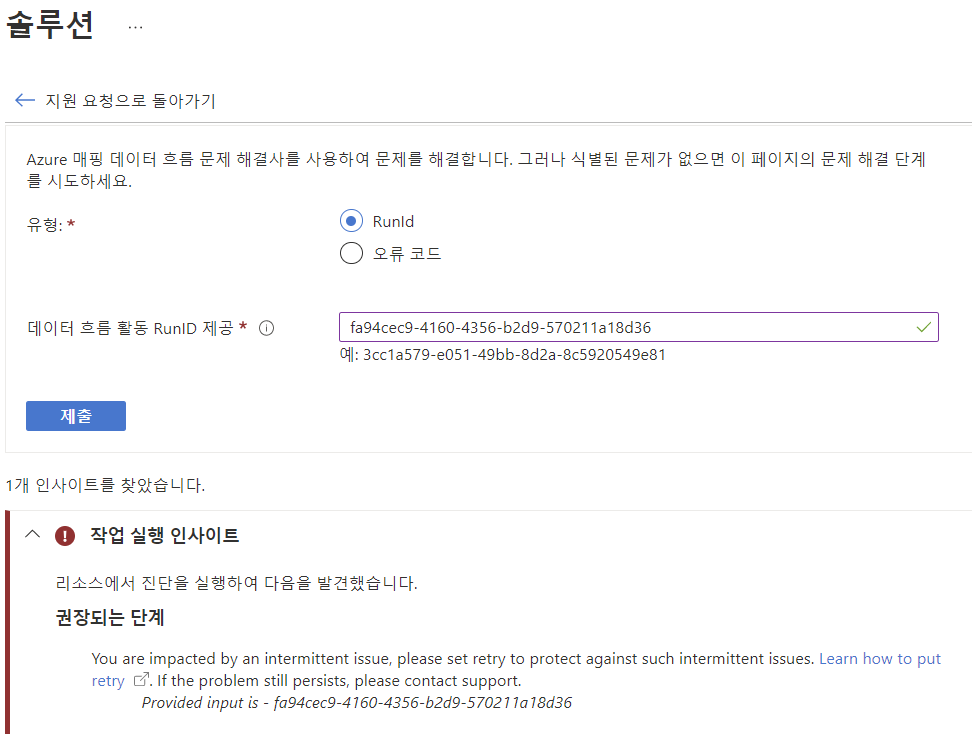
When using the technical support solution with the runtime ID, answer are prompted to contact the support team.
*Korea central region.
"You are impacted by an intermittent issue, please set retry to protect against such intermittent issues. Learn how to put retry .
If the problem still persists, please contact support.
Provided input is - efc6df33-5bbb-47df-9cd9-b354d5283b09"
' cx='32' cy='32' r='32' /%3E%3Ctext x='50%25' y='55%25' dominant-baseline='middle' text-anchor='middle' fill='%23FFF' %3EKM%3C/text%3E%3C/svg%3E)
Hello @최이현 ,
Thanks for the question and using MS Q&A platform.
Looks like you have already filed a support ticket and one of the support engineers are looking into it.
Will update this thread once the root cause is identified and resolved.
Thank you
Hello @최이현 ,
As per the analysis from support ticket below are suggestions provided by internal product team to overcome this problem
Hope this info helps.
------------------------------
 or upvote
  button whenever the information provided helps you. Original posters help the community find answers faster by identifying the correct answer. Here is how