Microsoft Security | Microsoft Entra | Microsoft Entra ID
A cloud-based identity and access management service for securing user authentication and resource access

This browser is no longer supported.
Upgrade to Microsoft Edge to take advantage of the latest features, security updates, and technical support.
' cx='32' cy='32' r='32' /%3E%3Ctext x='50%25' y='55%25' dominant-baseline='middle' text-anchor='middle' fill='%23FFF' %3ECT%3C/text%3E%3C/svg%3E)
Hi,
Our Active Directory Synchronization has started fail on the Delta Synchronization steps. The Status shows stopped-server for the 2 delta sync steps. The Export and Delta import steps show success, but our AD domains and AAD are not syncing correctly. The first error event showing "Azure AD Connect Upgrader is only supported on Windows Server 2016 or higher", the Azure AD connect we are installation on a Windows 2012R2 server but we had not upgrade the Azure AD Connect manually and it running ok without problems since Year2019.
-----------------------------------
LOG REGISTERED ON EVENTVIEWER
---------------------------------
Log Name: Application
Source: MsiInstaller
Date: 12/14/2022 6:12:18 AM
Event ID: 10005
Task Category: None
Level: Error
Keywords: Classic
User: SYSTEM
Computer: CTICMLFLEX01.citictrust.local
Description:
Product: Microsoft Azure AD Connect Upgrader -- Azure AD Connect Upgrader is only supported on Windows Server 2016 or higher.
Event Xml:
<Event xmlns="http://schemas.microsoft.com/win/2004/08/events/event">
<System>
<Provider Name="MsiInstaller" />

<EventID Qualifiers="0">10005</EventID>

<Level>2</Level>

<Task>0</Task>

<Keywords>0x80000000000000</Keywords>

<TimeCreated SystemTime="2022-12-13T22:12:18.000000000Z" />

<EventRecordID>7090805</EventRecordID>

<Channel>Application</Channel>

<Computer>CTICMLFLEX01.citictrust.local</Computer>

<Security UserID="S-1-5-18" />
</System>
<EventData>
<Data>Product: Microsoft Azure AD Connect Upgrader -- Azure AD Connect Upgrader is only supported on Windows Server 2016 or higher.</Data>

<Data>(NULL)</Data>

<Data>(NULL)</Data>

<Data>(NULL)</Data>

<Data>(NULL)</Data>

<Data>(NULL)</Data>

<Data>

</Data>

<Binary>7B36363342463045392D333633362D343238312D424436422D4636443434323041363734357D</Binary>
</EventData>
</Event>
Log Name: Application
Source: ADSync
Date: 12/14/2022 6:18:34 AM
Event ID: 6301
Task Category: Server
Level: Error
Keywords: Classic
User: N/A
Computer: CTICMLFLEX01.citictrust.local
Description:
The server encountered an unexpected error in the synchronization engine:
"BAIL: MMS(1852): ..\ManagedSyncRulesEngine.cpp(1315): 0x80231368 (The operation failed because the container is excluded from the configured list of partitions and OUs)
BAIL: MMS(1852): ..\synccoreimp.cpp(1205): 0x80231368 (The operation failed because the container is excluded from the configured list of partitions and OUs)
BAIL: MMS(1852): ..\synccoreimp.cpp(934): 0x80231368 (The operation failed because the container is excluded from the configured list of partitions and OUs)
Azure AD Sync 1.6.16.0"
Event Xml:
<Event xmlns="http://schemas.microsoft.com/win/2004/08/events/event">
<System>
<Provider Name="ADSync" />

<EventID Qualifiers="49152">6301</EventID>

<Level>2</Level>

<Task>3</Task>

<Keywords>0x80000000000000</Keywords>

<TimeCreated SystemTime="2022-12-13T22:18:34.000000000Z" />

<EventRecordID>7090861</EventRecordID>

<Channel>Application</Channel>

<Computer>CTICMLFLEX01.citictrust.local</Computer>

<Security />
</System>
<EventData>
<Data>BAIL: MMS(1852): ..\ManagedSyncRulesEngine.cpp(1315): 0x80231368 (The operation failed because the container is excluded from the configured list of partitions and OUs)
BAIL: MMS(1852): ..\synccoreimp.cpp(1205): 0x80231368 (The operation failed because the container is excluded from the configured list of partitions and OUs)
BAIL: MMS(1852): ..\synccoreimp.cpp(934): 0x80231368 (The operation failed because the container is excluded from the configured list of partitions and OUs)
Azure AD Sync 1.6.16.0</Data>
</EventData>
</Event>
Log Name: Application
Source: ADSync
Date: 12/14/2022 6:18:34 AM
Event ID: 6301
Task Category: Server
Level: Error
Keywords: Classic
User: N/A
Computer: CTICMLFLEX01.citictrust.local
Description:
The server encountered an unexpected error in the synchronization engine:
"ERR_: MMS(1852): ..\syncprocess.cpp(1667): Critical or unexpected error 0x80231368
Azure AD Sync 1.6.16.0"
Event Xml:
<Event xmlns="http://schemas.microsoft.com/win/2004/08/events/event">
<System>
<Provider Name="ADSync" />

<EventID Qualifiers="49152">6301</EventID>

<Level>2</Level>

<Task>3</Task>

<Keywords>0x80000000000000</Keywords>

<TimeCreated SystemTime="2022-12-13T22:18:34.000000000Z" />

<EventRecordID>7090862</EventRecordID>

<Channel>Application</Channel>

<Computer>CTICMLFLEX01.citictrust.local</Computer>

<Security />
</System>
<EventData>
<Data>ERR_: MMS(1852): ..\syncprocess.cpp(1667): Critical or unexpected error 0x80231368
Azure AD Sync 1.6.16.0</Data>
</EventData>
</Event>
Log Name: Application
Source: ADSync
Date: 12/14/2022 6:18:34 AM
Event ID: 6301
Task Category: Server
Level: Error
Keywords: Classic
User: N/A
Computer: CTICMLFLEX01.citictrust.local
Description:
The server encountered an unexpected error in the synchronization engine:
"BAIL: MMS(1852): ..\syncapply.cpp(467): 0x80231368 (The operation failed because the container is excluded from the configured list of partitions and OUs)
BAIL: MMS(1852): ..\syncapply.cpp(618): 0x80231368 (The operation failed because the container is excluded from the configured list of partitions and OUs)
ERR_: MMS(1852): ..\syncapply.cpp(632): Apply rules terminated unexpectedly with 0x80231368
Azure AD Sync 1.6.16.0"
Event Xml:
<Event xmlns="http://schemas.microsoft.com/win/2004/08/events/event">
<System>
<Provider Name="ADSync" />

<EventID Qualifiers="49152">6301</EventID>

<Level>2</Level>

<Task>3</Task>

<Keywords>0x80000000000000</Keywords>

<TimeCreated SystemTime="2022-12-13T22:18:34.000000000Z" />

<EventRecordID>7090863</EventRecordID>

<Channel>Application</Channel>

<Computer>CTICMLFLEX01.citictrust.local</Computer>

<Security />
</System>
<EventData>
<Data>BAIL: MMS(1852): ..\syncapply.cpp(467): 0x80231368 (The operation failed because the container is excluded from the configured list of partitions and OUs)
BAIL: MMS(1852): ..\syncapply.cpp(618): 0x80231368 (The operation failed because the container is excluded from the configured list of partitions and OUs)
ERR_: MMS(1852): ..\syncapply.cpp(632): Apply rules terminated unexpectedly with 0x80231368
Azure AD Sync 1.6.16.0</Data>
</EventData>
</Event>
Log Name: Application
Source: ADSync
Date: 12/14/2022 6:18:34 AM
Event ID: 6401
Task Category: Server
Level: Error
Keywords: Classic
User: N/A
Computer: CTICMLFLEX01.citictrust.local
Description:
The management agent controller encountered an unexpected error.
"BAIL: MMS(1852): ..\crcntrl.cpp(448): 0x80230801 (The management agent run was terminated as there were unspecified server errors on import.)
BAIL: MMS(1852): ..\crcntrl.cpp(301): 0x80230801 (The management agent run was terminated as there were unspecified server errors on import.)
Azure AD Sync 1.6.16.0"
Event Xml:
<Event xmlns="http://schemas.microsoft.com/win/2004/08/events/event">
<System>
<Provider Name="ADSync" />

<EventID Qualifiers="49152">6401</EventID>

<Level>2</Level>

<Task>3</Task>

<Keywords>0x80000000000000</Keywords>

<TimeCreated SystemTime="2022-12-13T22:18:34.000000000Z" />

<EventRecordID>7090864</EventRecordID>

<Channel>Application</Channel>

<Computer>CTICMLFLEX01.citictrust.local</Computer>

<Security />
</System>
<EventData>
<Data>BAIL: MMS(1852): ..\crcntrl.cpp(448): 0x80230801 (The management agent run was terminated as there were unspecified server errors on import.)
BAIL: MMS(1852): ..\crcntrl.cpp(301): 0x80230801 (The management agent run was terminated as there were unspecified server errors on import.)
Azure AD Sync 1.6.16.0</Data>
</EventData>
</Event>
Log Name: Application
Source: ADSync
Date: 12/14/2022 6:18:34 AM
Event ID: 6401
Task Category: Server
Level: Error
Keywords: Classic
User: N/A
Computer: CTICMLFLEX01.citictrust.local
Description:
The management agent controller encountered an unexpected error.
"ERR_: MMS(1852): ..\memutils.cpp(7448): Unspecified server import error reported 0x80230801
Azure AD Sync 1.6.16.0"
Event Xml:
<Event xmlns="http://schemas.microsoft.com/win/2004/08/events/event">
<System>
<Provider Name="ADSync" />

<EventID Qualifiers="49152">6401</EventID>

<Level>2</Level>

<Task>3</Task>

<Keywords>0x80000000000000</Keywords>

<TimeCreated SystemTime="2022-12-13T22:18:34.000000000Z" />

<EventRecordID>7090865</EventRecordID>

<Channel>Application</Channel>

<Computer>CTICMLFLEX01.citictrust.local</Computer>

<Security />
</System>
<EventData>
<Data>ERR_: MMS(1852): ..\memutils.cpp(7448): Unspecified server import error reported 0x80230801
Azure AD Sync 1.6.16.0</Data>
</EventData>
</Event>
Log Name: Application
Source: ADSync
Date: 12/14/2022 6:18:34 AM
Event ID: 6056
Task Category: Management Agent Run Profile
Level: Error
Keywords: Classic
User: N/A
Computer: CTICMLFLEX01.citictrust.local
Description:
The management agent "citictrust.local" failed on run profile "Delta Synchronization" because the server encountered errors.
Event Xml:
<Event xmlns="http://schemas.microsoft.com/win/2004/08/events/event">
<System>
<Provider Name="ADSync" />

<EventID Qualifiers="49152">6056</EventID>

<Level>2</Level>

<Task>1</Task>

<Keywords>0x80000000000000</Keywords>

<TimeCreated SystemTime="2022-12-13T22:18:34.000000000Z" />

<EventRecordID>7090866</EventRecordID>

<Channel>Application</Channel>

<Computer>CTICMLFLEX01.citictrust.local</Computer>

<Security />
</System>
<EventData>
<Data>citictrust.local</Data>

<Data>Delta Synchronization</Data>
</EventData>
</Event>
BR
Chris Tsang
' cx='32' cy='32' r='32' /%3E%3Ctext x='50%25' y='55%25' dominant-baseline='middle' text-anchor='middle' fill='%23FFF' %3EMT%3C/text%3E%3C/svg%3E)
Just checking to see if you were able to see the response from @Andy David - MVP and get the information you need? If the answer helped you, please Accept the answer so that others in the community with similar questions can more easily find a solution. Otherwise let us know if you have more questions!
Understood but now I'm still seeking advice from AndyDavid or other experts, will do it once I got idea to fix my problem, thank you.
Thanks for confirming. It looks like he has followed up so please let us know if you have further questions.

You can do an inplace upgrade if that is easiest
https://learn.microsoft.com/en-us/azure/active-directory/hybrid/how-to-upgrade-previous-version#in-place-upgrade
Honestly, At this point there is no use troubleshooting the sync issues since you are running a version that is no longer supported and it could be the cause of the failures:
https://learn.microsoft.com/en-us/azure/active-directory/hybrid/whatis-azure-ad-connect-v2
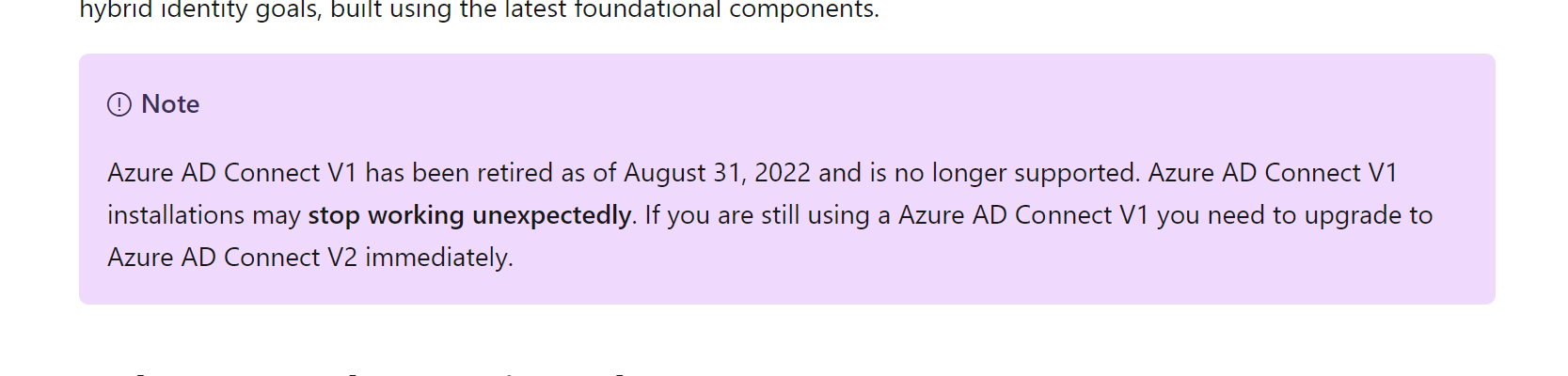
Version 1.X is no longer supported for AADConnect.
You need to upgrade ASAP to version 2.X
https://learn.microsoft.com/en-us/azure/active-directory/hybrid/how-to-upgrade-previous-version
Hi AndyDavid,
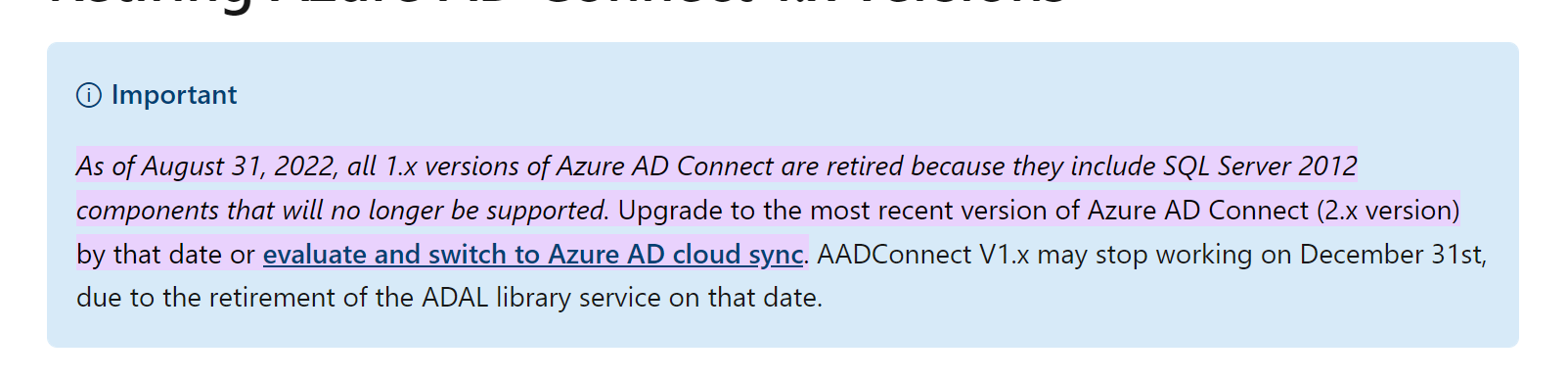
Thankyou for your reply, noted I can either upgrade AADConnect to v2.x or switch to use AADConnect cloud sync, now our current environment is 1 AD(Windows 2016) + 1 FS(Windows 2012R2) and AADConnect v1.x installed on the FS(Windows 2012R2), from Microsoft documentation, it seems AADConnect v2.x not support Windows 2012R2 anymore, so I'm thinking is it possible of 1) Installed AADConnect v2.x directly on AD(Windows 2016) instead of FS(Windows2012R2) or 2) Switch to use AADConnecnt cloud sync, but I'm not sure the AADConnect cloud sync Provisioning Agent can be install and run on FS(Windows 2012R2) or can directly install and run on AD(Windows 2016), if no OS upgrade will take at this moment, may I know which way I can use to fix my sync error, thanks in advance.
BR
Chris Tsang