Developer technologies | Windows Presentation Foundation
A part of the .NET Framework that provides a unified programming model for building line-of-business desktop applications on Windows.
This browser is no longer supported.
Upgrade to Microsoft Edge to take advantage of the latest features, security updates, and technical support.
' cx='32' cy='32' r='32' /%3E%3Ctext x='50%25' y='55%25' dominant-baseline='middle' text-anchor='middle' fill='%23FFF' %3EM%3C/text%3E%3C/svg%3E)
I'm using C# WPF in Visual Studio with .NET Framework 4.7.2 with SQL Server 2019 Database, and using LiveChart
What I want
I'm looking for easy and good tool for chart in WPF to control these things :
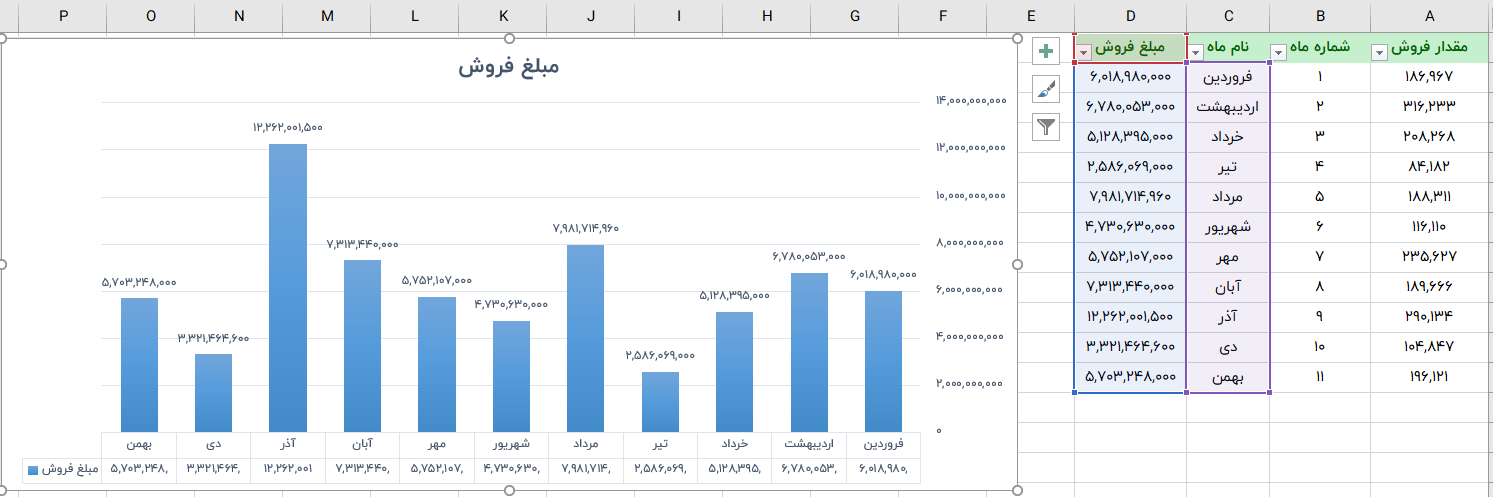
What I have :
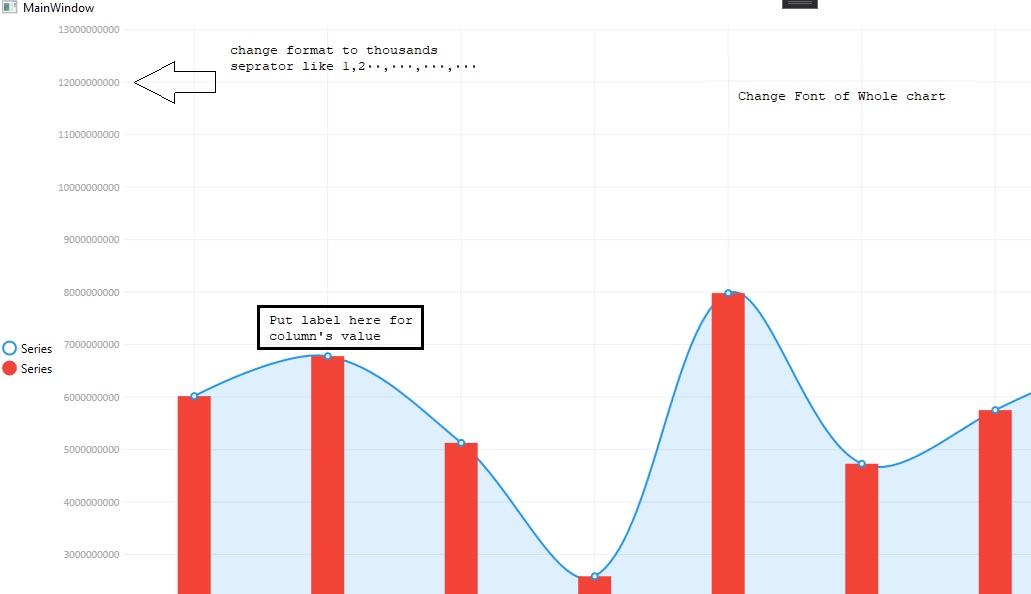
My Full source code with table script :
c4RH1JaJ
How can I do these things that I need? I was really confused between the tools
is there anything better than which be easy to do this ?
' cx='32' cy='32' r='32' /%3E%3Ctext x='50%25' y='55%25' dominant-baseline='middle' text-anchor='middle' fill='%23FFF' %3EPA%3C/text%3E%3C/svg%3E)
Have you tried these LabelFormatters?:
https://v0.lvcharts.com/App/examples/v1/Wpf/Labels#formatted-labels
And then just define it to val => val.ToString("N0")
Can I ask you to do the same in my code? because it doesn't work