Azure Files
An Azure service that offers file shares in the cloud.
This browser is no longer supported.
Upgrade to Microsoft Edge to take advantage of the latest features, security updates, and technical support.
' cx='32' cy='32' r='32' /%3E%3Ctext x='50%25' y='55%25' dominant-baseline='middle' text-anchor='middle' fill='%23FFF' %3EJ%3C/text%3E%3C/svg%3E)
I have been trying to fix an issue with a Azure File Share I have set up.
Here are some details on my environment
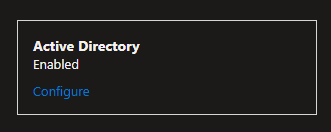
for some reason when I use the command net use X: \[azure file share directory]
I get the error:
Network password is incorrect
then it prompts me to login. using different credentials than the user whom is currently logged in.
I have ensured that the user is apart of a ACL to access the file share in both on prem and in Azure (SMB reader access)
I have even enabled all authenticated users be given read access.

When I create a test user on the on prem server and force the sync then login to a device and use the command it works successfully. Why wont it work on existing users in the environment? It should atleast let you in considering all authenticated users have read access right? why are the users not considered authenticated?

@James Firstly, Apologies for the delay response! Welcome to Microsoft Q&A Forum, Thank you for posting your query here!
Can you reset the existing user password (make sure AD connect sync also runs after the password change) and try again to connect.
Might be missing RBAC SMB permissions in Azure.
Some applications run in the context of the network service, or another system service or account. When accessing the file share, these services or processes "act as the computer on the network", meaning that it has the SID and identity of the computer identity. Windows Defender is an example of a system process that accesses file shares via the computer account.
Azure Files Active Directory integration decides share access based on Azure RBAC permissions set via Portal or PowerShell. Because these computer accounts have no corresponding RBAC identity, they cannot have a share permission defined for them.we return "logon failure" error.
Under the Synchronization settings menu for Azure AD Domain Services. You can then change the scope from 'Scoped' to 'All': https://learn.microsoft.com/en-us/azure/storage/files/storage-files-identity-auth-active-directory-domain-service-enable
You need to allow the RC4 cypher. If you have deployed CIS benchmarks Level 1 for AD in the domain it will disable RC4 and cause this issue too.
Please let us know if you have any further queries. I’m happy to assist you further.
----------
Please do not forget to  and “up-vote” wherever the information provided helps you, this can be beneficial to other community members.
Hello,
Thank you for the response. Resetting the password from the on prem and running AD connect sync afterwords worked without issue on some of the users. Like so:

I do have one problem however.
On some users when remoting in and issuing the net use X: [azure file share directory] command
it returns back incorrect password and it prompts me to type in the username and password again. I found that manually typing in [ONPREMSERVER][USERNAME] with the correct password works.
As seen here: [redacted sensitive info]

I have line of sight on all these devices to the on prem server. What else could it be?
' cx='32' cy='32' r='32' /%3E%3Ctext x='50%25' y='55%25' dominant-baseline='middle' text-anchor='middle' fill='%23FFF' %3ERP%3C/text%3E%3C/svg%3E)
I guess this is a pretty old post, but it sounds similar to what I am experiencing.
In my case, drive mappings to Azure Files Shares always seem to work on hybrid AVD VMs and on many standalone hybrid devices.
We have DCs within each of our subnets at physical locations, and also within an Azure vnet with connectivity to the physical sites.
Problem: on some hybrid devices, some of the time, authentication will fail. (independent of the user I try)
Manually entering the username and password dont seem to work
Ive tried:
<user>@domain.com
domain\user
azuread<user>@domain.com