' cx='32' cy='32' r='32' /%3E%3Ctext x='50%25' y='55%25' dominant-baseline='middle' text-anchor='middle' fill='%23FFF' %3EPK%3C/text%3E%3C/svg%3E)

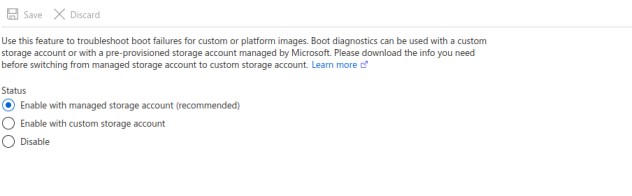
I was able to attach a data disks from portal and create and attach storage space virtual disk through windows powershell cmds but was ** not able to find Source type "Storage Spaces" [screenshot posted below]** in the azure portal
and in the azure portal under boot diagnostics i was able to find only this [screenshot posted above] , if possible can u post the screenshots
My vm details:
Operating system: Windows (Windows Server 2022 Datacenter Azure Edition)
Publisher: MicrosoftWindowsServer
Offer: WindowsServer
Plan: 2022-datacenter-azure-edition
VM generation: V2
VM architecture: x64
Size: Standard D2s v3
