Azure Automation
An Azure service that is used to automate, configure, and install updates across hybrid environments.
This browser is no longer supported.
Upgrade to Microsoft Edge to take advantage of the latest features, security updates, and technical support.

Trying to run a powershell script in a runbook and its throwing this error:
New-Item: Line | 15 | $logitem = New-Item File -Name $logfilename | ~~~~~~~~~~~~~~~~~~~~~~~~~~~~~~~~ | Could not find a part of the path 'C:\app\File\12-22-22_19-36-utc_VM-power-report.txt'.
Code it this: (theres more to it, but this is the part that thows the error)
<#
Gets the schudule of VMs that use the power-azvms.ps1 schedule. Writes the output to an
Azure Blob.
CMT 5-AUG-2022
$storageaccount = "chadstorage2112"
$connectionName = "AzureRunAsConnection"
$resourcegroup = "Policy-Test"
$powers = "power-off", "power-on", "power-reboot"
$logfilename = (Get-Date -asUTC -Format MM-dd-yy_HH-mm) + "-utc_VM-power-report.txt"
write-output "Logfile name = $logfilename"
$logitem = New-Item File -Name $logfilename
$logcontainer = "vm-power-schedule-reports" #Need to create a blob container for this
This code works in another tennant/subscription, but not in my own tennant that I use for testing. Why does it even reference C:\ if this is a runbook?

Hi @Chad Thomsen ,
I am not completely sure why it was creating the file under "C:\app\File" path but as Azure Automation assigns a worker (which is just like a machine) to run each job during runbook execution in the sandbox and as you have mentioned "File" in your New-Item cmdlet so it might be creating the file under C:\ drive.
As per this Azure document, recommendation is to use $env:TEMP folder if you need to create temporary files as part of your runbook logic in the Azure sandbox for runbooks running in Azure.
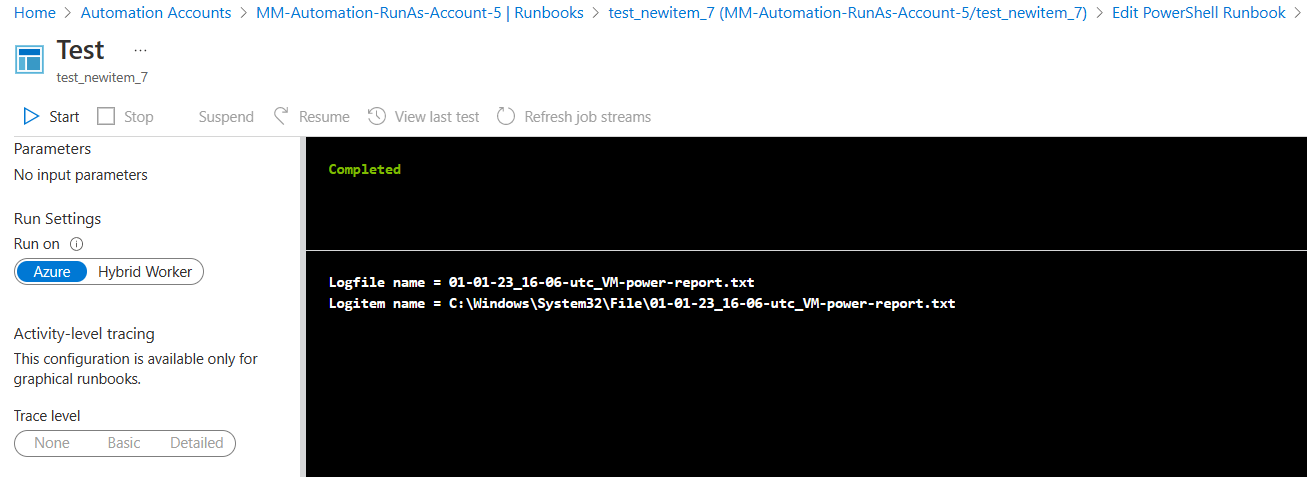
I have created a runbook with below code in PS runtime 7.1 and file was created under "C:\Windows\System32\File" path as illustrated in below screenshot.

Then I have followed recommendation to use $env:TEMP and have created a runbook with below code and file was created under "C:\Users\Client\Temp" path.

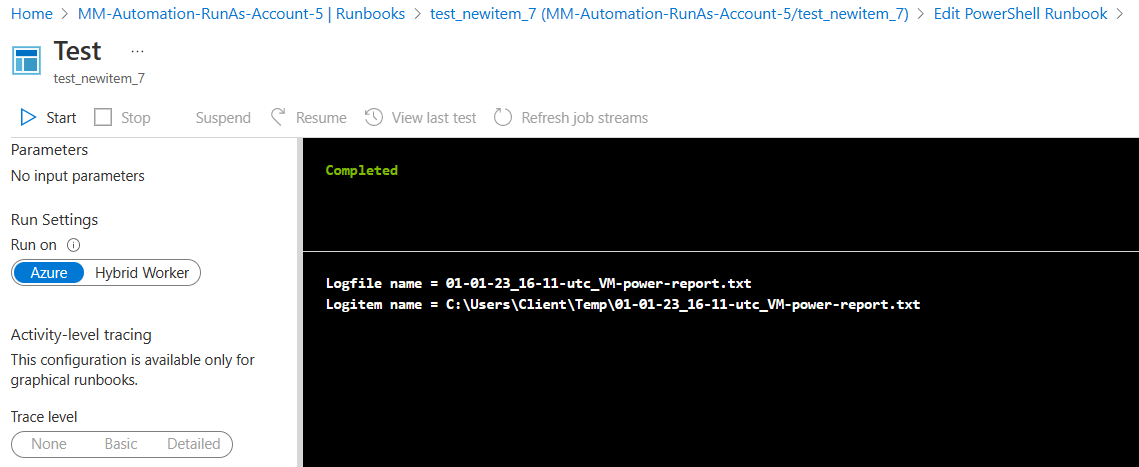
I would recommend you to use $env:TEMP path and see if it helps to avoid the error that you were facing.