Microsoft 365 and Office | SharePoint | For business | Windows
A group of Microsoft Products and technologies used for sharing and managing content, knowledge, and applications.

This browser is no longer supported.
Upgrade to Microsoft Edge to take advantage of the latest features, security updates, and technical support.
' cx='32' cy='32' r='32' /%3E%3Ctext x='50%25' y='55%25' dominant-baseline='middle' text-anchor='middle' fill='%23FFF' %3EC%3C/text%3E%3C/svg%3E)
This code worked for about last 2 months, then is now failing:
Connect-PnPOnline -Url "https://myco.sharepoint.com/sites/sandbox" -UseWebLogin
$listsToAdd = @("Structure Reqs","Perm Mods")
ForEach ($listToAdd in $listsToAdd)
{
$field = Get-PnPField -List $listToAdd -Identity "MyTargetColumn"
$ctx = Get-PnPContext
$fieldChoice = [Microsoft.SharePoint.Client.ClientContext].GetMethod("CastTo").MakeGenericMethod([Microsoft.SharePoint.Client.FieldChoice]).Invoke($ctx,$field)
$ctx.Load($fieldChoice)
Invoke-PnPQuery
$choices = $fieldChoice.Choices
$choices += "MyNewValue".ToUpper()
$fieldChoice.Choices = $choices | Sort-Object
$fieldChoice.UpdateAndPushChanges($true)
Invoke-PnPQuery
}
*** Error message is:
Exception calling "Invoke" with "2" argument(s): "Object does not match target type."
At line:14 char:1
Cannot find an overload for "Load" and the argument count: "1".
At line:16 char:1
The property 'Choices' cannot be found on this object. Verify that the property exists and can be set.
At line:22 char:1
You cannot call a method on a null-valued expression.
At line:24 char:1
Exception calling "Invoke" with "2" argument(s): "Object does not match target type."
At line:14 char:1
Cannot find an overload for "Load" and the argument count: "1".
At line:16 char:1
The property 'Choices' cannot be found on this object. Verify that the property exists and can be set.
At line:22 char:1
You cannot call a method on a null-valued expression.
At line:24 char:1
A group of Microsoft Products and technologies used for sharing and managing content, knowledge, and applications.
Thank you...looks like I had to delete SharePoint GAC, restart, and re-install PnP Online and it started working.

You could accept your solution as a answer to help other community members find helpful information quicker.
Thank you for your sharing.
What PnP version do you have?
The code you shared works well in my environment.
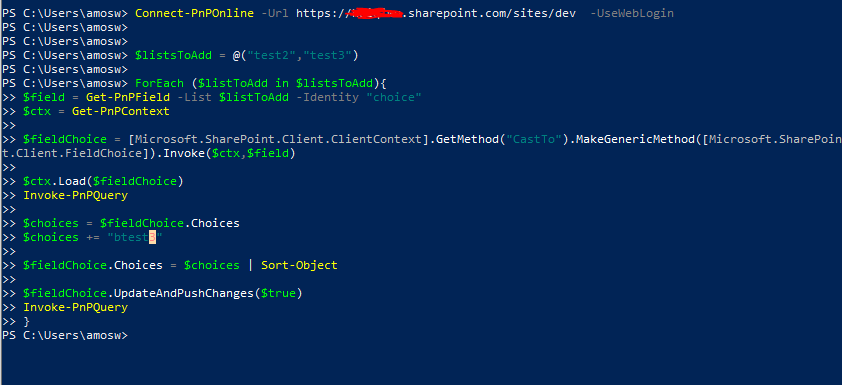
You could try to create a new list with a choice column,then run the code again.
