Microsoft 365 and Office | SharePoint Server | For business
A family of Microsoft on-premises document management and storage systems.

This browser is no longer supported.
Upgrade to Microsoft Edge to take advantage of the latest features, security updates, and technical support.
' cx='32' cy='32' r='32' /%3E%3Ctext x='50%25' y='55%25' dominant-baseline='middle' text-anchor='middle' fill='%23FFF' %3EK%3C/text%3E%3C/svg%3E)
I wanna to hide SharePoint 2019 Left Navigation in Modern Team Site, like the following screen

i saw some workaround solution from internet, the workaround method is "By adding the query string ?env=Embedded or ?env=WebView to any modern SharePoint URL",
but it's not a good method. Any one know how to config on Sharepoint 2019?

This is a quick note to let you know that we are performing research on this issue.
Hi @kitkat ,


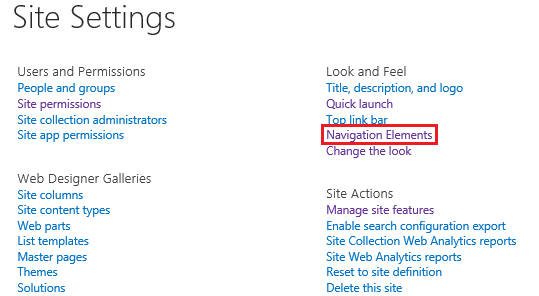
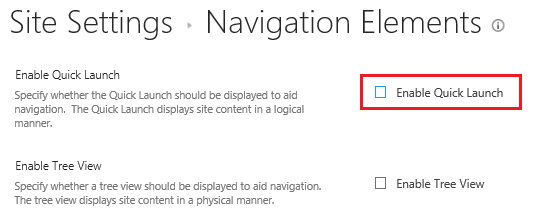
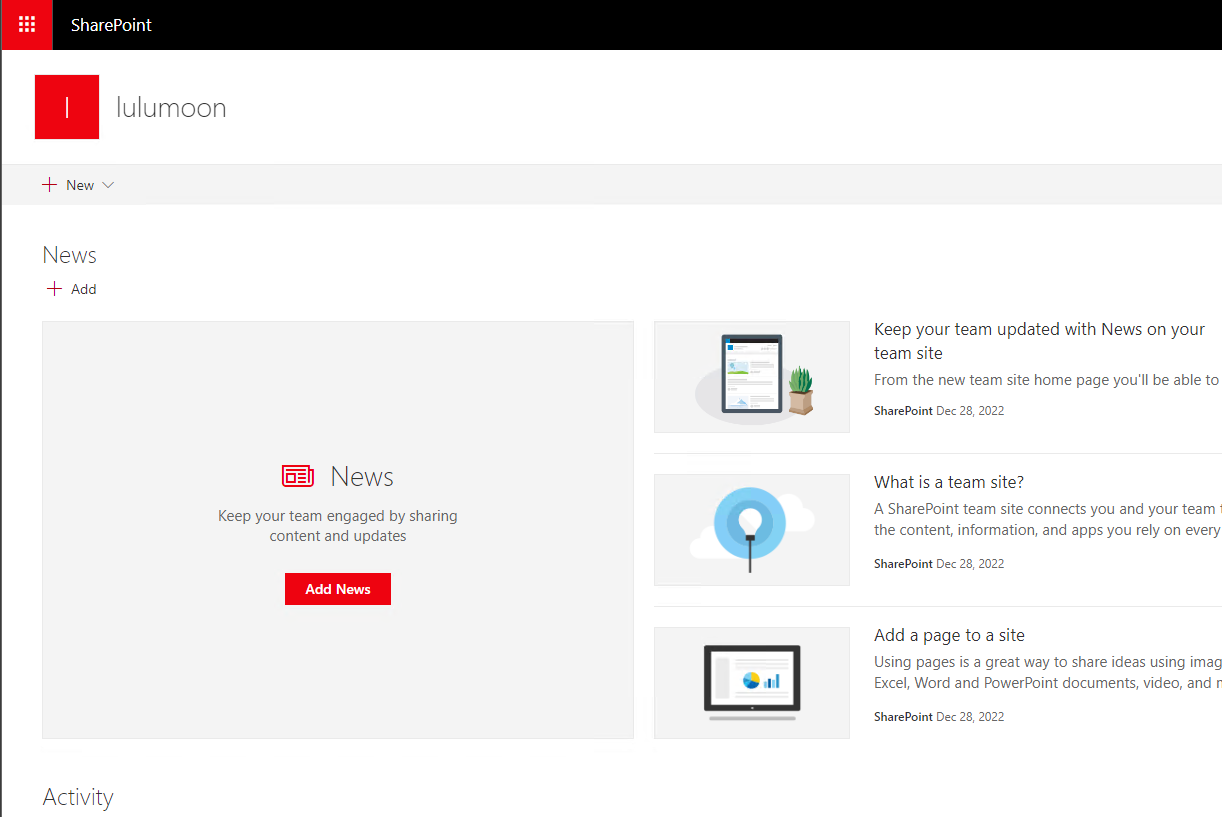
If the answer is helpful, please click "Accept Answer" and kindly upvote it. If you have extra questions about this answer, please click "Comment".
Note: Please follow the steps in our documentation to enable e-mail notifications if you want to receive the related email notification for this thread.
cann't find the Site Settings->Site Collection Administration->Site collection
Hi @kitkat ,
Your account needs to be Site Collection Administrator, please check in Central Administration.
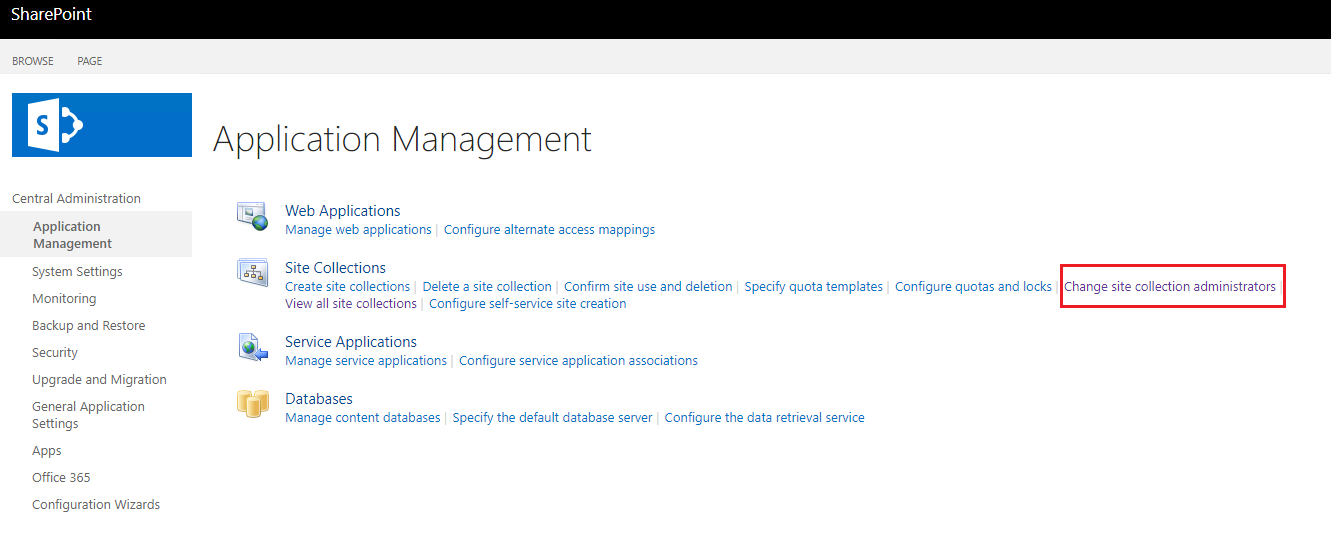
Hi @kitkat ,
Is there any progress on this thread? Please feel free to let me know.