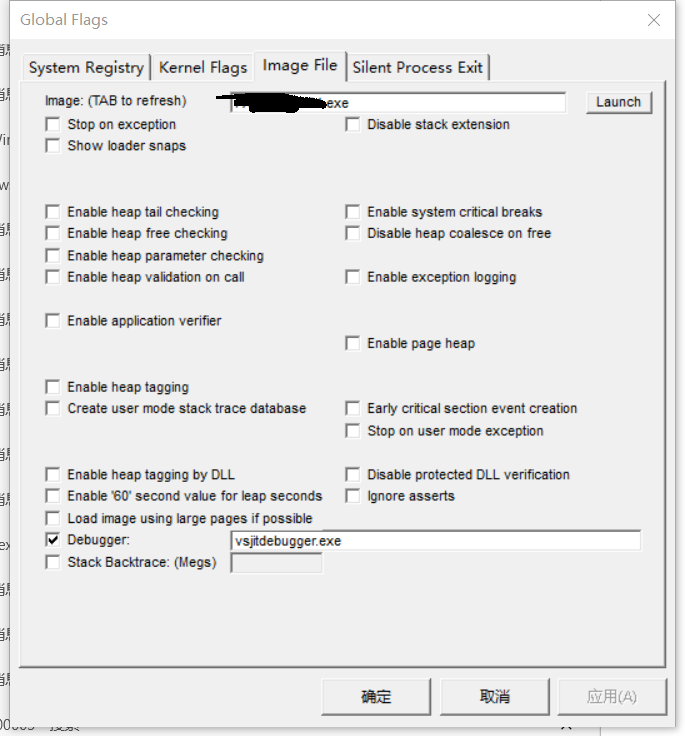
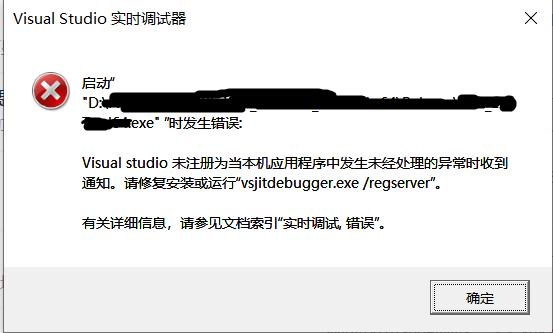
Hi @熙铭 徐 ,
Please open VS Installer > Find Visual Studio 2017 > click Modify > Individual components > search Just-In-Time debugger and make sure that it was checked and installed. If it was not checked, please check it and install it. If it was checked/installed, please try to reinstall(uncheck > check again) it.
Please also check the Windows Registry. Press Windows key + R > type regedit > Ok > navigate to HKEY_LOCAL_MACHINE\SOFTWARE\Wow6432Node\Microsoft\Windows NT\CurrentVersion\AeDebug\Debugger and make sure that the "debugger" key exists. Please also check this directory: HKEY_LOCAL_MACHINE\SOFTWARE\Microsoft\Windows NT\CurrentVersion\AeDebug\Debugger.
Besides, it worth trying to repair VS(VS Installer > find VS 2017 > More > Repair). Normally the JIT debugger should be installed together with VS and work by default without setting other configurations. If the error persists, I would suggest you try to reinstall VS 2017(If it is acceptable).
BTW, there was a known issue, not sure if it affects the debugger on your side. You can try to add a Windows Registry key in this directory Computer\HKEY_LOCAL_MACHINE\SOFTWARE\Microsoft\Windows NT\CurrentVersion\AeDebug (right-click in white space > New > DWORD 32-bit Value) and rename it as Auto, set the value=1(right-click > Modify > Value data).
Please feel free to let me know if above suggestions work.
Best Regards,
Tianyu
- If the answer is the right solution, please click "Accept Answer" and kindly upvote it. If you have extra questions about this answer, please click "Comment".
Note: Please follow the steps in our documentation to enable e-mail notifications if you want to receive the related email notification for this thread.
' cx='32' cy='32' r='32' /%3E%3Ctext x='50%25' y='55%25' dominant-baseline='middle' text-anchor='middle' fill='%23FFF' %3EA%3C/text%3E%3C/svg%3E)
' cx='32' cy='32' r='32' /%3E%3Ctext x='50%25' y='55%25' dominant-baseline='middle' text-anchor='middle' fill='%23FFF' %3ETS%3C/text%3E%3C/svg%3E)
 g]
g]