Azure Policy
An Azure service that is used to implement corporate governance and standards at scale for Azure resources.
This browser is no longer supported.
Upgrade to Microsoft Edge to take advantage of the latest features, security updates, and technical support.
' cx='32' cy='32' r='32' /%3E%3Ctext x='50%25' y='55%25' dominant-baseline='middle' text-anchor='middle' fill='%23FFF' %3EA%3C/text%3E%3C/svg%3E)
We are having difficulty with AD types on several of our machines, where they are either domain-only joined, Azure AD-only joined, or hybrid joined. After looking online we found a guide with a column under devices that could display the machine's AD join status under a "Join Type" column. We were wondering how to add that column, as we could not find the setting or place to add it.
This is the column from the guide:
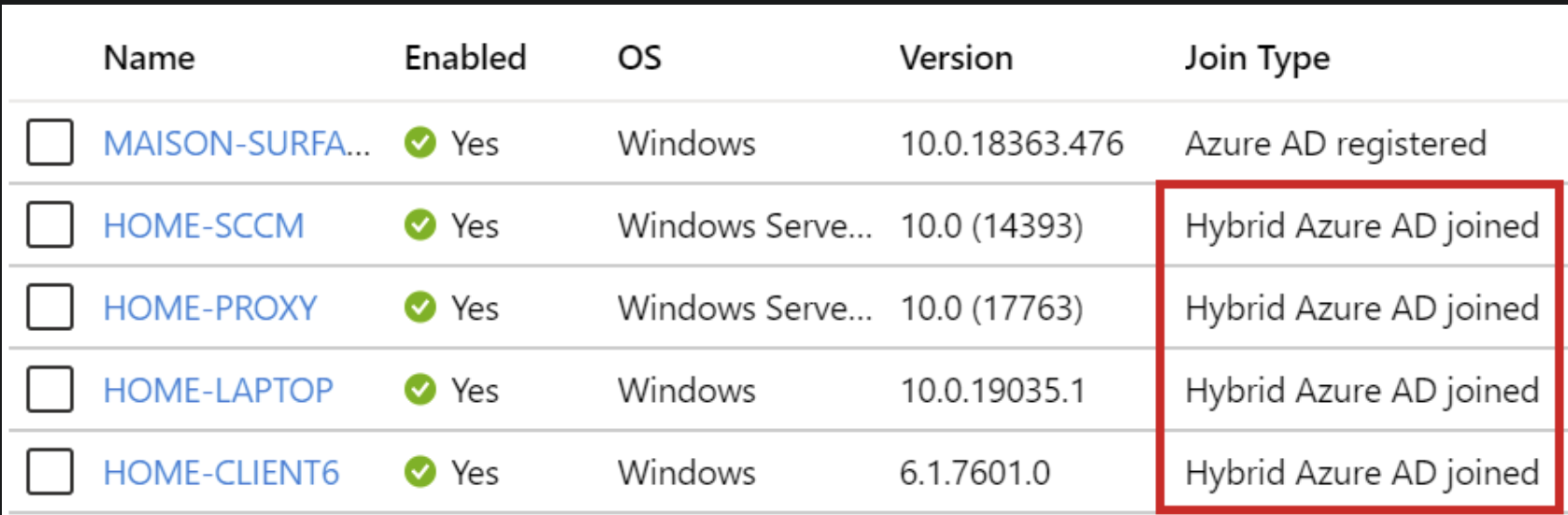
This is what our sections look like:



Thank DillonJS for the valuable input.
@Anonymous Have all the concern been addressed? Is there any other assistance that we can provide?
If Nick's reply is helpful, please accept his answer. It will make someone else who has the similar issue easily find the direction.
Thanks for your kindness in advance.

Hi @Anonymous
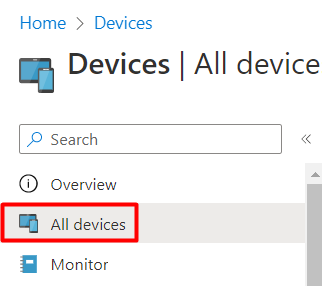
1) First, go to Endpoint Manager > Devices > All Devices
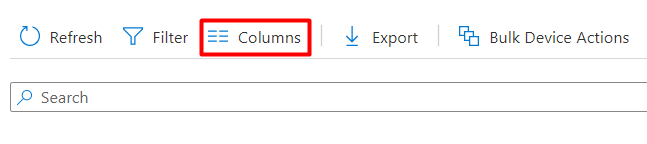
2) Then go to the top of the devices > Choose Columns
3) Scroll down to Join Type > Press Apply
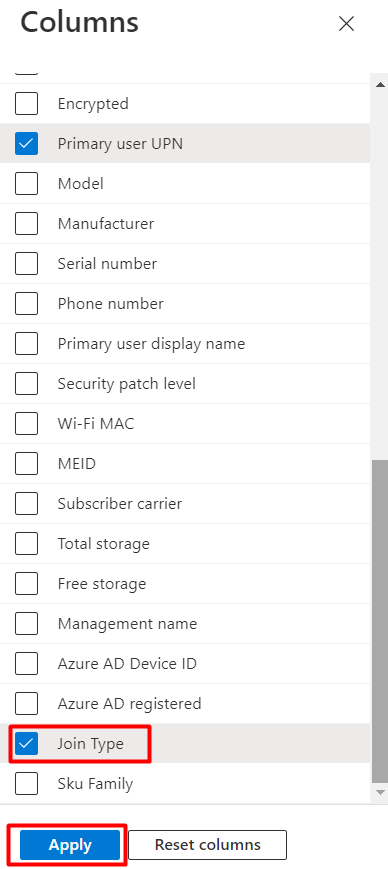
It should look like:

If this is helpful please accept answer.
In many case out of 1000 computer in intune, 200 out of 1000 display join type as Azure AD joined but these are have hybrid azure Ad joined and Azure AD joined entries of each in azure portal and important things is affected 200 Devices these are in intune have Azure ID and that match with the device id of HAAD entry in the azure portal .....
I'm looking solution beacuse all 200 affected entries in intune actually of hybrid azure Ad joined devices but join type displays as azure ad joined.