Microsoft 365 and Office | SharePoint | Development
The process of building custom applications and tools that interact with Microsoft SharePoint, including SharePoint Online in Microsoft 365.

This browser is no longer supported.
Upgrade to Microsoft Edge to take advantage of the latest features, security updates, and technical support.
' cx='32' cy='32' r='32' /%3E%3Ctext x='50%25' y='55%25' dominant-baseline='middle' text-anchor='middle' fill='%23FFF' %3EA%3C/text%3E%3C/svg%3E)
Team,
Need the SharePoint rest API end point for a graph api endpoints. There is some new betta endpoint for graph api on which i need the SP end points.
ex:
https://graph.microsoft.com/beta/sites/ba37d781-3f86-4234-bb6c-c4437978441a/pages/
Need the SP endpoint for this and whether that will be also in beta

The SharePoint API in Microsoft Graph supports the following core scenarios:
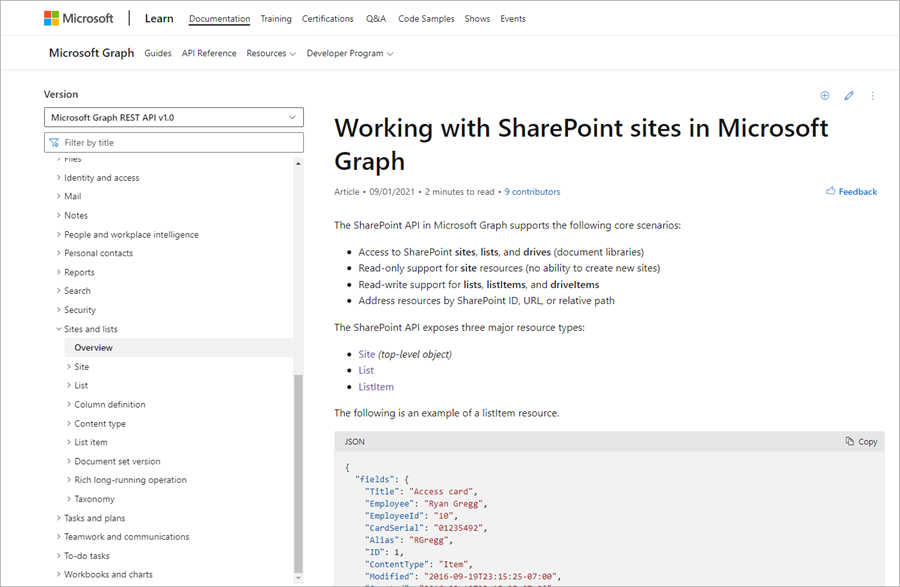
Please see the following reference documentation for more information. As you'll see in the screen capture, this documentation is for the v1.0 version of Microsoft Graph.
Working with SharePoint sites in Microsoft Graph
' cx='32' cy='32' r='32' /%3E%3Ctext x='50%25' y='55%25' dominant-baseline='middle' text-anchor='middle' fill='%23FFF' %3ER%3C/text%3E%3C/svg%3E)
Hi @Anonymous
The graph api will get the collection of sitePage objects from the site pages list in a site site. All pages in the site are returned (with pagination). Sort alphabetically by name in ascending order. You can use following rest api to get all pages under "sitePages"
_api/web/lists/getbytitle('Site Pages')/Items
If the answer is helpful, please click "Accept Answer" and kindly upvote it. If you have extra questions about this answer, please click "Comment".
Note: Please follow the steps in our documentation to enable e-mail notifications if you want to receive the related email notification for this thread.
Hi @Anonymous
Have you tried the solution I proposed?
If you have any questions or progress, you can contact me in time.
Looking forward to your reply
Have a lucky day!
Thanks,
Raytheon Xie
Hi @Anonymous
Would you tell me whether your issue has been resolved or have any update in process?
I am looking forward to your reply.
Have a nice day!
Thanks,
Raytheon Xie