Microsoft Security | Microsoft Entra | Microsoft Entra ID
A cloud-based identity and access management service for securing user authentication and resource access

This browser is no longer supported.
Upgrade to Microsoft Edge to take advantage of the latest features, security updates, and technical support.
' cx='32' cy='32' r='32' /%3E%3Ctext x='50%25' y='55%25' dominant-baseline='middle' text-anchor='middle' fill='%23FFF' %3EAH%3C/text%3E%3C/svg%3E)
I was exploring Azure AD Documentation. The author has wrote specific names for some fields in azure and Specified in the documentation to do. I think it is mistakenly wrote. Please correct me If I am wrong.
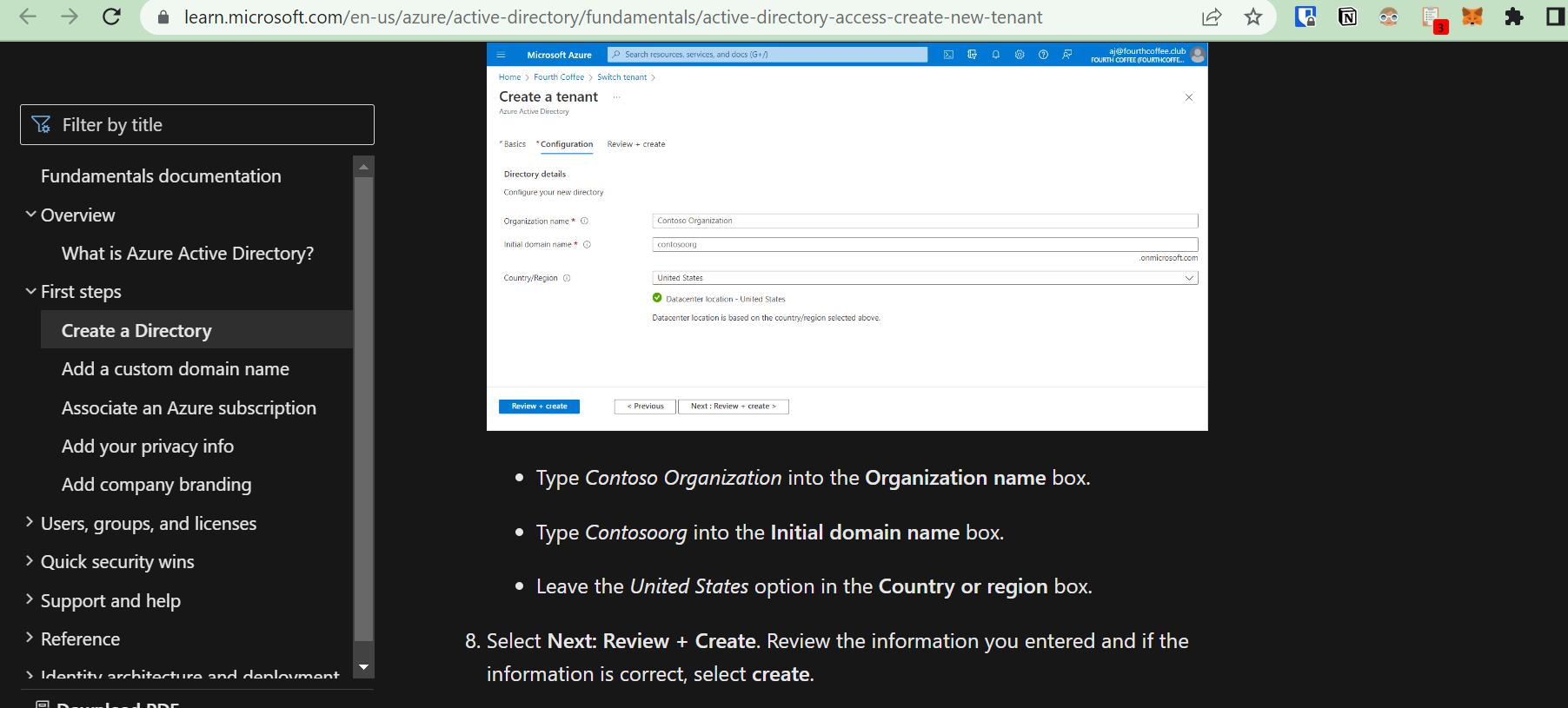
Please check this image.

@Anantashayana Hegde
I just wanted to check in and see if you had any other questions or if you were able to resolve this issue?
If you have any other questions, please let me know.
Thank you for your time and patience throughout this issue.
Please remember to "Accept Answer" if any answer/reply helped, so that others in the community facing similar issues can easily find the solution.
@Anantashayana Hegde
Thank you for your post!
When it comes to the Quickstart: Create a new tenant in Azure Active Directory, I understand that there are some names specified within step 7 that could cause some confusion when you're trying to create a new tenant in Azure Active Directory. Since this is a QuickStart, the purpose of the article is to show users how to get to the Azure portal, Azure Active Directory, and learn how to create a basic tenant for their organization. The specific names specified in the doc should be for demonstration purposes, since the article also shows how to delete the "Contoso" tenant if you aren't going to continue to use it.
I went ahead and created a Pull Request so the documentation author can look into updating this portion of the QuickStart. For more info - Microsoft Learn documentation contributor guide overview.
I hope this helps!
If you have any other questions, please let me know.
Thank you for your time and patience throughout this issue.
@Anantashayana Hegde
I just wanted to check in and see if you had any other questions or if you were able to resolve this issue?
If you have any other questions, please let me know.
Thank you for your time and patience throughout this issue.
Please remember to "Accept Answer" if any answer/reply helped, so that others in the community facing similar issues can easily find the solution.

Hi,
I will suggest you to provide the feedback at the end of the page using the tab as below: Click on the No and submit your comments.

Hope this helps.
JS
==
Please Accept the answer if the information helped you. This will help us and others in the community as well.
Where is the answer?