Microsoft 365 and Office | SharePoint Server | For business
A family of Microsoft on-premises document management and storage systems.

This browser is no longer supported.
Upgrade to Microsoft Edge to take advantage of the latest features, security updates, and technical support.
' cx='32' cy='32' r='32' /%3E%3Ctext x='50%25' y='55%25' dominant-baseline='middle' text-anchor='middle' fill='%23FFF' %3ET0%3C/text%3E%3C/svg%3E)
(SharePoint Server 2019)
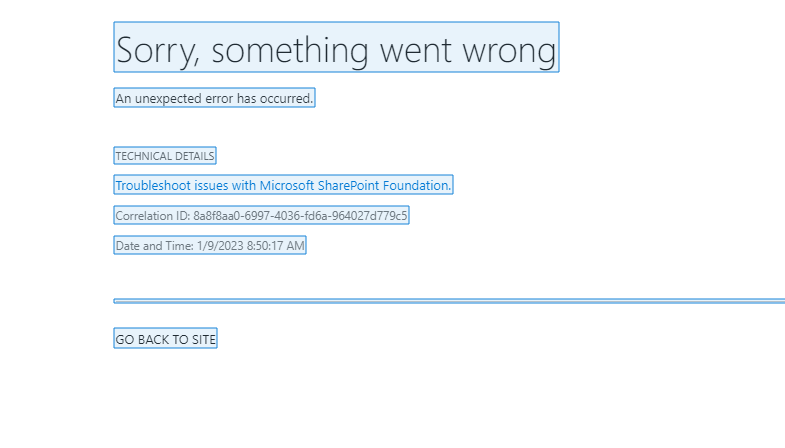
Error message when attempting to access my created SharePoint site. I am the farm admin/site admin/site owner and all of a sudden, I am seeing this error notification to my own site.

Hi @Tevon2.0
You could use ULS log according to the Correlation ID to find the details about the error. Every request SharePoint receives, assigns a correlation ID in the form of a GUID. Whenever SharePoint presents an error to an end-user, it includes the correlation ID as part of the error message. It could be challenging to find the detail that you need from an unformatted text file. However, The ULS Viewer tool lets us open and analyze ULS log files in a user-friendly format.
For more details, you could refer to:
https://www.sharepointdiary.com/2015/08/how-to-use-uls-viewer-in-sharepoint-to-analyse-errors.html
The logs location could be different on your sever, for example, my actual location is "C:\Program Files\Common Files\microsoft shared\Web Server Extensions\16\LOGS"
Note: Microsoft is providing this information as a convenience to you. The sites are not controlled by Microsoft. Microsoft cannot make any representations regarding the quality, safety, or suitability of any software or information found there. Please make sure that you completely understand the risk before retrieving any suggestions from the above link.
If the answer is helpful, please click "Accept Answer" and kindly upvote it. If you have extra questions about this answer, please click "Comment".
Note: Please follow the steps in our documentation to enable e-mail notifications if you want to receive the related email notification for this thread.
Hi @Tevon2.0 Do you have any further questions about this thread? If you have any questions or progress, you can contact me in time.
Hi @Tevon2.0
Have you checked uls log yet? I am checking to see if the problem has been resolved.