Community Center | Not monitored
Tag not monitored by Microsoft.

This browser is no longer supported.
Upgrade to Microsoft Edge to take advantage of the latest features, security updates, and technical support.
' cx='32' cy='32' r='32' /%3E%3Ctext x='50%25' y='55%25' dominant-baseline='middle' text-anchor='middle' fill='%23FFF' %3EBI%3C/text%3E%3C/svg%3E)
I have Windows 10 Home edition. My hard drive memory is being used up just browsing the internet without downloading anything. When I open File Explorer and select This PC the memory on the C drive under Devices and drives is being used up. When I free up memory using Disk Cleanup hardly any memory is freed. How do I free up memory so I don't run out of space? Please let me know which forum to post if this isn't the correct forum.

You need to identify which folders are consuming the most disk space. I like to use Treesize Free to do this.
Make sure that you know what function those files serve before you start deleting them.
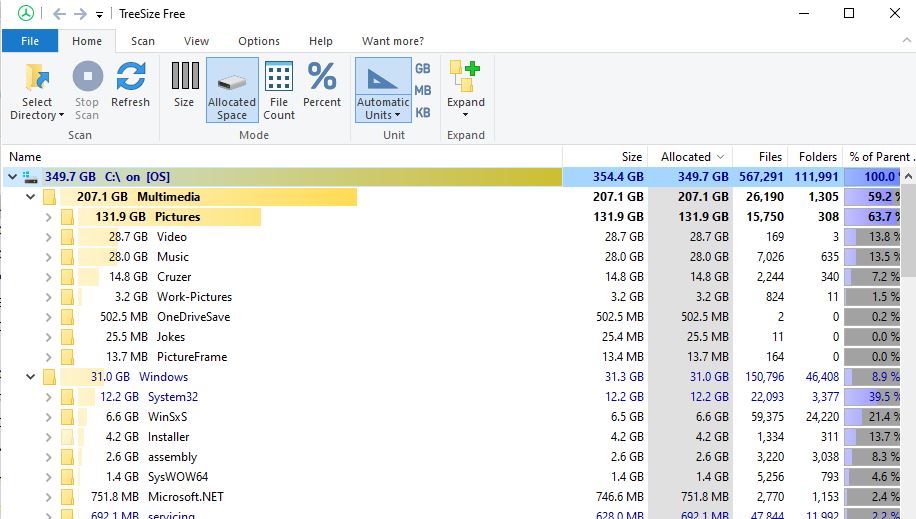
I originally had about 420GB free of 451GB after installing software i.e. SSDT and SQL Server. I freed about 30GB after deleting SQL dump files (C:\Program Files\Microsoft SQL Server\MSSQL15.MSSQLSERVER2019\MSSQL\Log\Polybase\dump). I also deleted installer files but it didn’t free up any space (C:\Windows\Installer). I don’t why my hard drive has dropped to 375GB.
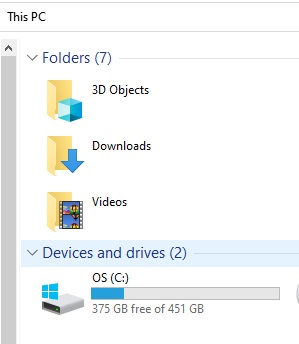
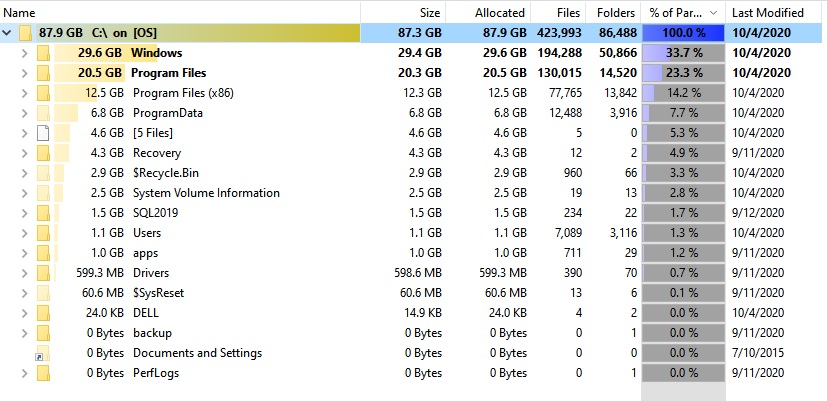
I ran the Clean up system files in Disk Cleanup.
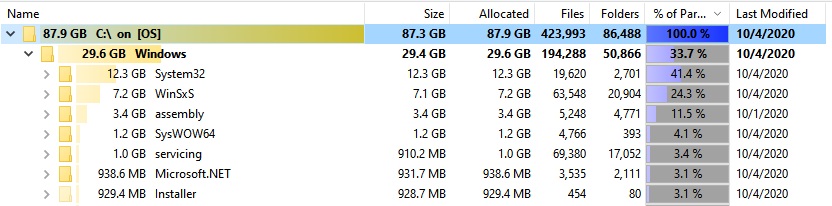
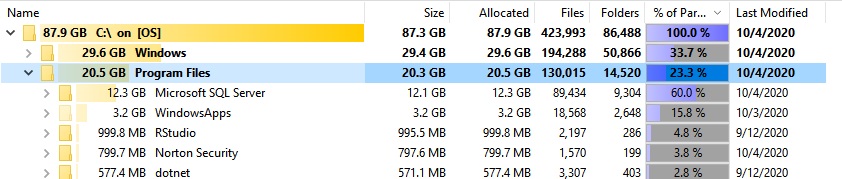
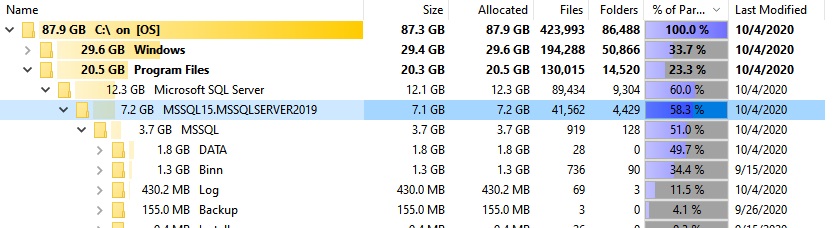
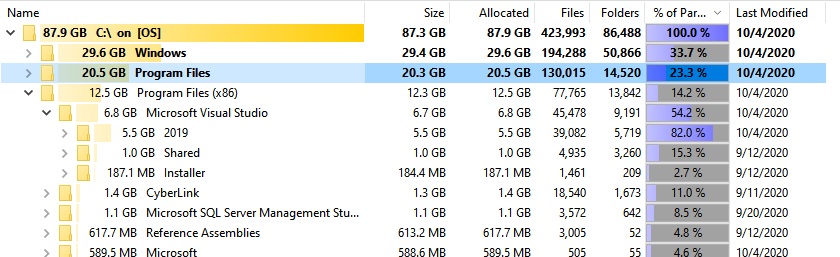
I don't see anything unusual in your images. With Visual Studio, SQL Server, and everything else, it looks fairly normal to me.
I periodically clean up winsxs with this: Dism.exe /online /Cleanup-Image /StartComponentCleanup