Azure SQL Database
An Azure relational database service.
This browser is no longer supported.
Upgrade to Microsoft Edge to take advantage of the latest features, security updates, and technical support.
' cx='32' cy='32' r='32' /%3E%3Ctext x='50%25' y='55%25' dominant-baseline='middle' text-anchor='middle' fill='%23FFF' %3ES%3C/text%3E%3C/svg%3E)
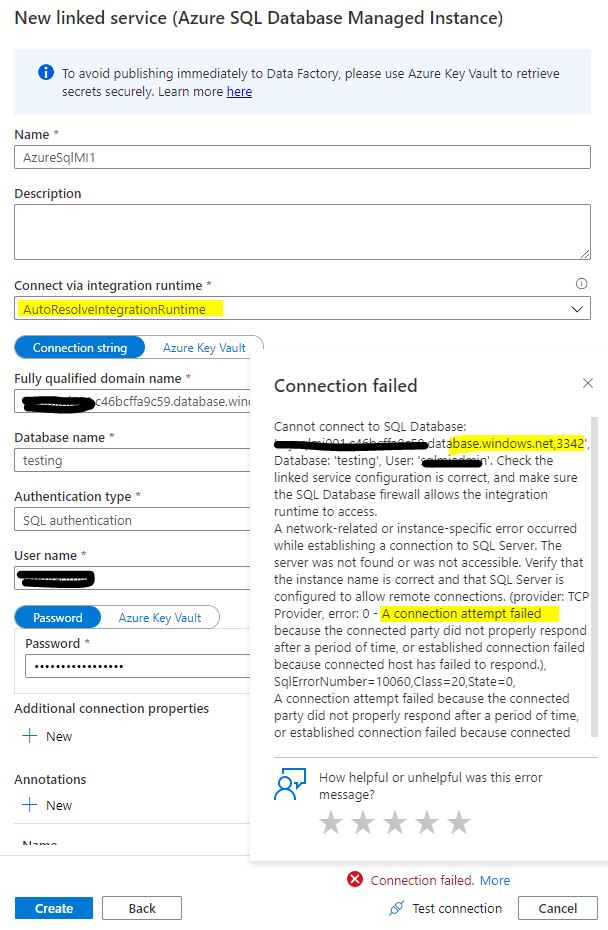
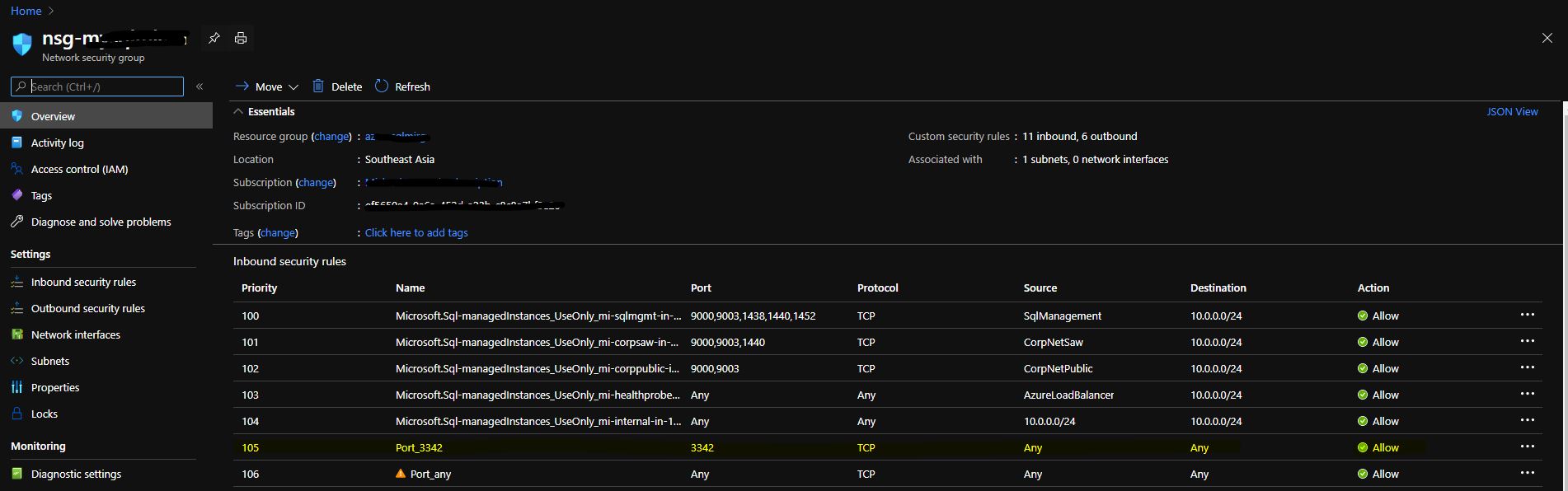
I would like to use autoresolveIR to connect to my azure sql MI , however it failed, to connect . I have already enable public endpoint for the MI , and also allow ALL TRAFFIC for the NSG of the MI ,
may I confirm it need to add , 3342 in the link service in data factory ?
 ]2
]2
An Azure relational database service.
An Azure service for ingesting, preparing, and transforming data at scale.
anyone has the idea ? What I am missing ?
Answer accepted by question author

Hello @sakuraime ,
There are multiple reason for this error message. Let’s start debugging one by one.
As a prerequisites, to access the SQL Managed Instance public endpoint, you can use an Azure Data Factory managed Azure integration runtime. Make sure that you enable the public endpoint and also allow public endpoint traffic on the network security group so that Azure Data Factory can connect to your database. For more information, see this guidance.
This article outlines how to use the copy activity in Azure Data Factory to copy data to and from Azure SQL Managed Instance. It builds on the Copy activity overview article that presents a general overview of the copy activity.
Hope this helps. Do let us know if you any further queries.
----------------------------------------------------------------------------------------
Do click on "Accept Answer" and Upvote on the post that helps you, this can be beneficial to other community members.
my fault. I forget to add
"public"
in the server name . thanks . problem is solved.
Hello @sakuraime ,
Glad to know that it helped.
If the above answers were helpful, click “Accept Answer” or “Up-Vote”, which might be beneficial to other community members reading this thread.