Microsoft 365 and Office | SharePoint Server | For business
A family of Microsoft on-premises document management and storage systems.

This browser is no longer supported.
Upgrade to Microsoft Edge to take advantage of the latest features, security updates, and technical support.
' cx='32' cy='32' r='32' /%3E%3Ctext x='50%25' y='55%25' dominant-baseline='middle' text-anchor='middle' fill='%23FFF' %3EDF%3C/text%3E%3C/svg%3E)
I have a large list that I've created an infopath form for, what I'm trying to do is have the form in a webpart and send a filter value to a list. I've tried almost everything I can think of, but when the form webpart sends a value to the list view webpart always sends "empty". Can I send a filter value from an infopath webpart to a list view webpart?
Thanks
' cx='32' cy='32' r='32' /%3E%3Ctext x='50%25' y='55%25' dominant-baseline='middle' text-anchor='middle' fill='%23FFF' %3EED%3C/text%3E%3C/svg%3E)
@Daniel Felardeau
Based on your description, I understand that you want to set a connection between a list web part with InfoPath form and a list web part to get filter values from list web part with InfoPath form.
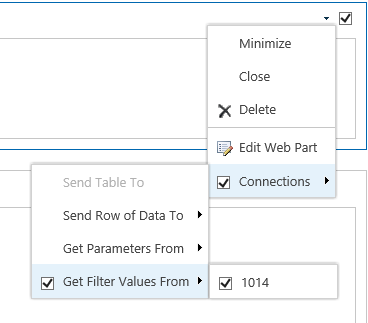
Per my test, it can work. Edit page -> Connections -> Get filter values from -> Connection settings.
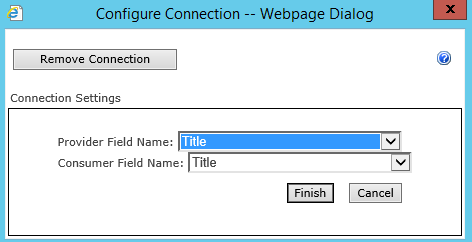
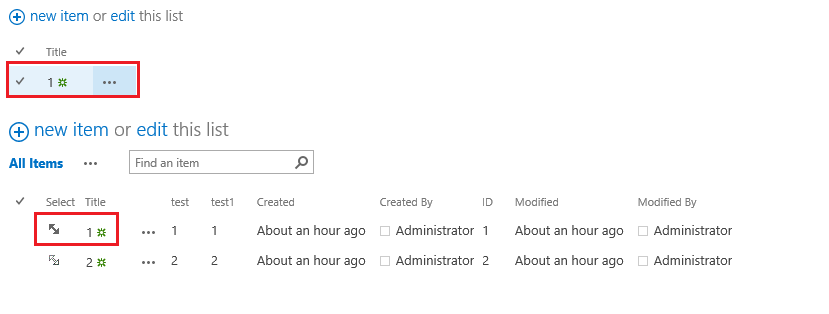
When you select title equals 1 in the list, items with title equals 1 will display in the another list.
If an Answer is helpful, please click "Accept Answer" and upvote it.
Note: Please follow the steps in our documentation to enable e-mail notifications if you want to receive the related email notification for this thread.
sorry, I didn't comment, I posted an "answer" by mistake, but it's really a comment on your answer (which didn't help)
Thanks, but the answer you have provided doesn't use infopath. In my infopath WebPart I have a dropdown for "SOnumber", I've linked that field with the same field in the List view Webpart. but the filter on list view appears as "empty".
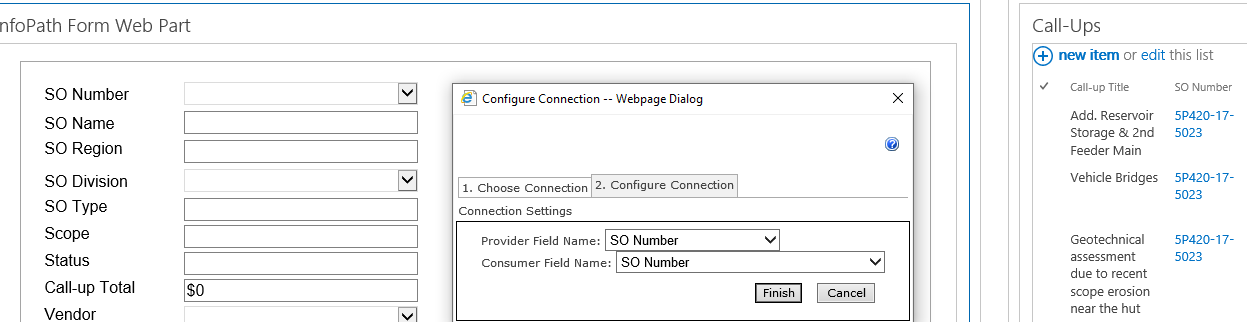
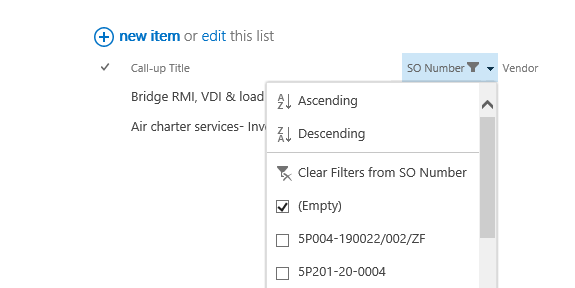
So regardless of what is Selected from "SO Number" in the infopath webpart, I always get an "empty" filter on the list view webpart. I've tried creating rules on the dropdown and a button rule to send data to webparts, but it doesn't appear to do anything.
this won't work for me as I'm using a lookup field, between InfoPath and SPD, I have created a hidden helper field to just show the value from SO number, which I will use to connect the InfoPath WebPart and the List view Webpart.