Azure Virtual Machines
An Azure service that is used to provision Windows and Linux virtual machines.
This browser is no longer supported.
Upgrade to Microsoft Edge to take advantage of the latest features, security updates, and technical support.
' cx='32' cy='32' r='32' /%3E%3Ctext x='50%25' y='55%25' dominant-baseline='middle' text-anchor='middle' fill='%23FFF' %3EMM%3C/text%3E%3C/svg%3E)
Created an custom image for Windows 10 Pro & added it to the Azure Shared Image Gallery. While creating the new VM from this shared image gallery it through the error. OSProvsioningTimedOut.
For detailed error please see the attachment 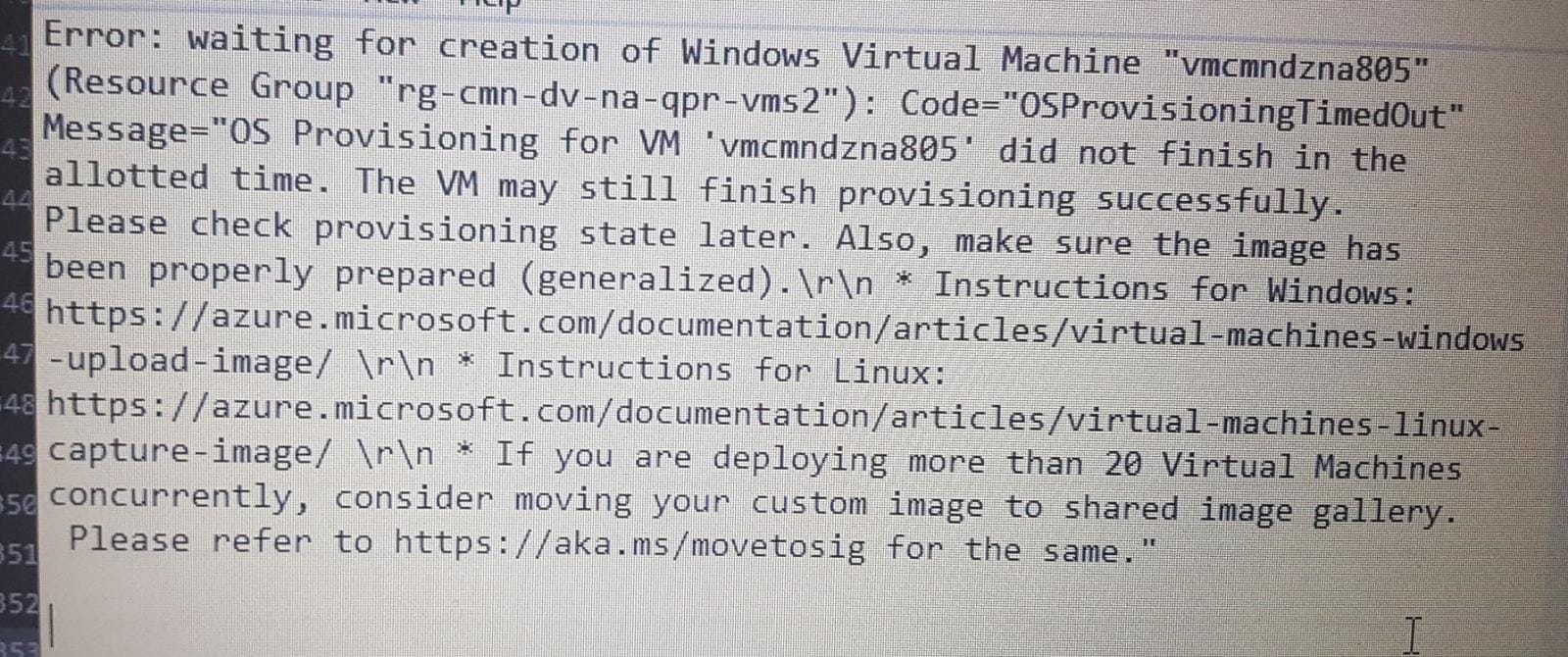
An Azure service that is used to provision Windows and Linux virtual machines.
Yes. The instructions are followed as per mentioned in the link but most of the time while using custom image it through the same errors. But if I check the activity logs in Azure it shows failed & later after 10 mins it shows succeeded.
Is anyone expert here who can review the logs & let us know the root cause. There are massive efforts involve in creating the custom image & it will go wasted if it didn’t work properly.

Firstly, apologies for the delay in responding here and any inconvenience this issue may have caused.
As per the error message the VM provisioning could not be completed in allotted time. However, as per the previous suggestion from ManuPhillip, you mentioned that the VM deployment is showing successful after sometime and you have tried the troubleshooting steps. This document has the error causes mentioned.


Have a look at the link and check if you are able to resolve the issue: troubleshoot-deployment-new-vm-windows
The important point for preparing a custom image is to remember to run sysprep first