The path to VTK<include> files is: C:\Program Files\VTK\include\vtk-9.2
My env. variable PATH value is:
C:\Users\MMONVILL>path
PATH=C:\Program Files (x86)\Common Files\Oracle\Java\javapath;C:\Windows\system32;C:\Windows;C:\Windows\System32\Wbem;C:\Windows\System32\WindowsPowerShell\v1.0;C:\Windows\System32\OpenSSH;C:\Program Files\dotnet;C:\Program Files (x86)\ATI Technologies\ATI.ACE\Core-Static;C:\MinGW\bin;C:\Program Files\Microsoft SQL Server\150\Tools\Binn;C:\Program Files\Git\cmd;C:\vcpkg\vcpkg-master;C:\Program Files\CMake\bin;C:\Program Files\Microsoft\jdk-11.0.16.101-hotspot\bin;C:\Program Files\VTK\bin;C:\Users\MMONVILL\AppData\Local\Microsoft\WindowsApps;C:\Program Files\VTK\bin;
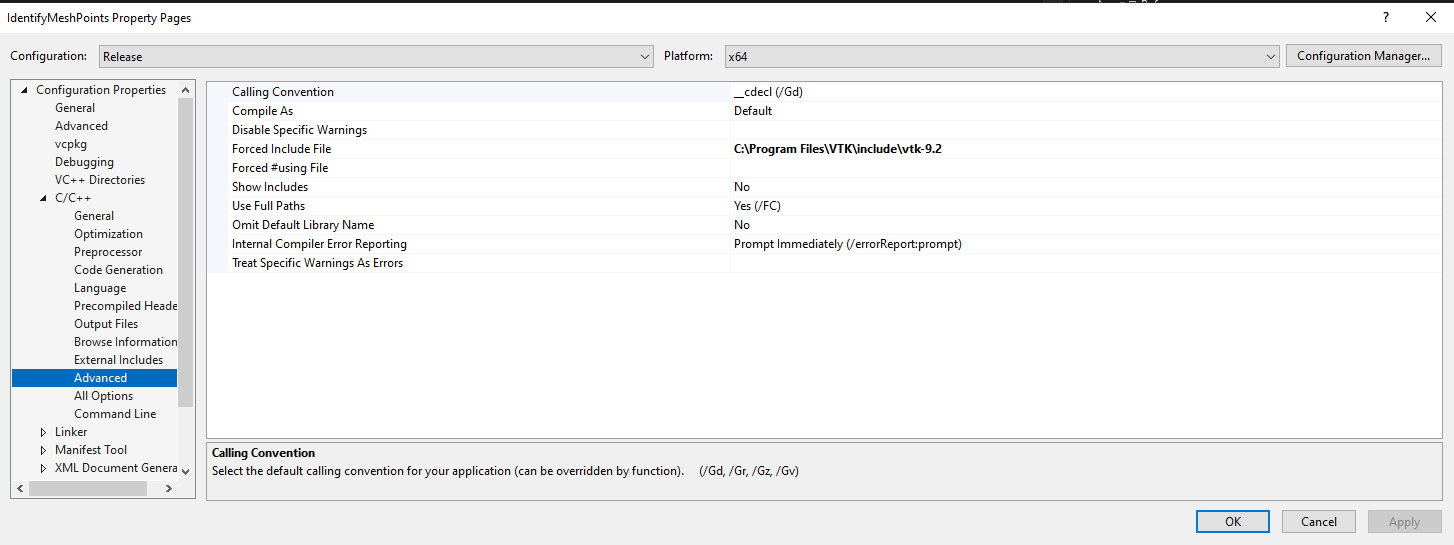
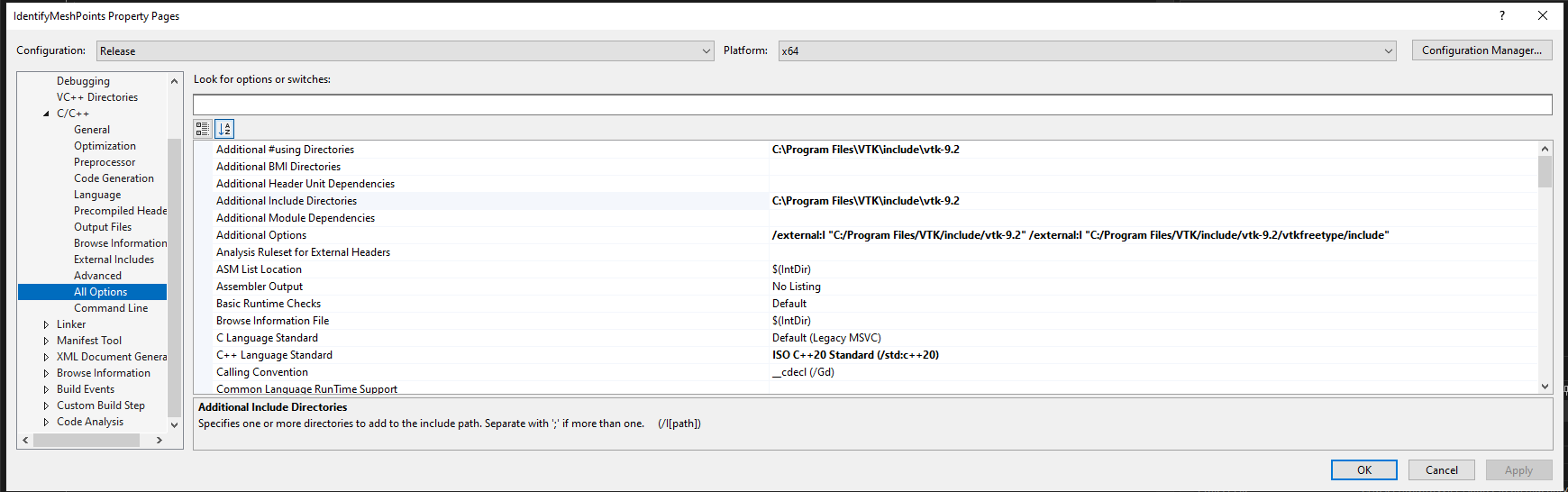
I am trying to develop a simple program that uses VTK. Visual Studio 2022 cannot resolve any directives #include <vtk-something.h> Despite making the changes to the project Properties displayed in the attached pictures
VS1.png VS2.png VS3.png
Questions:
The VTK path added to the env. variable does not contain the VTK <include>. Maybe I should modify it to just "C:\Program Files\VTK" so that all the subfolders of VTK would be searched. Can this be the cause of the problem with Visual Studio?
When I edit Visual Studio project Properties shall I click on "edit" for the selected field or may I just type into the field, which I did?
Should I use CMake to build my program and then use Visual Studio just to run the project? I have tested the VTK installation on a VTK example built with CMake. Visual Studio was only used to run the project. It works fine.
If I have to use CMake, I appreciate some help generating the CMake list of directives..
Thank you very much

' cx='32' cy='32' r='32' /%3E%3Ctext x='50%25' y='55%25' dominant-baseline='middle' text-anchor='middle' fill='%23FFF' %3EM%3C/text%3E%3C/svg%3E)

' cx='32' cy='32' r='32' /%3E%3Ctext x='50%25' y='55%25' dominant-baseline='middle' text-anchor='middle' fill='%23FFF' %3EMY%3C/text%3E%3C/svg%3E)