Microsoft Teams | Microsoft Teams for business | Other
Additional features, settings, or issues not covered by specific Microsoft Teams categories

This browser is no longer supported.
Upgrade to Microsoft Edge to take advantage of the latest features, security updates, and technical support.

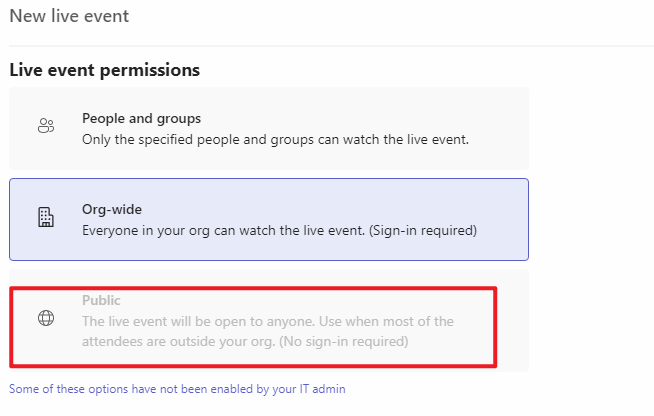
I'm trying to create a live event in Microsoft teams but the public option is not available (there is limitation from Admin IT)
Do you know how I can change it?
' cx='32' cy='32' r='32' /%3E%3Ctext x='50%25' y='55%25' dominant-baseline='middle' text-anchor='middle' fill='%23FFF' %3EJM%3C/text%3E%3C/svg%3E)
From your description, do you mean when trying to create a public live event, the option of "Public" is grayed out?
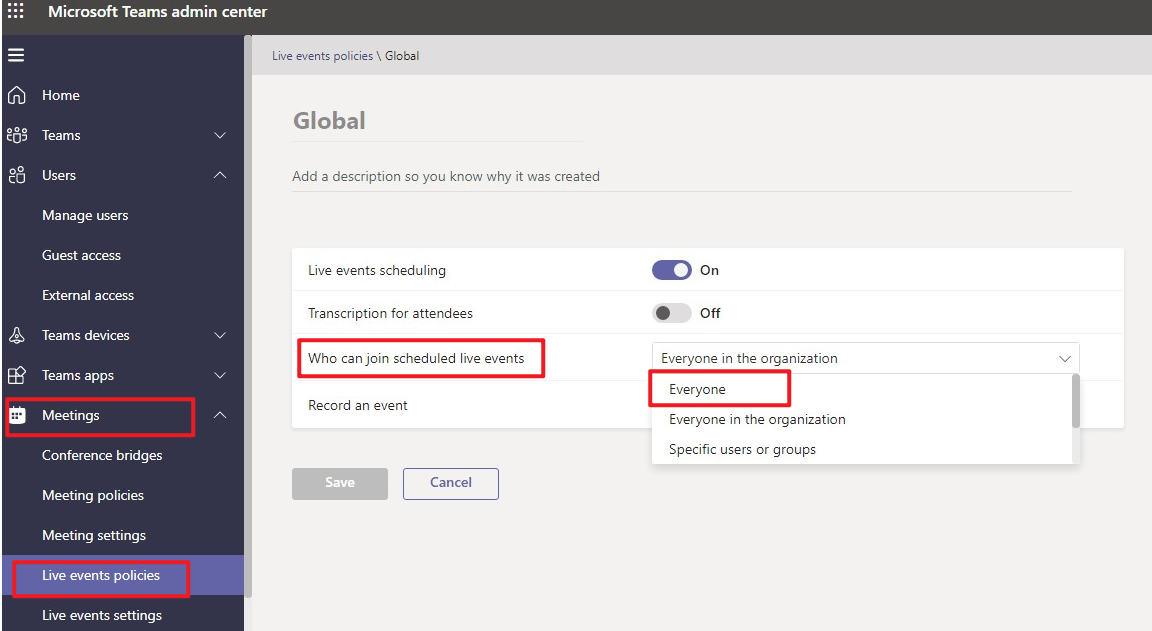
If this describes your situation, please go to Teams Admin Center > Meetings > Live events policies, choose the policy that is currently applied to the users, change the setting of "Who can join scheduled live events" to "Everyone" instead:
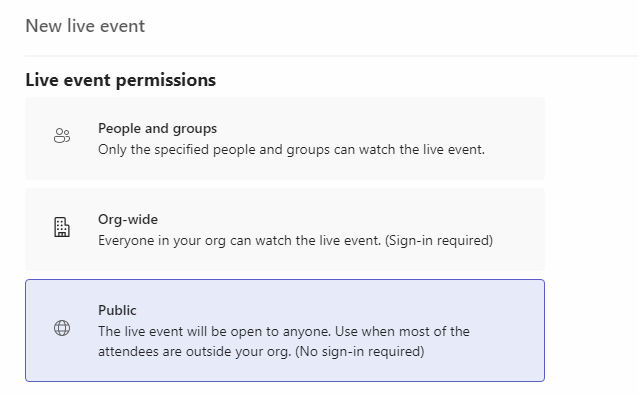
The change may need some time to take effect, so you can check the result maybe the next day. Per my test, it can work properly:
More information about setting up for live events can be found at Set up for live events in Microsoft Teams.
If the answer is helpful, please click "Accept Answer" and kindly upvote it. If you have extra questions about this answer, please click "Comment".
Note: Please follow the steps in our documentation to enable e-mail notifications if you want to receive the related email notification for this thread.