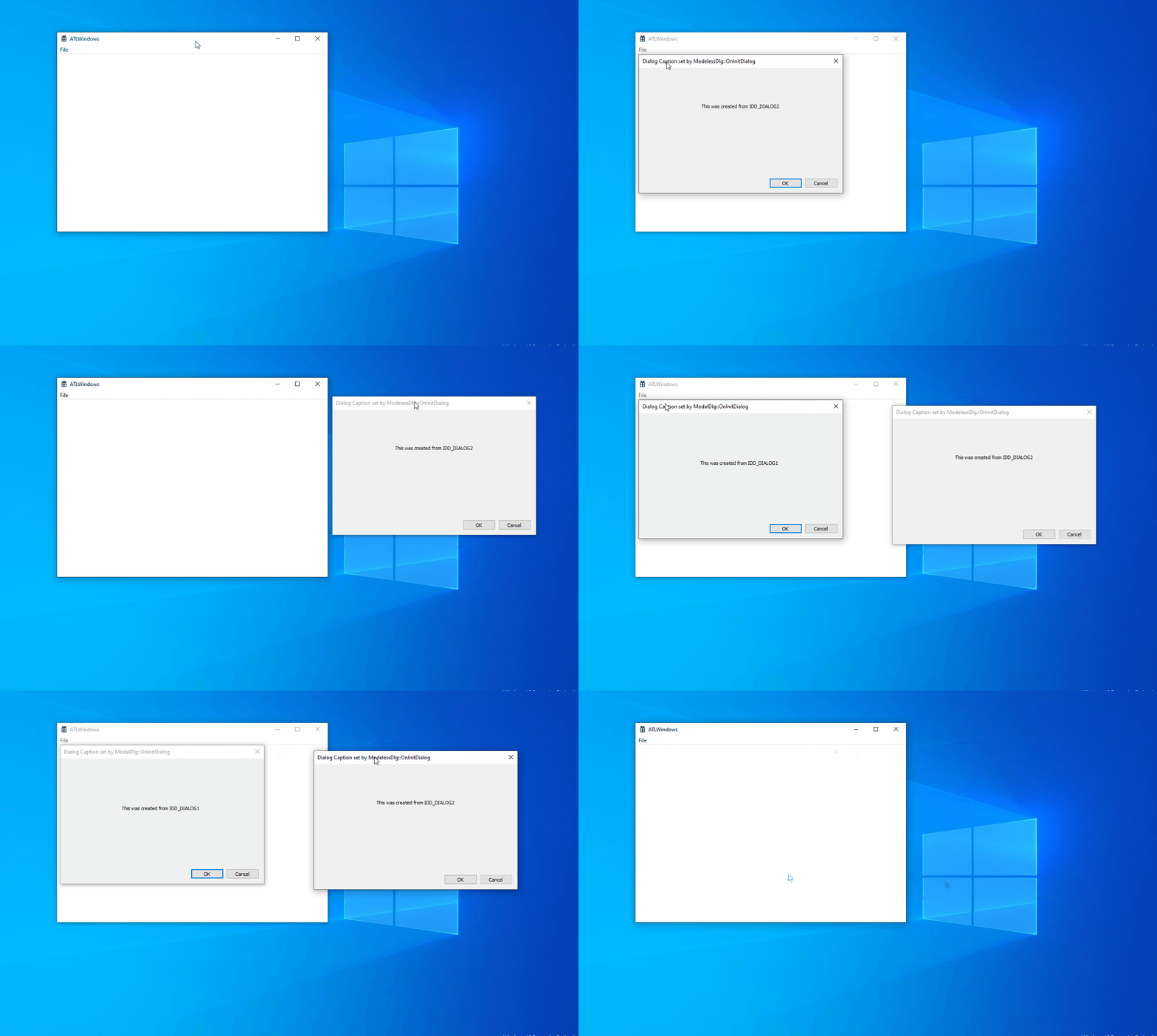
Take a look at this -
All windowing done with ATL window classes. Classes for modal and modeless dialogs in MyDlg.h header -
#pragma once

#include "resource.h"       // main symbols

using namespace ATL;

template<class T, int DLG>
class CBaseDlg :
	public CDialogImpl<CBaseDlg<T, DLG>>
{
public:
	CBaseDlg()
	{
	}

	~CBaseDlg()
	{
	}

	enum { IDD = DLG };

	BEGIN_MSG_MAP(CBaseDlg)
		MESSAGE_HANDLER(WM_INITDIALOG, OnInitDialog)
		COMMAND_HANDLER(IDOK, BN_CLICKED, OnClickedOK)
		COMMAND_HANDLER(IDCANCEL, BN_CLICKED, OnClickedCancel)
	END_MSG_MAP()

	// Handler prototypes:
	//  LRESULT MessageHandler(UINT uMsg, WPARAM wParam, LPARAM lParam, BOOL& bHandled);
	//  LRESULT CommandHandler(WORD wNotifyCode, WORD wID, HWND hWndCtl, BOOL& bHandled);
	//  LRESULT NotifyHandler(int idCtrl, LPNMHDR pnmh, BOOL& bHandled);

	LRESULT OnInitDialog(UINT uMsg, WPARAM wParam, LPARAM lParam, BOOL& bHandled)
	{
		CString strTitle;
		strTitle.Format(_T("Dialog Caption set by %s"), _T(__FUNCTION__));
		SetWindowText(strTitle);

		return 1;  // Let the system set the focus
	}

	LRESULT OnClickedOK(WORD wNotifyCode, WORD wID, HWND hWndCtl, BOOL& bHandled)
	{
		EndDialog(wID);
		return 0;
	}

	LRESULT OnClickedCancel(WORD wNotifyCode, WORD wID, HWND hWndCtl, BOOL& bHandled)
	{
		EndDialog(wID);
		return 0;
	}
};

class ModalDlg : public CBaseDlg<ModalDlg, IDD_DIALOG1>
{
public:
	BEGIN_MSG_MAP(ModalDlg)
		MESSAGE_HANDLER(WM_INITDIALOG, OnInitDialog)
		CHAIN_MSG_MAP(CBaseDlg) // Chain to base for OK/Cancel handlers
	END_MSG_MAP()

	LRESULT OnInitDialog(UINT uMsg, WPARAM wParam, LPARAM lParam, BOOL& bHandled)
	{
		bHandled = TRUE; // Set to FALSE to see the effect of message map chaining
		CString strTitle;
		strTitle.Format(_T("Dialog Caption set by %s"), _T(__FUNCTION__));
		SetWindowText(strTitle);

		return 1;  // Let the system set the focus
	}
};

class ModelessDlg : public CBaseDlg<ModelessDlg, IDD_DIALOG2>
{
public:
	BEGIN_MSG_MAP(ModelessDlg)
		MESSAGE_HANDLER(WM_INITDIALOG, OnInitDialog)
		COMMAND_HANDLER(IDOK, BN_CLICKED, OnOK)
		COMMAND_HANDLER(IDCANCEL, BN_CLICKED, OnCancel)
	END_MSG_MAP()

	LRESULT OnInitDialog(UINT uMsg, WPARAM wParam, LPARAM lParam, BOOL& bHandled)
	{
		CString strTitle;
		strTitle.Format(_T("Dialog Caption set by %s"), _T(__FUNCTION__));
		SetWindowText(strTitle);

		return 1;  // Let the system set the focus
	}

	LRESULT OnOK(WORD wNotifyCode, WORD wID, HWND hWndCtl, BOOL& bHandled)
	{
		DestroyWindow();
		return 0;
	}

	LRESULT OnCancel(WORD wNotifyCode, WORD wID, HWND hWndCtl, BOOL& bHandled)
	{
		DestroyWindow();
		return 0;
	}

	void OnFinalMessage(HWND hwnd)
	{
		delete this;
	}

};
Functions to create dialogs from main window -
	LRESULT OnModal(WORD, WORD, HWND, BOOL&)
	{
		ModalDlg dlg;
		dlg.DoModal(m_hWnd);
		return 0;
	}

	LRESULT OnModeless(WORD, WORD, HWND, BOOL&)
	{
		ModelessDlg* pModeless = new ModelessDlg;
		pModeless->Create(m_hWnd);
		pModeless->ShowWindow(SW_SHOW);
		return 0;
	}
In action