Microsoft 365 and Office | Word | For business | Windows
A family of Microsoft word processing software products for creating web, email, and print documents.

This browser is no longer supported.
Upgrade to Microsoft Edge to take advantage of the latest features, security updates, and technical support.
' cx='32' cy='32' r='32' /%3E%3Ctext x='50%25' y='55%25' dominant-baseline='middle' text-anchor='middle' fill='%23FFF' %3EA%3C/text%3E%3C/svg%3E)
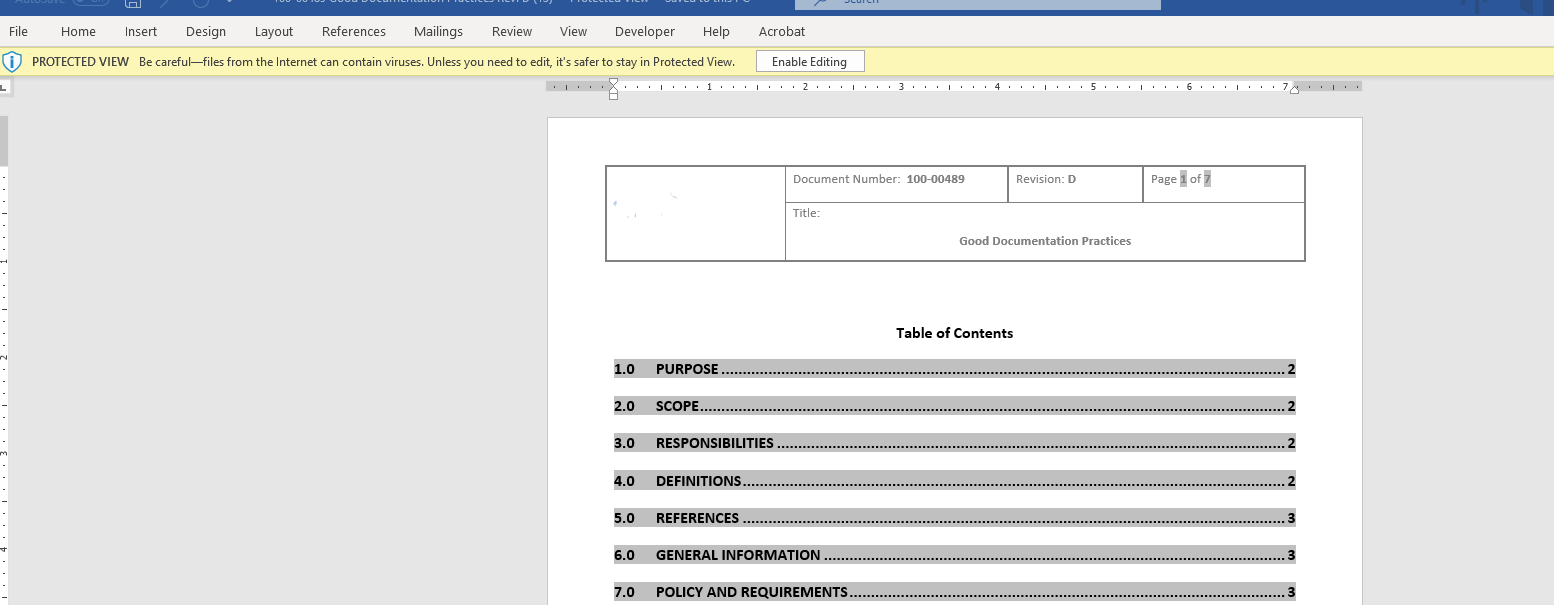
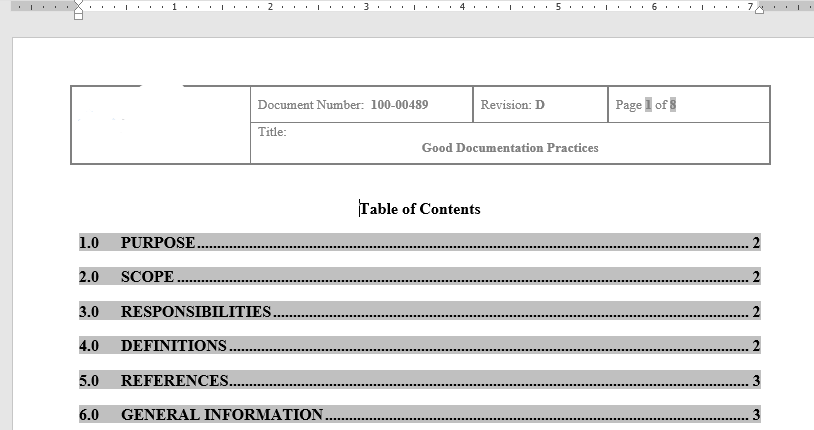
I have a document created using a .dotx template. When I open the document in protected view from our servers the formatting is completely different - it appears to be written in Arial (see 1st screenshot below). Once I select "Enable Editing" the format changes to the expected style of our template (see 2nd screenshot) in Times New Roman. This is the only document on our servers with this issue so I can confirm other items on this template open with the formatting expected, even in protected view. How can I get the protected view to open with the expected formatting?

Hi @Anonymous ,
Follow these steps and check if this will help you.
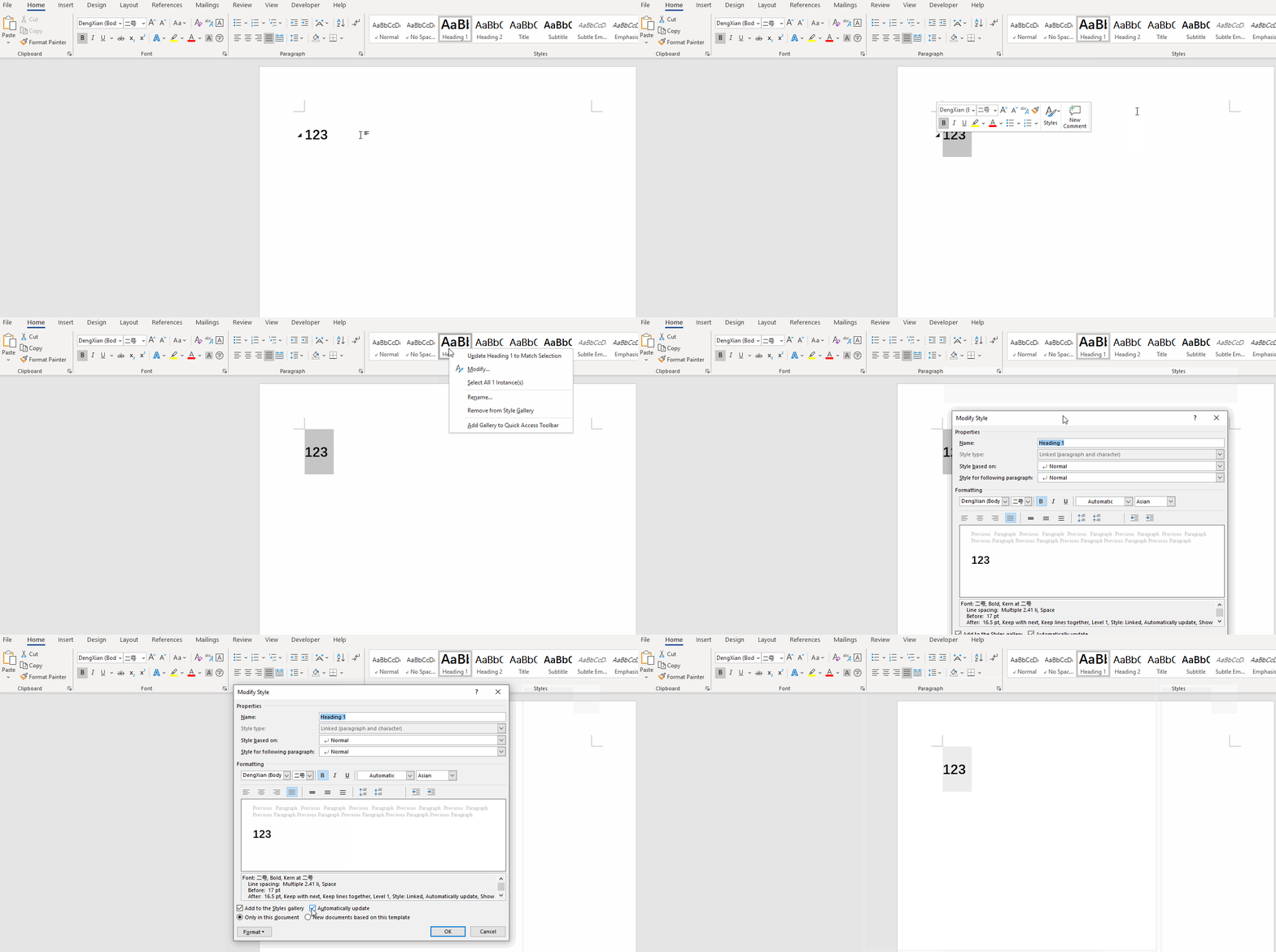
Select problem text- go to Home- Styles- right click the style and select Modify...- make sure you have unchecked the option Automatically update:
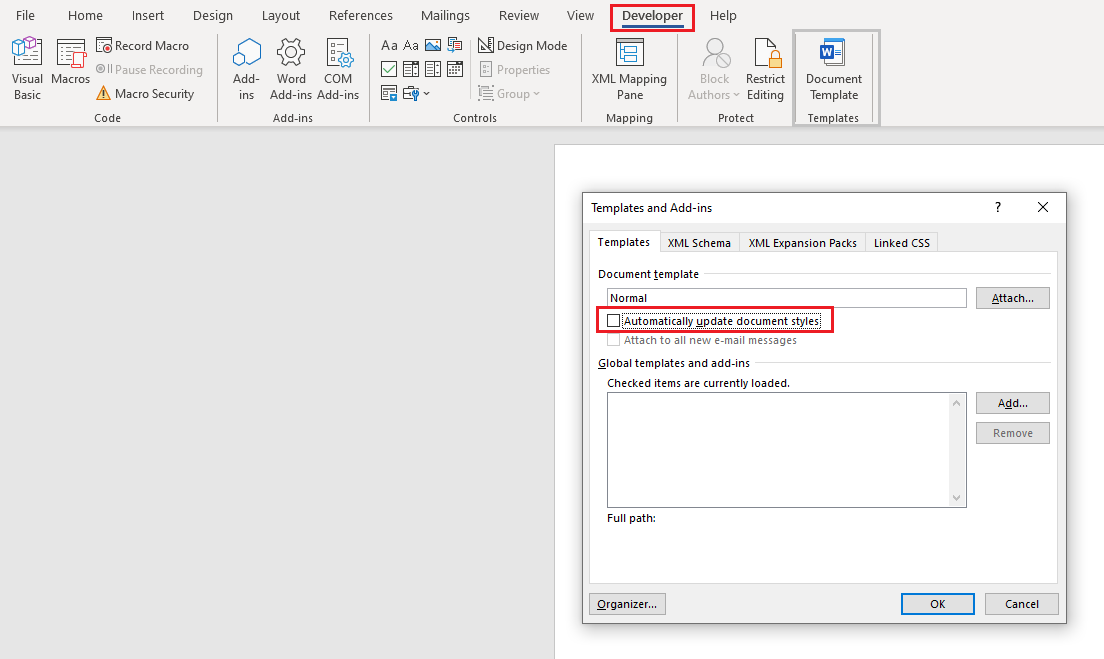
And under Developer tab- select Document Template item- uncheck the Automatically update the document styles.
Any updates please let me know and I'm glad to help you.
If the response is helpful, please click "Accept Answer" and upvote it.
Note: Please follow the steps in our documentation to enable e-mail notifications if you want to receive the related email notification for this thread.
I did just the second portion, in the developer tab I unchecked "Automatically update document styles" and this resolved the issue. Thank you!