
Microsoft 365 and Office | SharePoint | Development
The process of building custom applications and tools that interact with Microsoft SharePoint, including SharePoint Online in Microsoft 365.

This browser is no longer supported.
Upgrade to Microsoft Edge to take advantage of the latest features, security updates, and technical support.
' cx='32' cy='32' r='32' /%3E%3Ctext x='50%25' y='55%25' dominant-baseline='middle' text-anchor='middle' fill='%23FFF' %3EJJ%3C/text%3E%3C/svg%3E)
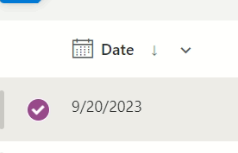
I have this list item with a Date field = 9/20/2023 inside the list view, as follow:-
but when i edit the list item, the date will be 9/21/2023, as follow:-
what could be causing this date differences issue?
Thanks
' cx='32' cy='32' r='32' /%3E%3Ctext x='50%25' y='55%25' dominant-baseline='middle' text-anchor='middle' fill='%23FFF' %3ELZ%3C/text%3E%3C/svg%3E)
Hi @john john,
Thank you for posting in this community.
I tested your problem on my end, but I didn't encounter your problem. Since your problem is not a common one, we need to narrow down the problem and try some things.
1.Please go to List Settings->Columns->click this column. Please make sure that the date column has a calculated value applied to it or has the JSON formatting.
2.Are other users facing the same problem? View through another computer or account.
3.Whether all SharePoint lists have the same problem? You could create a new SharePoint list to check.
4.Check if the same issue occurs with other SharePoint site collections.
5.You could try to clear browser cache then restart it.
6.Try to use a different browser or your browser's InPrivate mode to see if the same error occurs.
Looking forward to receiving your reply. If there is any other assistance I can provide, please feel free to let me know.
If the answer is helpful, please click "Accept Answer" and kindly upvote it. If you have extra questions about this answer, please click "Comment".
Note: Please follow the steps in our documentation to enable e-mail notifications if you want to receive the related email notification for this thread.
Hi @john john,
I am kindly following up to see if you have any remaining questions or concerns for this issue. Please feel free to reach us if any questions or concerns you may have. If the answer is helpful, please click "Accept Answer" and kindly upvote it. By doing so, it will benefit all community members who are having this similar issue. Your contribution is highly appreciated.
Hi @john john,
Please kindly consider this comment as a warm follow up, I want to know if your problem has been solved. If the answer is helpful, please click "Accept Answer" and kindly upvote it. If it doesn't work, please let us know the progress. By doing so, it will benefit all community members who are having this similar issue. Your contribution is highly appreciated.
' cx='32' cy='32' r='32' /%3E%3Ctext x='50%25' y='55%25' dominant-baseline='middle' text-anchor='middle' fill='%23FFF' %3ES%3C/text%3E%3C/svg%3E)
Hello, we experience the same problem.