' cx='32' cy='32' r='32' /%3E%3Ctext x='50%25' y='55%25' dominant-baseline='middle' text-anchor='middle' fill='%23FFF' %3EJ%3C/text%3E%3C/svg%3E)

' cx='32' cy='32' r='32' /%3E%3Ctext x='50%25' y='55%25' dominant-baseline='middle' text-anchor='middle' fill='%23FFF' %3EA%3C/text%3E%3C/svg%3E)
Hello @John ,
Thank you so much for posting here.
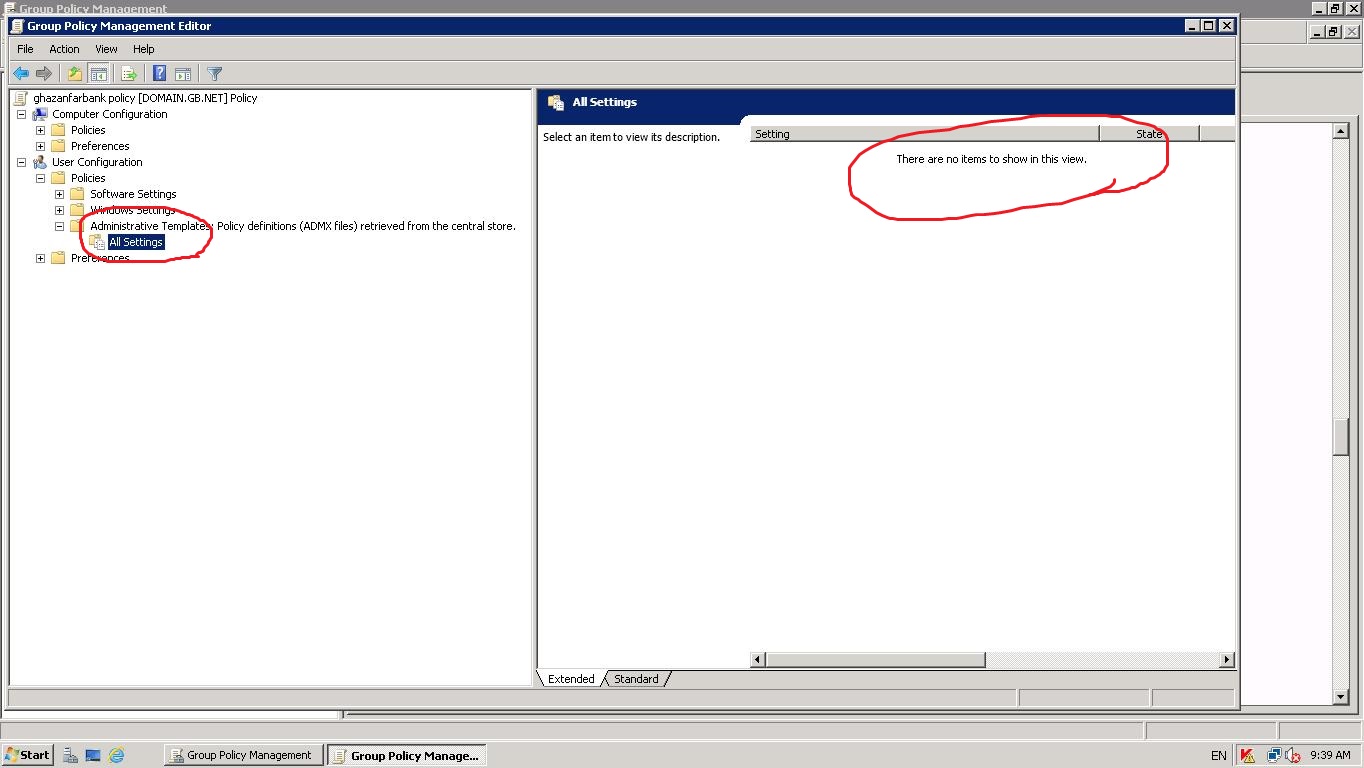
All settings only under Administrative Templates show empty, right? If so, please kindly have a check if the ADMX templates are present in central store.
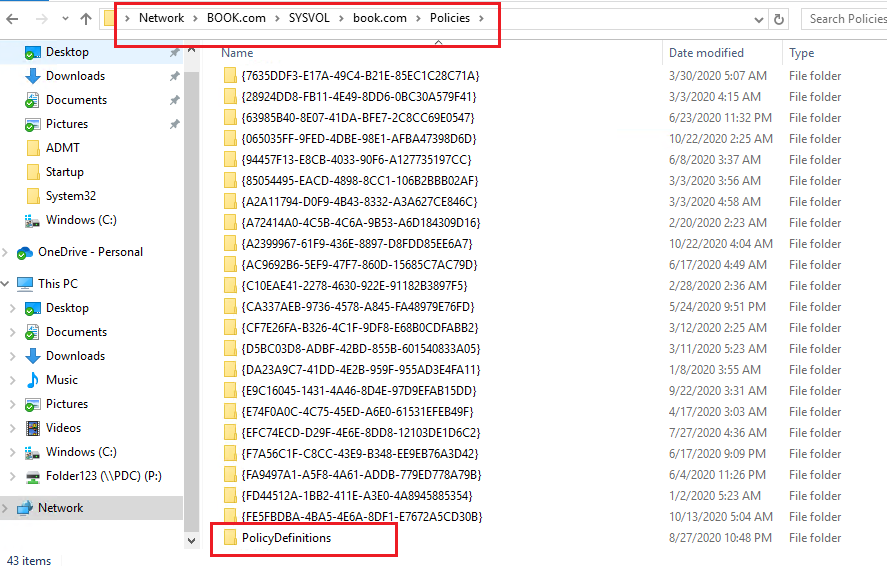
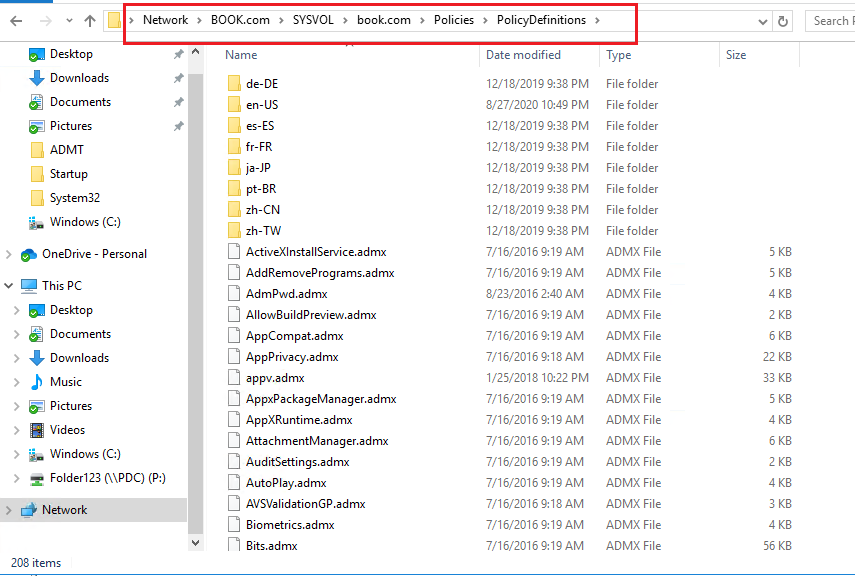
Windows uses a Central Store to store Administrative Templates files. To take advantage of the benefits of .admx files, you must create a Central Store in the sysvol folder on a Windows domain controller. The Central Store is a file location that is checked by the Group Policy tools by default. The Group Policy tools use all .admx files that are in the Central Store. The files that are in the Central Store are replicated to all domain controllers in the domain.
To create a Central Store for .admx and .adml files, create a new folder that is named PolicyDefinitions in the following location (for example) on the domain controller:
\contoso.com\SYSVOL\contoso.com\policies\PolicyDefinitions
Then copy all files from the PolicyDefinitions folder on a source computer to the new PolicyDefinitions folder on the domain controller.
For more information, we could refer to: https://learn.microsoft.com/en-sg/troubleshoot/windows-client/group-policy/create-and-manage-central-store
Please feel free to contact us if there is anything we could do for you.
Best regards,
Hannah Xiong
============================================
If the Answer is helpful, please click "Accept Answer" and upvote it.
Note: Please follow the steps in our documentation to enable e-mail notifications if you want to receive the related email notification for this thread.