Windows 10
A Microsoft operating system that runs on personal computers and tablets.
10,990 questions
This browser is no longer supported.
Upgrade to Microsoft Edge to take advantage of the latest features, security updates, and technical support.

I'm reworking how we manage and deploy upgrades using WSUS. I noticed that a couple of computers started installing the 20H2 feature upgrade that I did not previously approve. The computers in question did also not list the upgrade as needed ahead of installing them. Please help me understand how that happened. I expected the computers to show the update as 'needed' first and only install them once I approved it for the Ring 1 release preview group.
Our computers are all on Windows 10 version 1909. We configure the computers using Group Policies based on the Windows 10 version 1909 .admx templates (central GPO store).
The policy applied to the computer is as follows:
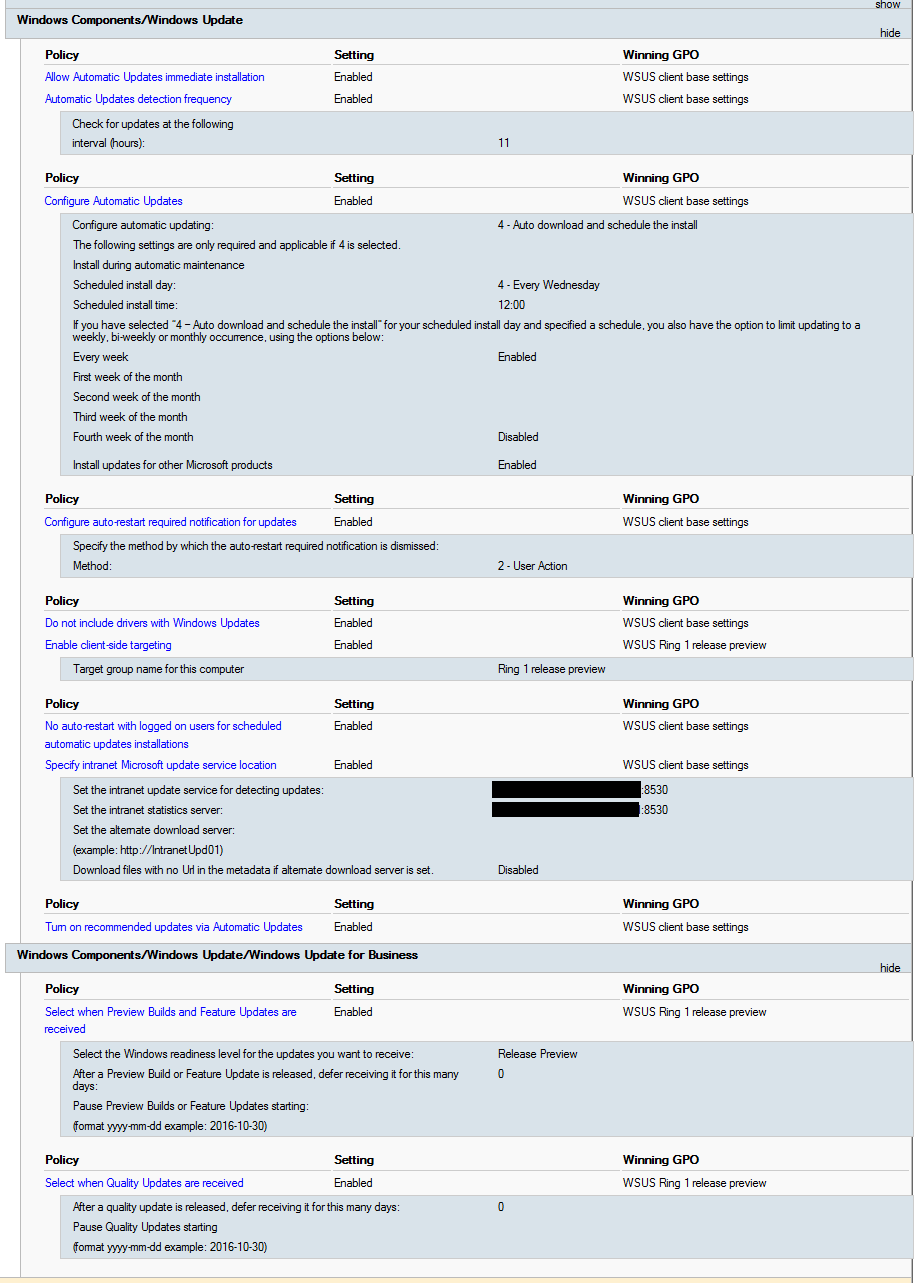
And pulling a report from WSUS, filtering by 20H2 in Excel, shows tells the following picture:
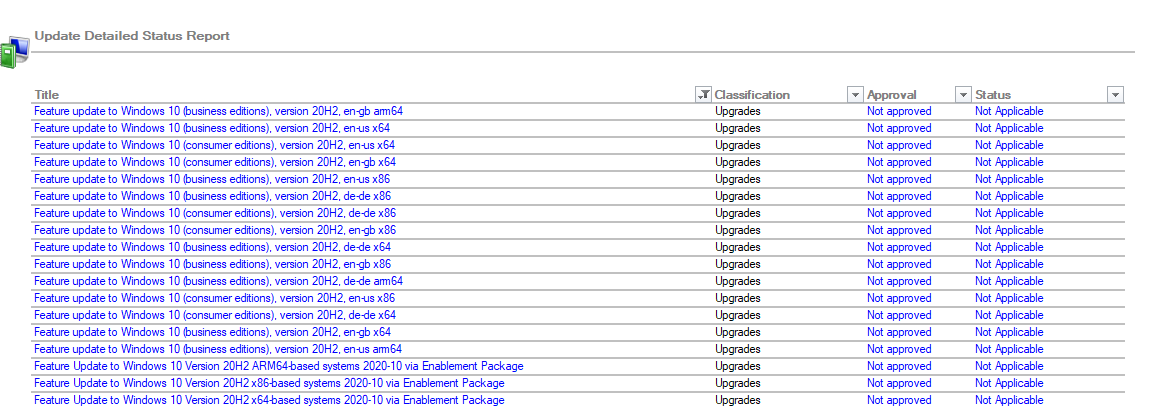
Why do my computers install the 20H2 update then?

You have dual scan going on.
https://www.ajtek.ca/wsus/dual-scan-making-sense-of-why-so-many-admins-have-issues/
Thank you for both links, they were helpful.
Now I have more questions.
I'd like to have some computers in the release preview branch. If I understand that correctly, then computers in the release preview ring will receive the next Feature Update a couple of days before GA. In case of 20H2 that would have been some day before 20 October 2020. And release preview does not mean Windows Insider, right?
So, when I want to control every update via WSUS, I should not use the WUfB policies at all. Does that mean, that the feature update will be available to approve in WSUS also some day before the GA release date? In case of 20H2, before the 20 October 2020?
Release preview of Feature upgrades equates to Windows Insiders.
The feature update will only show up in WSUS when it's released for GA.
Also another blog on the WUfB side of things
https://www.ajtek.ca/wsus/windows-update-for-business-why-should-i-choose-it/