Microsoft 365 and Office | SharePoint | For business | Windows
A group of Microsoft Products and technologies used for sharing and managing content, knowledge, and applications.

This browser is no longer supported.
Upgrade to Microsoft Edge to take advantage of the latest features, security updates, and technical support.
' cx='32' cy='32' r='32' /%3E%3Ctext x='50%25' y='55%25' dominant-baseline='middle' text-anchor='middle' fill='%23FFF' %3EFC%3C/text%3E%3C/svg%3E)
Hi all,
I have created a new List in SharePoint.
When I create a new Item I see filed "Content Type" field.

I am sure that I did not create it.
Is there a way to hide it?
Thanks so much
Federico

Hi, @Federico Coppola ,
If you just created a new list and have the content type field in your new item form, I will assume that in this list, management of content types has been allowed. It will enable users to add more content types to the list and choose the proper during creation.
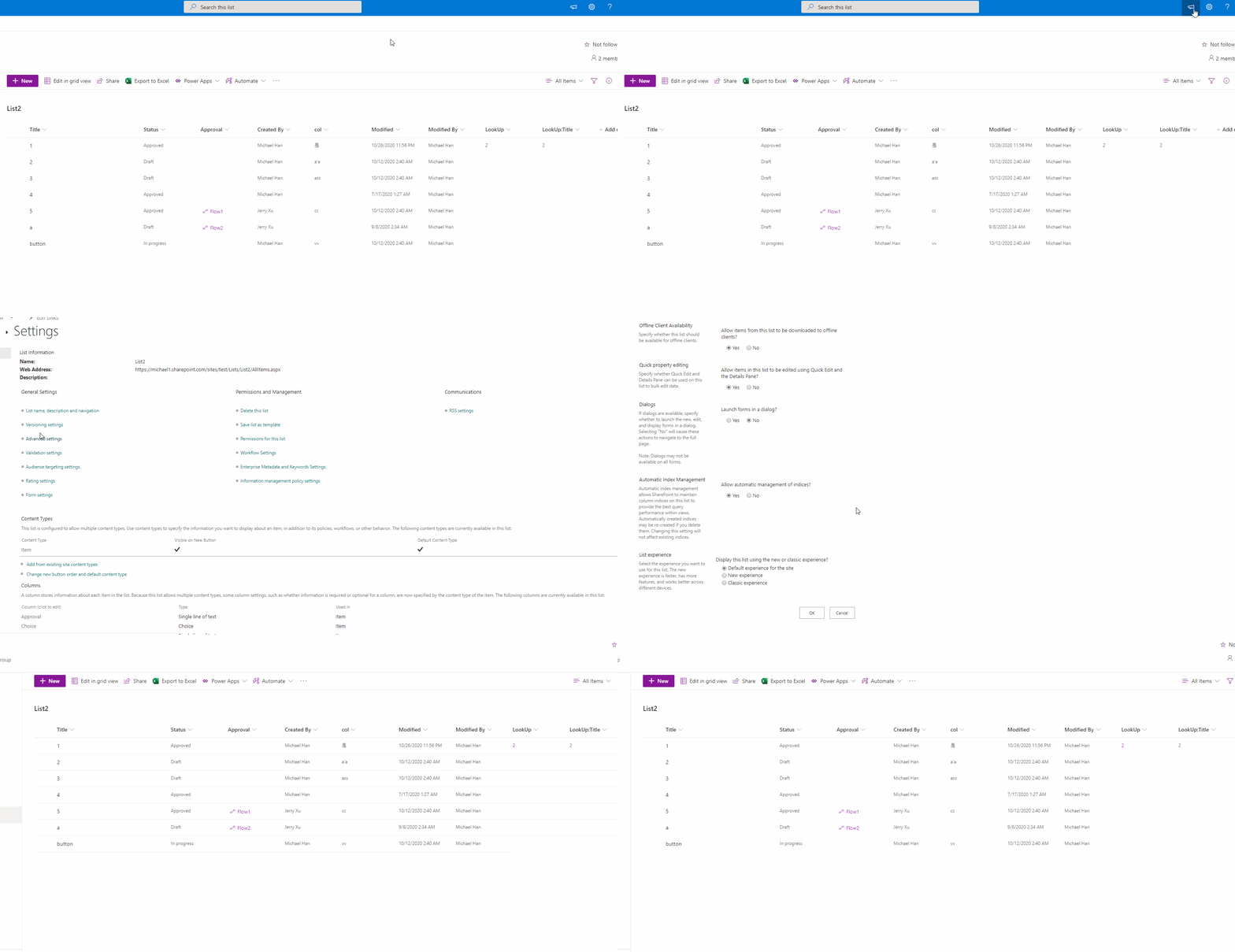
It seems you have no requirements about other content types, so please follow the steps below to disable management of content types and hide the content type field.
Then it shall work for your list.
If the answer is helpful, please click Accept Answer and upvote it.
Note: Please follow the steps in our documentation to enable e-mail notifications if you want to receive the related email notification for this thread.
Hi @Jerry Xu-MSFT ,
Thanks for your reply.
If you just created a new list and have the content type field in your new item form, I will assume that in this list, management of content types has been allowed. It will enable users to add more content types to the list and choose the proper during creation.
It seems you have no requirements about other content types, so please follow the steps below to disable management of content types and hide the content type field.
Sorry, but I don't understood very well about this topic.
In my case, users can just insert new "Item" inside SharePoint List. Input Sharepoint List include: Textboxes, Data Picker and File Attachment.
Is it enough this case? When I need Content Type option enabled?
After that I have noted that if I use "Classic Experience" I don't see "Content Type" option inside of the input form.
In fact the first field of input form is "Title" (it is correct).
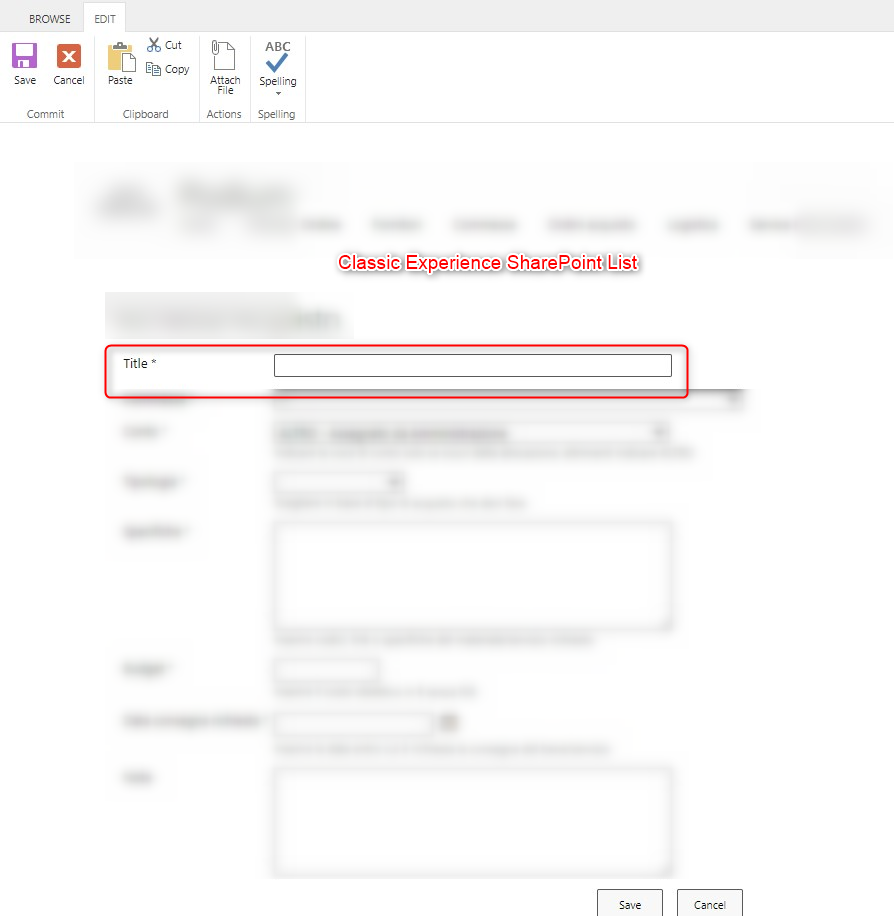
Then I have enabled again "Modern Experience" and I have followed your suggested steps. It is working!
I do not see "Content Type" option.

Thanks so much!
Federico
Hi, @Federico Coppola ,
Glad to hear you have get it fixed. As now the content type option is no longer there, we can call it an end. With your update, I think I have got your situation. For the quote you make, you can just forget about it if you are not clear about content type.
Here is an official doc about it if you are interested about it.
And as you have solved the issue, please accept my reply as answer. It will help other community members with similar issues.