Azure Data Factory
An Azure service for ingesting, preparing, and transforming data at scale.
This browser is no longer supported.
Upgrade to Microsoft Edge to take advantage of the latest features, security updates, and technical support.

I have csvs in a datalake.
Im coping them into SQL using the copy activity
the File Path type is a wildcard file path
Very occasionally there are slight differences between the column headers.
Is there any way that this can be dealt with rather than going into the file and changing them at source?
For example ACC_ID and ACCS_ID are the same thing, in the same column order but it errors in data factory
' cx='32' cy='32' r='32' /%3E%3Ctext x='50%25' y='55%25' dominant-baseline='middle' text-anchor='middle' fill='%23FFF' %3EH%3C/text%3E%3C/svg%3E)
Hello anonymous user,
Thanks for the ask and using the forum .
The situation in which you are is something i see many can face when the do an wildcard option . Here are my thoughts
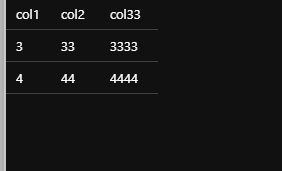
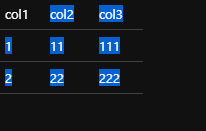
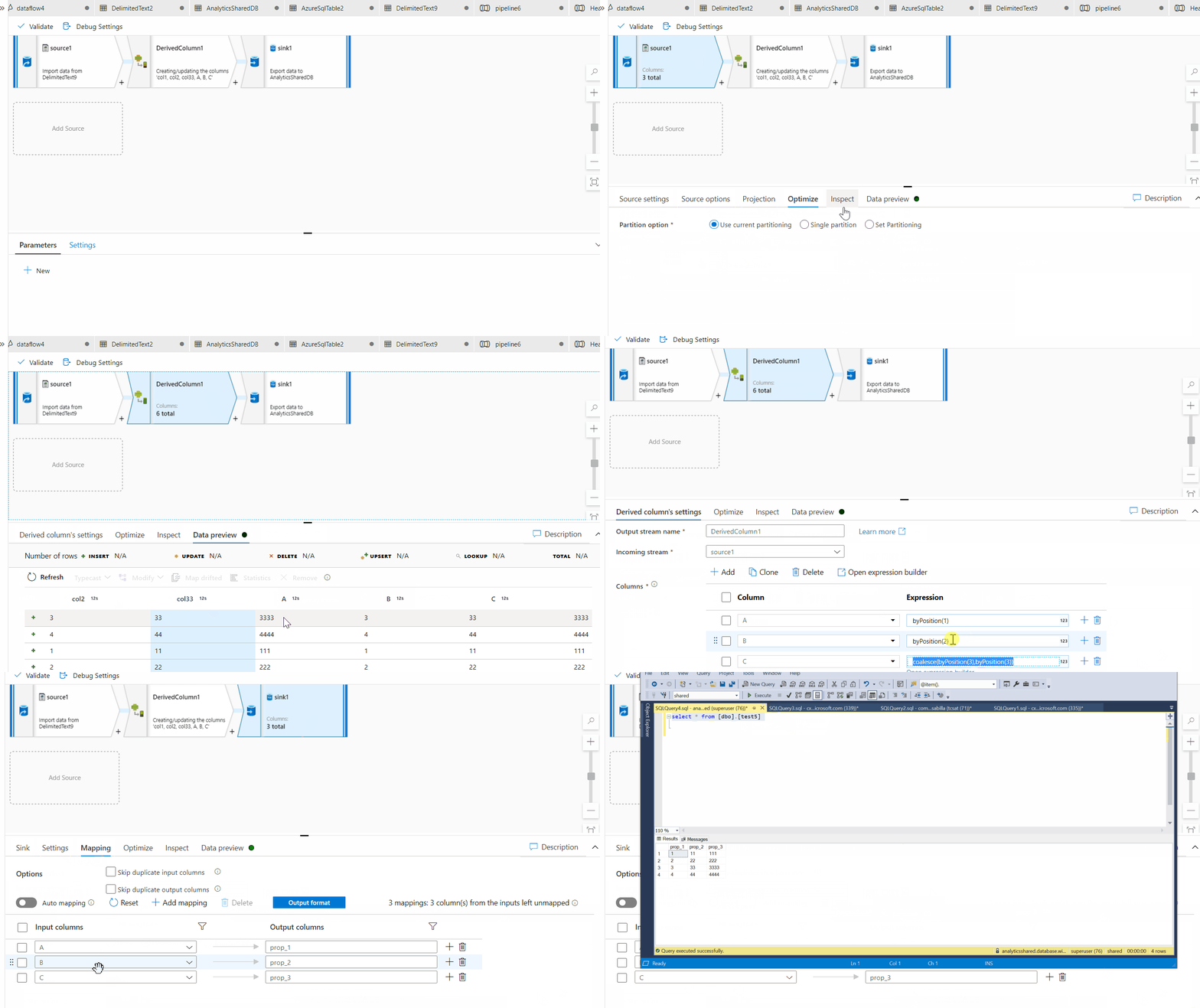
I am using the the derived column actvity and the coalesce funnction . I am sharing the below animation which will make thing very clear . The column3 and column33 needs attention .
Thanks Himanshu
Please do consider to click on "Accept Answer" and "Up-vote" on the post that helps you, as it can be beneficial to other community members
thanks for that, I need to do this out side of a data flow though in a Standard Copy activity. And Im finding the video a hard to follow because I cant seem to pause it to check out each individual part so i'm not sure it works for what i want to do.
Is there any way I can pause the video or get screen shot of each section. Its just to quick for me to make any sense out of it
Hello anonymous user ,
These are gif and you can try to use the extension named Gif-player . I did tested that it worked for me .
Thanks
Himanshu
Hello @Debbie Edwards ,
We have not heard back from you on this and was just following up ,if you have any further queries on the ask please do let us know .
Thanks
Himanshu