Microsoft Security | Microsoft Entra | Microsoft Entra ID
A cloud-based identity and access management service for securing user authentication and resource access

This browser is no longer supported.
Upgrade to Microsoft Edge to take advantage of the latest features, security updates, and technical support.
' cx='32' cy='32' r='32' /%3E%3Ctext x='50%25' y='55%25' dominant-baseline='middle' text-anchor='middle' fill='%23FFF' %3ESI%3C/text%3E%3C/svg%3E)
I'm trying to add the user.employeeid claim and also for directory schema extension in OIDC based sign-on for enterprise application using powershell, I'm not able to do it. And also I couldn't find any options in the documentation for do it non-interactively.
' cx='32' cy='32' r='32' /%3E%3Ctext x='50%25' y='55%25' dominant-baseline='middle' text-anchor='middle' fill='%23FFF' %3EA%3C/text%3E%3C/svg%3E)
Suruthi Iyyappan
To Configure and automate SAML-based single sign-on for your application using the Microsoft Graph API:
For more information: https://learn.microsoft.com/en-us/graph/application-saml-sso-configure-api?tabs=http%2Cpowershell-script
---If the answer is helpful, please click "Accept Answer" and kindly upvote it. If you have extra questions about this answer, please click "Comment".
User Attributes & Claims, click the edit symbol
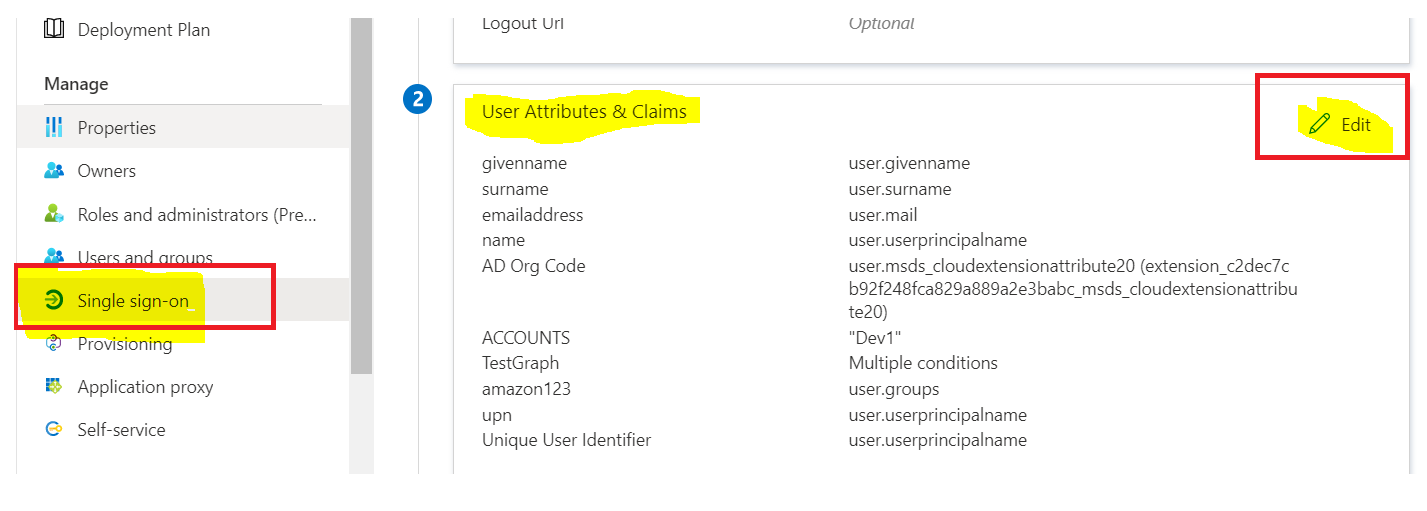 2.Click
 Add new claim
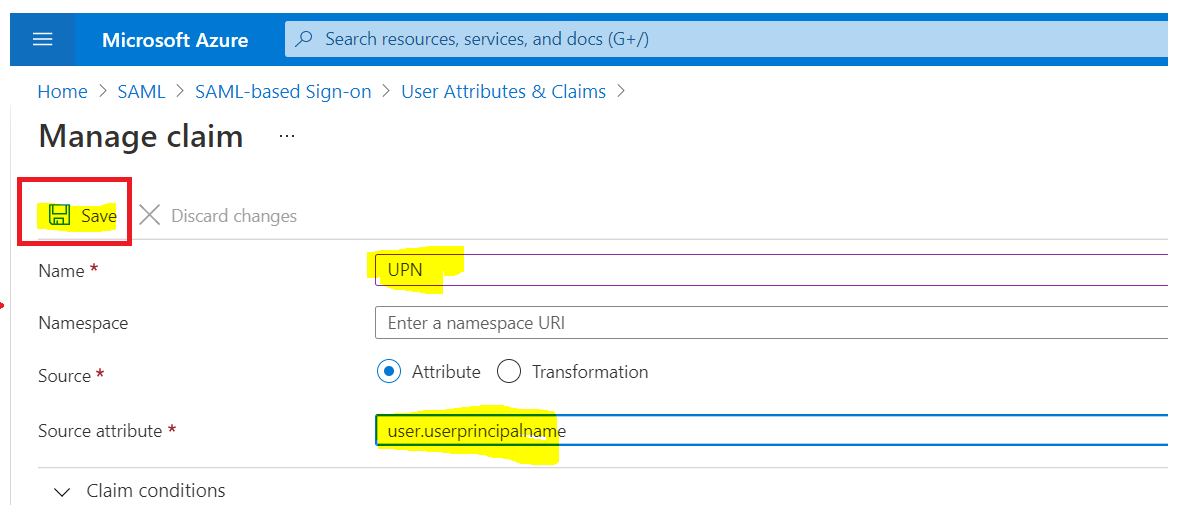
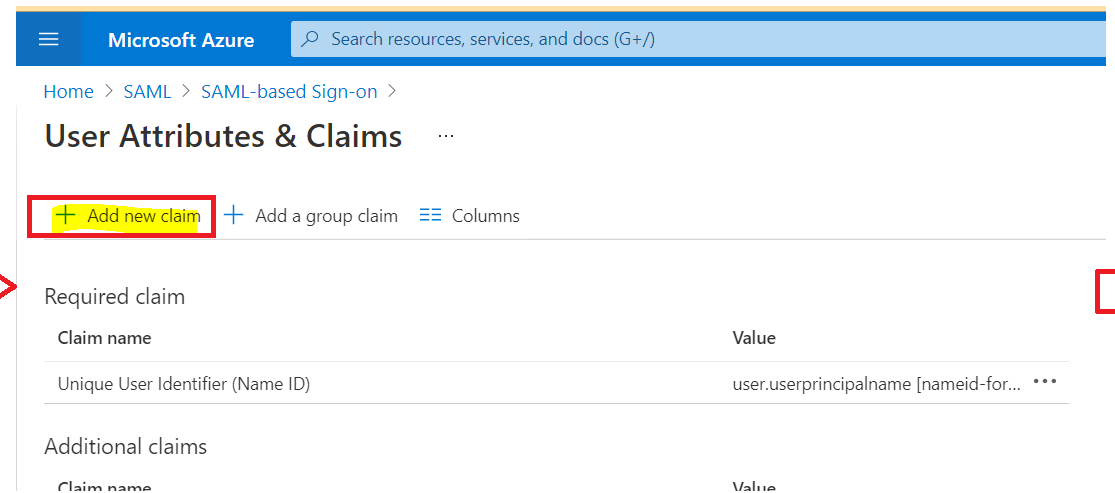 3.Write
 displayname in the Name field
4.Leave Namespace as empty
5.Choose Attribute as Source
6.Select user.userprincipalname as Source attribute and Save it.
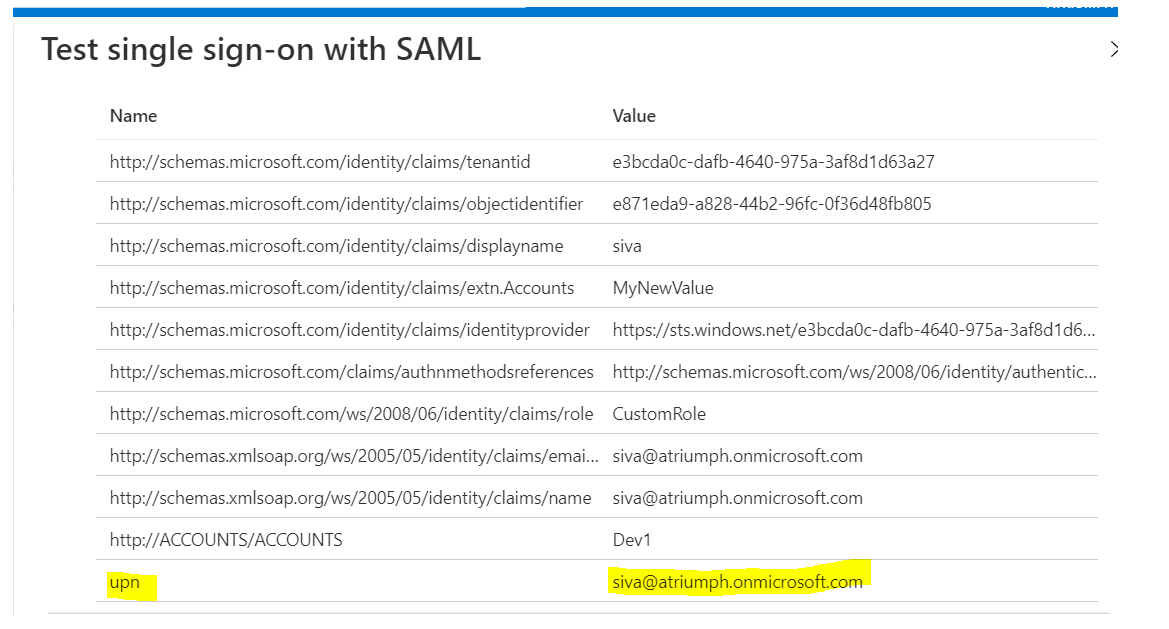
 Here is an example of UPN claim in SAML token. Hope this helps.
Please "Accept the answer" if the information helped you. This will help us and others in the community as well.
Hi anand, adding "new claim" set from "User Attributes & Claims" section from Azure AD Enterprise Application these thing and all I know how it add it manually, I need to automate this so I need powershell script or AZ cli command for it. As well mine is OIDC based with JWT
I want to automate this process using powershell or using graph explorer Under User Attributes & Claims, click the edit symbol,....add claim with employeeid. I have used JWT configuration.