Microsoft 365 and Office | SharePoint Server | For business
A family of Microsoft on-premises document management and storage systems.

This browser is no longer supported.
Upgrade to Microsoft Edge to take advantage of the latest features, security updates, and technical support.

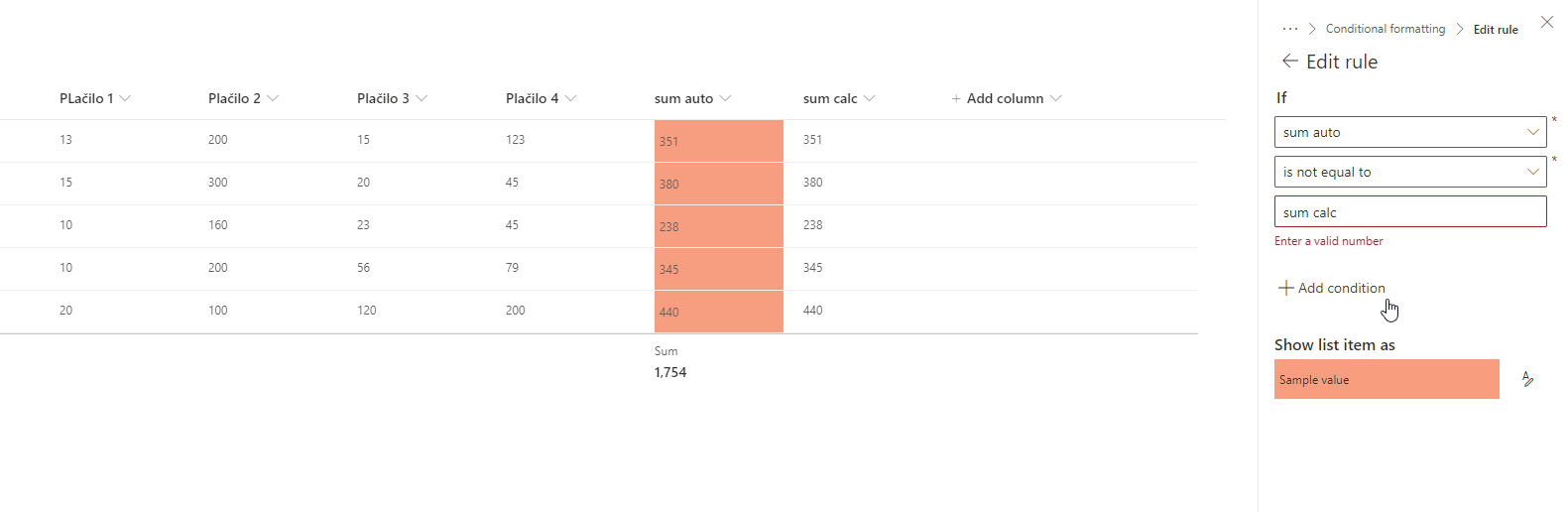
I have a list of payments, where one row has multiple payments (4). I have a calculated column, that sums these numbers, and another auto sum column, in which a flow sums the same 4 columns so that I have totals at the bottom of the list/grouped items (calculated column don't support totals). Because the calculated column is updated immediately and flow kicks in with a delay, I would like to have conditional formation set in place, that would highlight a value in the auto sum column, for as long as the flow doesn't update the number in that column. The difference is determined between the calc sum column and auto sum column and this is how I was planning to setup the conditional formating rule, but I can only set it to compare to a constant value, not variable from another column.
Any ideas?
' cx='32' cy='32' r='32' /%3E%3Ctext x='50%25' y='55%25' dominant-baseline='middle' text-anchor='middle' fill='%23FFF' %3EMM%3C/text%3E%3C/svg%3E)
Hi @allyazz ,
You need to switch to Advanced mode to get values from other columns.

Below is my Demo JSON code for your reference:
{
"$schema": "https://developer.microsoft.com/json-schemas/sp/v2/column-formatting.schema.json",
"elmType": "div",
"txtContent": "@currentField",
"attributes": {
"class": "=if(@currentField != [$sum_x0020_calc],'sp-css-backgroundColor-blockingBackground50', '')"
}
}
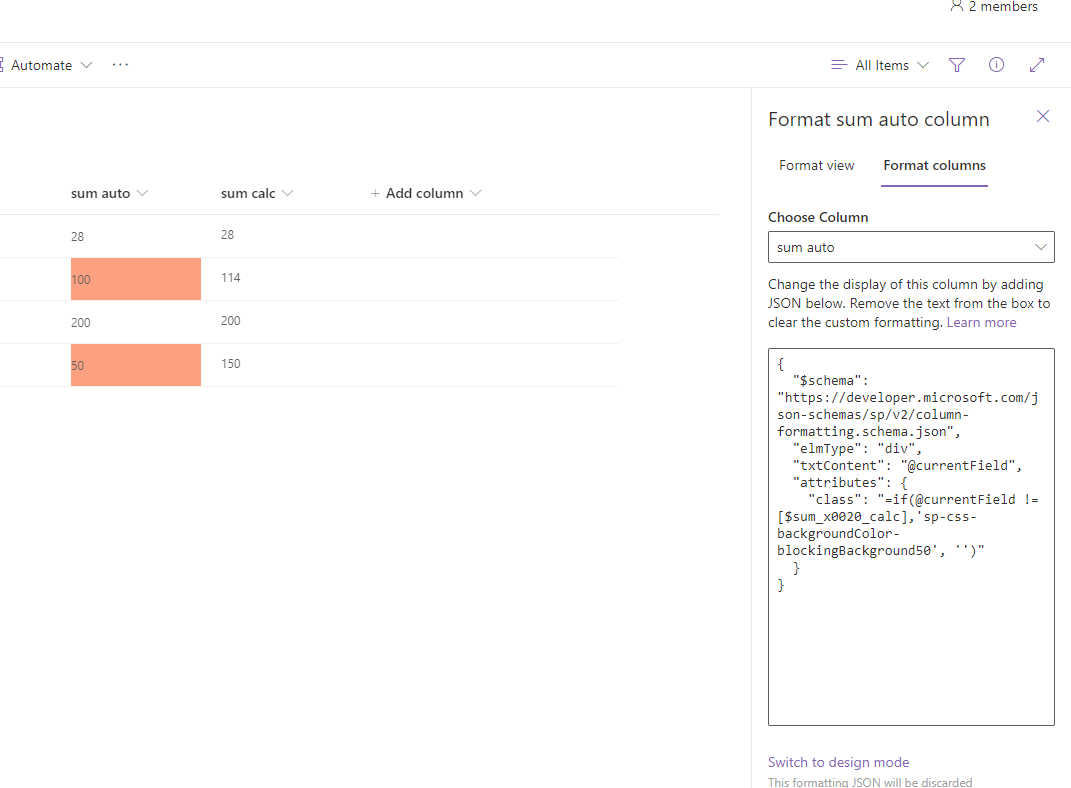
Test result:
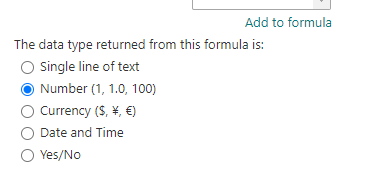
Besides, the data type returned from the calculated column must be number type:
If an Answer is helpful, please click "Accept Answer" and upvote it.
Note: Please follow the steps in our documentation to enable e-mail notifications if you want to receive the related email notification for this thread.
Hello @MichaelHan-MSFT ,
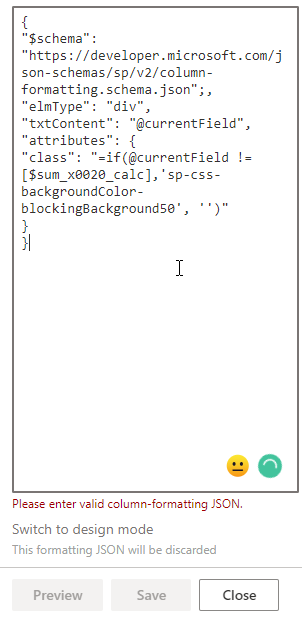
thank you so much for your input. I tried copying it but if gave me error: Please enter valid column-formatting JSON. If I understand correctly I'm supposed to verify the name of the column only, right? Everything else is in the json code? I do have to say I have zero knowledge about json, I can copy and paste it but I don't know the syntax.
I tried verifying it with online json verifyer and here's what it came up with:
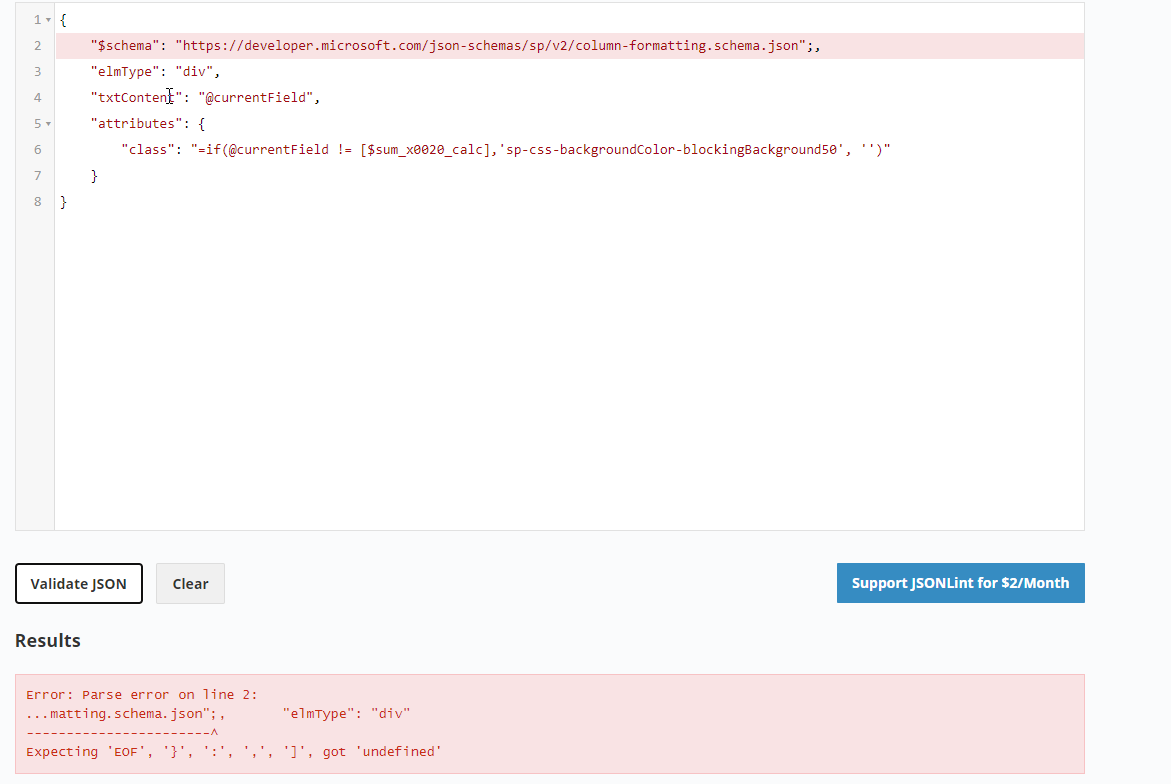
What am I missing?
Hi @allyazz ,
You don't have to validate the JSON in JSONLint, just copy and paste it in SharePoint Online JSON column formatting advanced mode. It will work for you.
Could you perhaps update this code so that it's updated and correct in case someone else looks this up? Thank you!
Hi @allyazz ,
My mistake, just remove the semicolon behind $schema": "https://developer.microsoft.com/json-schemas/sp/v2/column-formatting.schema.json", it should be this:
{
"$schema": "https://developer.microsoft.com/json-schemas/sp/v2/column-formatting.schema.json",
"elmType": "div",
"txtContent": "@currentField",
"attributes": {
"class": "=if(@currentField != [$sum_x0020_calc],'sp-css-backgroundColor-blockingBackground50', '')"
}
}
You, sir @MichaelHan-MSFT are awesome! It works like a charm thank you so much! Could you perhaps recommend some resources for a json newbie?
Thank you!
Hi @allyazz ,
Glad that hleps you. Please remember to click "Accept Answer" and upvote my answer.
And you could refer to this article about json column formatting: https://learn.microsoft.com/en-us/sharepoint/dev/declarative-customization/column-formatting. This will help you learn more about it.