Exchange | Exchange Server | Management
The administration and maintenance of Microsoft Exchange Server to ensure secure, reliable, and efficient email and collaboration services across an organization.
This browser is no longer supported.
Upgrade to Microsoft Edge to take advantage of the latest features, security updates, and technical support.
' cx='32' cy='32' r='32' /%3E%3Ctext x='50%25' y='55%25' dominant-baseline='middle' text-anchor='middle' fill='%23FFF' %3ECS%3C/text%3E%3C/svg%3E)
Hi,
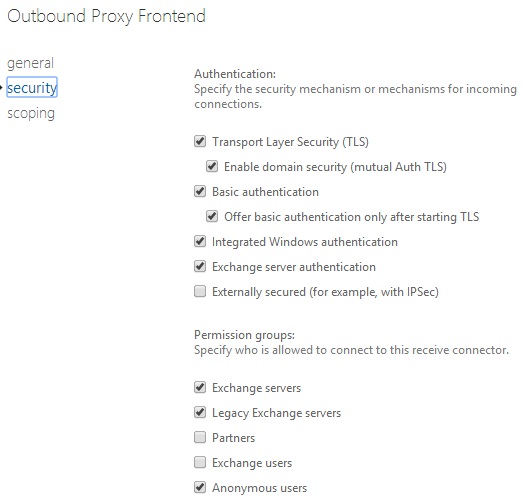
Some of my Exchange 2013 Users are being asked for a password in outlook again and again after I changed some security settings in one of the Exchange Connectors below. Are these the correct settings for every connector?
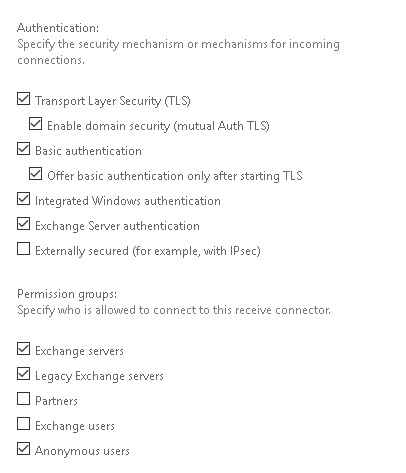
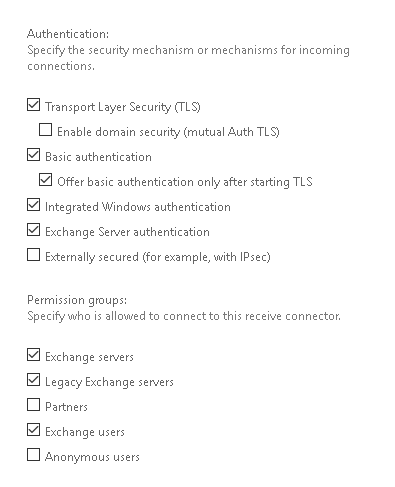
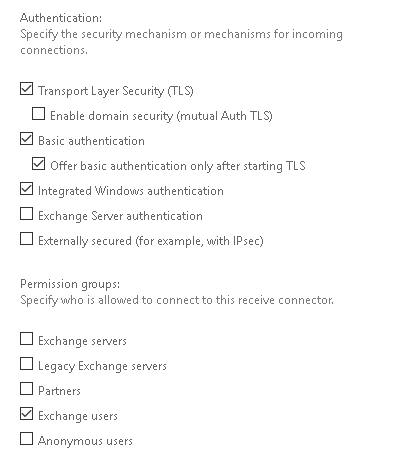
' cx='32' cy='32' r='32' /%3E%3Ctext x='50%25' y='55%25' dominant-baseline='middle' text-anchor='middle' fill='%23FFF' %3EEY%3C/text%3E%3C/svg%3E)
Yes, these are correct settings.
These are settings for the other connectors that you didn't mention:
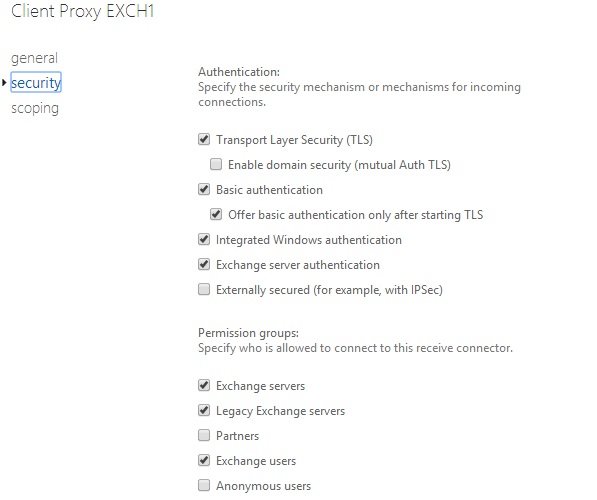
If an Answer is helpful, please click "Accept Answer" and upvote it.
Note: Please follow the steps in our documentation to enable e-mail notifications if you want to receive the related email notification for this thread.
I had Legacy Exchange Servers and Anonymous Users disabled. Do i need to enable them for these connectors? What is the purpose of Anonymous Users on Outbound Proxy Frontend?
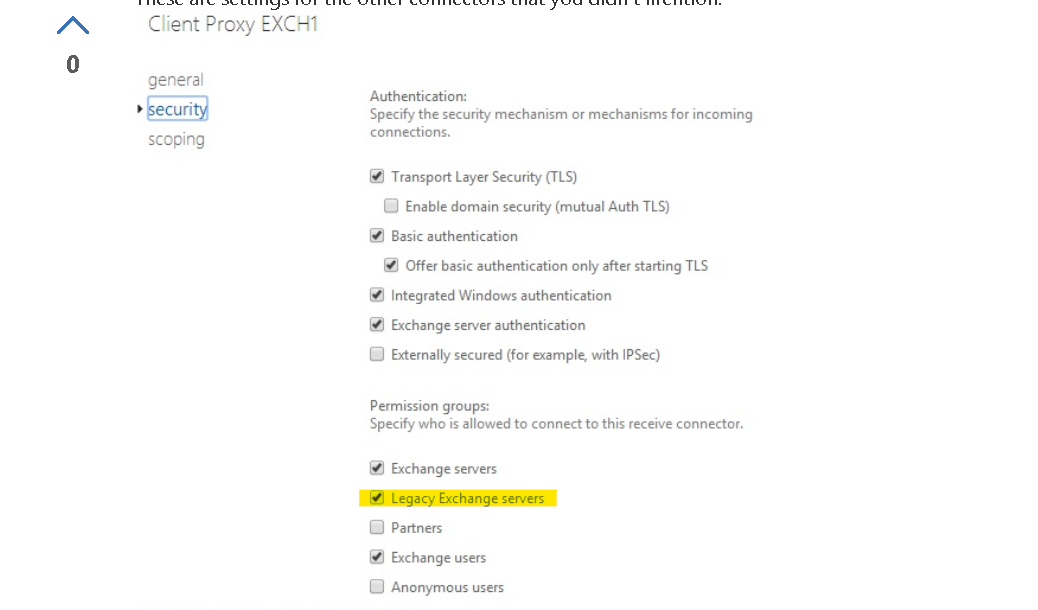
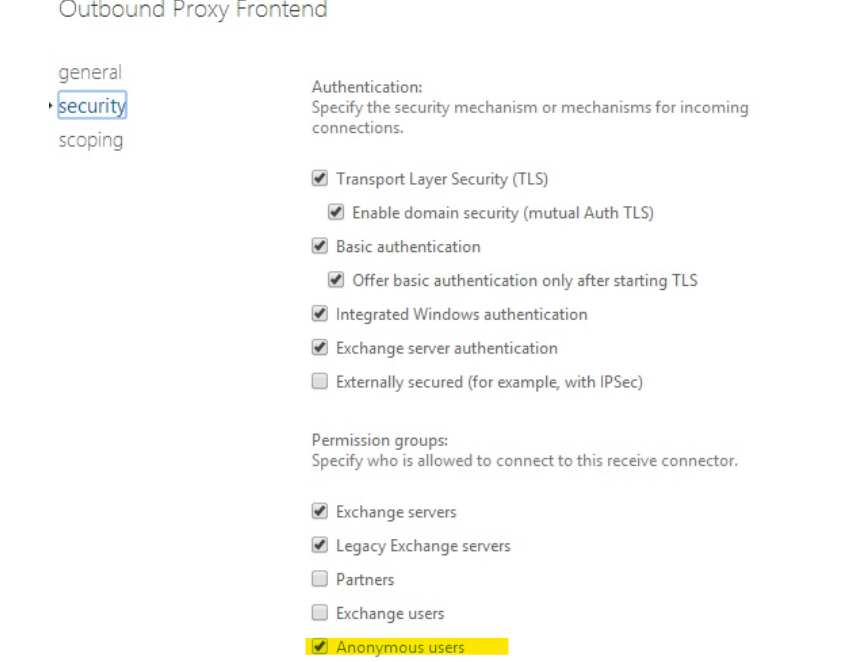
"I had Legacy Exchange Servers and Anonymous Users disabled. Do i need to enable them for these connectors? "
There's no need to for this connector to relay "anonymous users", but since it's enabled by default, I would leave it still.
I am writing here to confirm with you how the thing going now?
If you need further help, please provide more detailed information, so that we can give more appropriate suggestions.
If an Answer is helpful, please click "Accept Answer" and upvote it.
Note: Please follow the steps in our documentation to enable e-mail notifications if you want to receive the related email notification for this thread.
Thanks for your support.