Windows activation Error Code 0xc004f050

Mariko Matsushita 1 Reputation point
2020-11-11T10:07:19.243+00:00

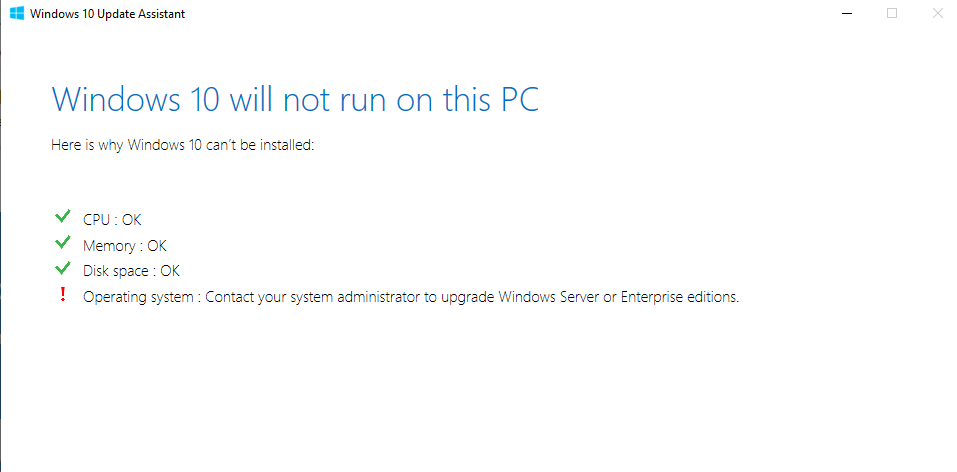
Windows 10 enterprises is installed in my laptop at the time of purchase and it is expired and not activated anymore. I had no product key for that. Therefore, now I purchased genuine windows 10 home.
Could you help me to activate it and it shows error code 0xc004f050 when the activation is attempted.
I also don't have access to system administrator.

39063-1.png

Windows for business | Windows Client for IT Pros | User experience | Other

3 answers

Sort by: Most helpful
  1. Deleted

    This answer has been deleted due to a violation of our Code of Conduct. The answer was manually reported or identified through automated detection before action was taken. Please refer to our Code of Conduct for more information.

    1 deleted comment

    Comments have been turned off. Learn more

  2. Jenny Feng 14,291 Reputation points
    2020-11-12T02:16:57.167+00:00

    @Mariko Matsushita
    Hi,

    You cannot activate Windows 10 enterprise with Windows 10 home key.
    These are 2 editions of Windows and they require different keys to be activated. You will have to do a clean installation of Windows 10 home for it to work.
    You should download the Windows 10 Home installation media from Microsoft and put the media on a USB drive.
    Back up all important data as you will lose EVERYTHING currently installed on the computer.
    Reboot the computer and boot from the USB drive.
    Go through the process to do a clean/new installation of Windows 10 using the flash drive. Delete all partitions on the hard drive and tell the installer to install Windows on the now completely empty hard drive.
    Go through the installation process and when prompted, enter your Windows 10 Home license key.

    Hope above information can help you.

    ============================================

    If the Answer is helpful, please click "Accept Answer" and upvote it.
    Note: Please follow the steps in our documentation to enable e-mail notifications if you want to receive the related email notification for this thread.

    Was this answer helpful?


  3. Khurram Rahim 1,861 Reputation points Volunteer Moderator
    2020-11-11T12:22:06.433+00:00

    Here are a few reasons why you might see activation error 0xC004F050:

    You entered a product key that can't be used to activate Windows. Enter a different valid Windows 10 product key or buy a new product key. For more info, see Activation in Windows 10.

    You upgraded to Windows 10, but the activation servers were busy. If you upgraded from Windows 7 or Windows 8.1, Windows 10 will be automatically activated, or you can select Activate and try again.

    You upgraded to Windows 10 using the free upgrade offer, but Windows 10 isn't activated after a reinstall. Windows 10 should automatically activate unless you made significant hardware changes (such as replacing the motherboard).

    I hope answer the the question please accept answer if issue resolve

    Was this answer helpful?

    0 comments No comments

Your answer

Answers can be marked as 'Accepted' by the question author and 'Recommended' by moderators, which helps users know the answer solved the author's problem.