Hi,szh8866-8371
SQL Server Audit (Database Engine)(recommend)
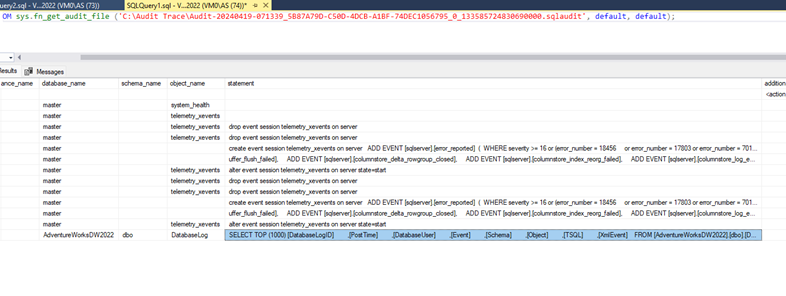
Audit can monitor two levels in SQL Server: the server level and the database level. Each level has corresponding Action Groups and Actions. Carefully read the official documentation. Below is a screenshot of my example:

Create a trigger and a log table to record the operations.
Here is an example:
CREATE TRIGGER trgAfterUpdate ON [dbo].[YourTable] AFTER UPDATE
AS BEGIN
AuditTable INSERT INTO [dbo].[AuditTable] (ModifiedBy, ModifiedDate, Action, Details)
SELECT
SYSTEM_USER,
GETDATE(),
'UPDATE',
'An update has been performed on ID ' + CAST(i.ID AS VARCHAR)
FROM inserted i; END;
- Temporal tables(As Erland recommended)
- If you just want to audit the DML changes (insert, update, and delete operations) that were made to user tables in a database.
Try this method:
Change data capture and Change tracking.
Best regards,
Mikey Qiao
If the answer is the right solution, please click "Accept Answer" and kindly upvote it.
' cx='32' cy='32' r='32' /%3E%3Ctext x='50%25' y='55%25' dominant-baseline='middle' text-anchor='middle' fill='%23FFF' %3EA%3C/text%3E%3C/svg%3E)